
Hi guys,
I found out how to do this while using the webapp. Its a free service called Pinger, you basicly sign up then get your own number. So here is how I do it:
1. Goto - www(dot)pinger.com

On the left hand side bar, Go> Textfree web
2. Next -Click Sign-up

Enter the desired fields.
3. Then - You will be directed onto this page

If you do not live in the US, here are some Zip codes you could use:
91331
92646
90210
90210
... After this click 'Find'
4. Then - Choose your number
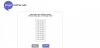
Any number is fine, try not to use a number at the top as it may already of been used.
5. Next - You will be directed to this page

You can find your number at the top of the page
6. Then- You can use your number when confirming your account, remember to set it to US though!
IF YOU FOUND THIS HELPFULL PLEASE LEAVE A THANKS!
I found out how to do this while using the webapp. Its a free service called Pinger, you basicly sign up then get your own number. So here is how I do it:
1. Goto - www(dot)pinger.com
On the left hand side bar, Go> Textfree web
2. Next -Click Sign-up
Enter the desired fields.
3. Then - You will be directed onto this page
If you do not live in the US, here are some Zip codes you could use:
91331
92646
90210
90210
... After this click 'Find'
4. Then - Choose your number
Any number is fine, try not to use a number at the top as it may already of been used.
5. Next - You will be directed to this page
You can find your number at the top of the page
6. Then- You can use your number when confirming your account, remember to set it to US though!
IF YOU FOUND THIS HELPFULL PLEASE LEAVE A THANKS!


