Graphics / Images Help

anuj291

Elite Member
Joined
Feb 1, 2009
Messages
1,564
Reaction score
325
I am in process of building many sites and I am facing a lot of problem w.r.t images on the site.

For example ? I have a blue background and I require images that either fit the background or have no background so they fit properly?

Can someone guide me how do I achieve the no background (if suppose the image is having white background)


Else can someone tell me a member to whom i can outsource everything related to images / graphics for the websites i make...
 
Thread moved to the "Web Design" section.

"Wiz"
 
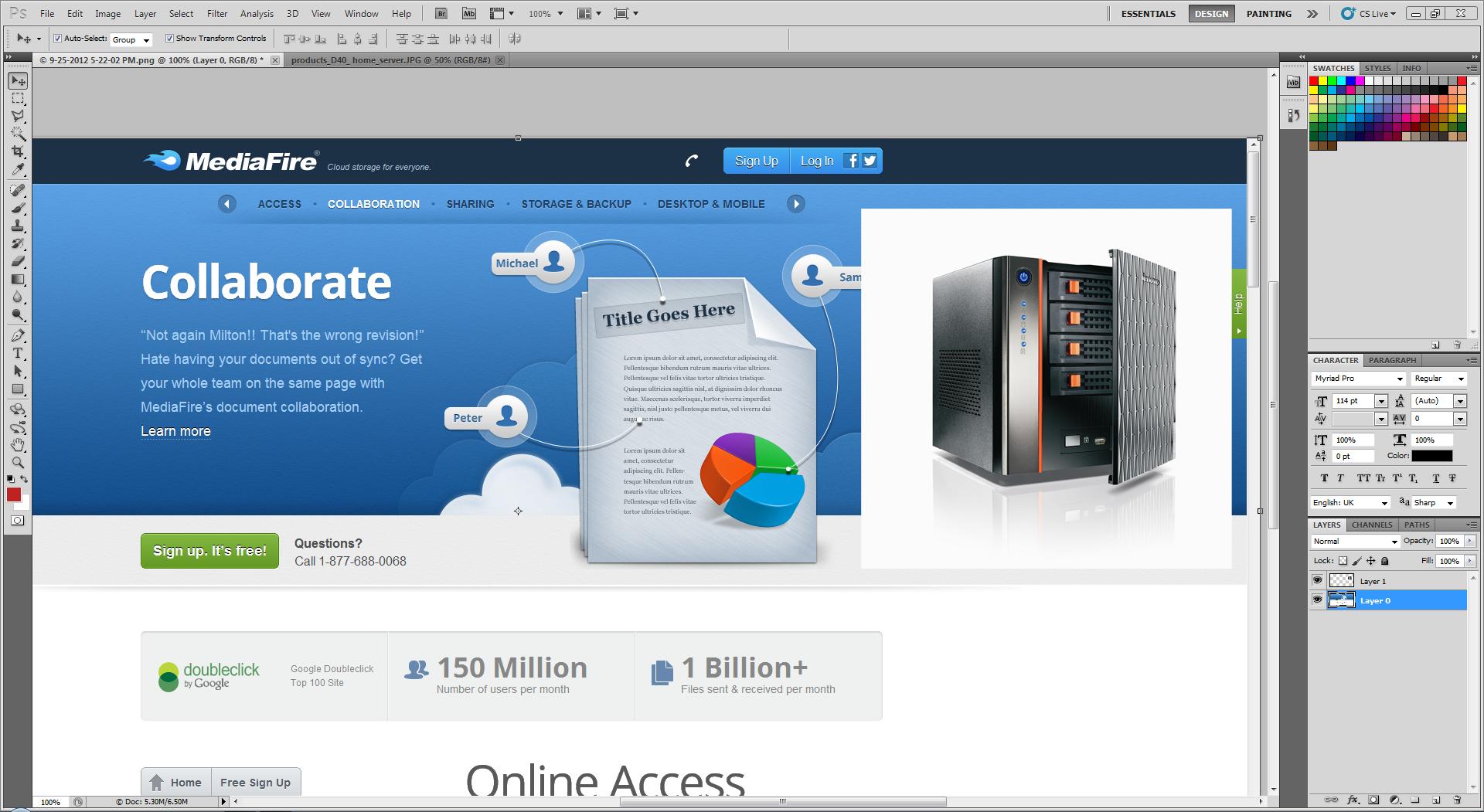
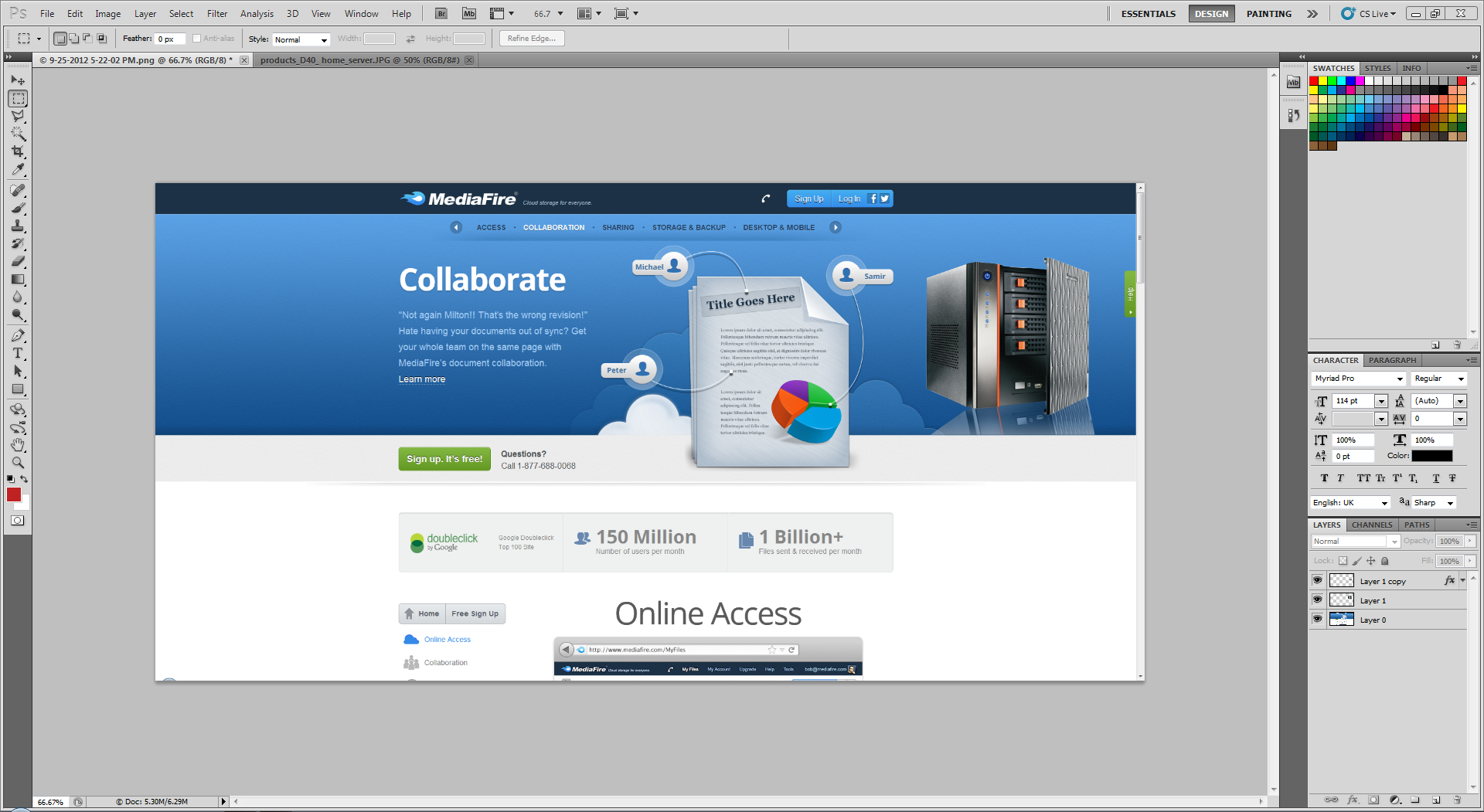
You can do this by deleting white color in background and by saving the image in .png format. Since png files are transparent, you'll see the image looks like it's merged with the background. I'll post a sample in next post.
 
You can see the inserted image into page in .jpg format has white background.

fcVnO


Here is the same image where white background is deleted and saved in .png format.

yXfkU


Let me know if you want me to teach it to you through teamviewer. You can also outsource this quick jobs to me for cheap rates. :D

Add me on skype @ smartjackmcgraw or send an email to [email protected]
 
Last edited:
Thats actually pretty well done SmarMan, I've always had difficult to remove the background on images, they always end up with traces of the background or sometimes when you try to remove by just selecting the magic wand tool it gets part of the design.

Do you have methods to overcome this kind of things as well ?

Sample:

Airbus-Concept-Plane-2050-thumb-550xauto-43129.jpg


Result

sample.jpg
 
Last edited:
Magic wand tool is good if your background color is in different color than that of the foreground object. To get perfect and accurate selection, use lasso tool.
 
Magic wand tool is good if your background color is in different color than that of the foreground object. To get perfect and accurate selection, use lasso tool.

Even using lasso tool the accuracy to go around the image without missing it is very hard and with the remaining traces how would you mask or hide it ? I've also update my previous post with a sample just to point what I was refering to.
 
wow... !!!

i have been changing all my png images to jpeg to make thr size smaller !!!

You can do this by deleting white color in background and by saving the image in .png format. Since png files are transparent, you'll see the image looks like it's merged with the background. I'll post a sample in next post.

You can see the inserted image into page in .jpg format has white background.

fcVnO


Here is the same image where white background is deleted and saved in .png format.

yXfkU


Let me know if you want me to teach it to you through teamviewer. You can also outsource this quick jobs to me for cheap rates. :D

Add me on skype @ smartjackmcgraw or send an email to [email protected]
 
but how do i delete the background ??

i have to use photoshop for that ....??
 
Photoshop is easy.. or u can use gimp.... for accuracy use Pen tool.. but for beginner is will be kinda difficult... u can master lasso and magic wand get the work done if the background is not messy... u can save the pic is smaller size in PNG format also...
 
Photoshop is easy.. or u can use gimp.... for accuracy use Pen tool.. but for beginner is will be kinda difficult... u can master lasso and magic wand get the work done if the background is not messy... u can save the pic is smaller size in PNG format also...

the images are pure white background in most...

its basically product images in white background... so i want the product only ... not the white background .... the image tht smartman has displayed is exactly what i want
 
Yes you've to use photoshop to remove the background. Let me know if you want to outsource it to me to remove the background on those product images in bulk at cheap rates(as mentioned in your OP). I can do the first 5 images for you for FREE to test my speed and accuracy.
 
Yes you've to use photoshop to remove the background. Let me know if you want to outsource it to me to remove the background on those product images in bulk at cheap rates(as mentioned in your OP). I can do the first 5 images for you for FREE to test my speed and accuracy.

hi

just sent you trial image + email with all my questions...

thanks
 
Started working on trial images. Will reply to your mail shortly. Thanks for your interest. :)
 
Back
Top