
D
Deleted member 17472
Guest
1. We need tweet attacks free version 2.6.2.0
2. We need Microsoft Dotnet Framework Version 3.5 minimum
3. When you open the tweet attacks free version software. It will showing message for checking updates.
Then it will show "Microsoft Dotnet Frame work Error" where continue or quit option given.

4. Now click on Continue Option.
5. Then it will load the Tweet Attacks software.

6. Then Now click on Manage Button on top left hand side.

7. IN Manage click on Manage Accounts

8. You can see all twitter account details here if you already added , if not then add 3 twitter accounts highest (as free version only allow 3 twitter accounts)
9. Then click on cancel button from menu bar

10. Now click on "Load All accounts"

11. Now here all accounts will be display.
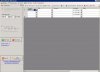
12. Delete all accounts from display and keep any one which work you want to do.
13. Now from Task menu chose the task like following people's followers or following or unfollow.

[Note** following people through Search function is not working, as twitter updates its parameter]
14. Now if you chose "following people's followers", then in Parameter menu, give the twitter profile users name
15. Now go to settings tab in left hand side
16. Chose the setting like Delay limit and following limit.
17. and click on start task button.
18. In some accounts number of following showing , but in some cases it does not display , so in that case stop tweet attacks after 1 hour 10 minutes.
I hope this guide will help you and you will like this post.
2. We need Microsoft Dotnet Framework Version 3.5 minimum
3. When you open the tweet attacks free version software. It will showing message for checking updates.
Then it will show "Microsoft Dotnet Frame work Error" where continue or quit option given.
4. Now click on Continue Option.
5. Then it will load the Tweet Attacks software.
6. Then Now click on Manage Button on top left hand side.
7. IN Manage click on Manage Accounts
8. You can see all twitter account details here if you already added , if not then add 3 twitter accounts highest (as free version only allow 3 twitter accounts)
9. Then click on cancel button from menu bar
10. Now click on "Load All accounts"
11. Now here all accounts will be display.
12. Delete all accounts from display and keep any one which work you want to do.
13. Now from Task menu chose the task like following people's followers or following or unfollow.
[Note** following people through Search function is not working, as twitter updates its parameter]
14. Now if you chose "following people's followers", then in Parameter menu, give the twitter profile users name
15. Now go to settings tab in left hand side
16. Chose the setting like Delay limit and following limit.
17. and click on start task button.
18. In some accounts number of following showing , but in some cases it does not display , so in that case stop tweet attacks after 1 hour 10 minutes.
I hope this guide will help you and you will like this post.
Last edited by a moderator:


