Permanently Closed Marketplace Sales Thread

Status
Not open for further replies.
Gimme4Free,

Do you plan to add multi-accounts option for Pinterest Follower Information ?

It would be great to have all the infos for all the accounts, without needing to add each time the username and password.

It would great too if we can export the results as a txt file.

Thanks again for this awesome bot package !!
 
But if you have a "store" setup don't you want to post the same url??

There are ways around this using simple .htaccess redirects or secondary URL's. The Bit.ly link generator helps those that are sharing links which are 'likely' to be banned.
 
Gimme4Free,

Do you plan to add multi-accounts option for Pinterest Follower Information ?

It would be great to have all the infos for all the accounts, without needing to add each time the username and password.

It would great too if we can export the results as a txt file.

Thanks again for this awesome bot package !!

Yes, this feature is being worked on at the moment.
 
After reading the Amazon?s product advertising API license agreement
You will not[?]compile or use Product Advertising Content for the purpose of direct marketing, spamming, unsolicited contacting of sellers or customers, or other advertising activities.?

Pintrest is now Flooded with bitly links.. and spam Soon they will not allow URL shortners
Spam key words
cooking,food,coupons,recipes,fitness, these are some of the top..
I do find it fun to Remove there link =) Im wrighting a scripts that scraps all the bitly links and changes them saving me alot of work =)

Not trying to derail this thread.. I think you did a good job with this..
 
100 clicks no converts, should i change cpa offer?

How are you promoting your offer? It helps to make your Pin's targeted when linking to CPA offers, personally I prefer clicks through the description as this way I can tell the user what to do.
 
How are you promoting your offer? It helps to make your Pin's targeted when linking to CPA offers, personally I prefer clicks through the description as this way I can tell the user what to do.

Im re-pinning the popular pins & adding the shorturl in the description, along with the default description text... offer isn't targeted but the offer deals with pinterest its self... its a cpa pinterest offer.. email submit.
 
Thanks for sharing your progress with the bot. Hope that amount increase for you.

Just a quick review:

I have been using these bots for about a week, I started with 4 accounts. I used the Popular pin re-pinner, at first, without specifying the board names. This created a bunch of random boards on my 4 accounts, most with only 1 pin in it.

Once I realised my mistake (not specifying board names), I manually logged in to the accounts and moved random pins into fewer boards, then deleted empty boards.

I then had 4 accounts, with logically named boards, and enough pins in each to make it look like legit accounts.

I then moved on to the liker and follower bots, liked things based on very broad keywords (not targeted to anything, for example: "lol", "haha", "cute" and so on.), I also followed users based on these keywords.

I soon saw some followers back on my accounts, I left it a bit before posting (very slowly) more popular pins, limiting it to only a few per account.

I then used the Amazon bot, along with the redirector script, and pinned some products based on some keywords (basically, the first thing that popped into my head)

Here, I made another mistake, I didn't specify the Amazon link (in the "Pin link format" field), I blasted some Amazon products, but when checking, I saw that the link in the description was my link, but the link for the pin was still an Amazon link.

I realised my mistake after reading a bit further in this forum thread and tried again, this time my links appeared fine.

from here on I just repeated the process, following more, liking more, posting more popular pins and Amazon links.

You have to note that I only had 4 accounts, and DIDN'T USE PROXIES AT ALL! So far, all my accounts are still up.

Since then, I created another 8 accounts and did exactly the same as before, this time just a little more streamlined process and without the mistake.


Important note:

I use Linktrackr to track all my affiliate links, and thought that I could use this for the Amazon bot too, If you don't know about Linktrackr, I strongly urge you to check it out, it makes your life so much easier when all your affiliate links are under one roof, and the reporting is AWESOME!

Anyway, Linktrackt has a campaign function, so you can track specific campaigns and you can create campaigns on the fly, the beauty of this is that with the Amazon links, I turn the product ID into the campaign ID, so I can track the popularity of my Amazon products on Pinterest.

With Linktrackr, you have to use your own domain, I bought a short-ish URL from godaddy to use.

In Linktrackr, I specify my URL, let's call this pinlink(.)com/amazonlinks (just an example), now I specify the Linktrackr link as follows: www( . )amazon( . )com/dp/(lt-campaign)/?tag=myamazonaffiliatetag-20

Then I specify my link in the Amazon bot as follows: pinlink( . )com/amazonlinks-[PRODUCT_ID]

now Linktrackr will use the product ID as the campaign ID, but more importantly, it will dynamically generate your Amazon affiliate links for you, so for example, your link for the iPhone 4 will display like this in Pinterest:
pinlink( . )com/amazonlinks-B0041E5G32,

and will redirect to this:
www( . )amazon( . )com/dp/
B0041E5G32/?tag=myamazonaffiliatetag-20

Using Linktrackr will cloak your links and Pinterest can't add their own affiliate tag onto your links, but more importantly, using Linktrackr's reporting, yo know exactly what links are being clicked, in real time, and you can monitor you performance.


OK, now for some stats:

Total Amazon links clicked (in about a week) - 281

Total sales - 10

Amazon revenue - about $4.50

I also use Linktrackr for the popular pin re-pinner, I can then chose where I want to send this traffic, if a certain product does not convert, I simply change the destination URL in Linktrackr to test another product.

If you're a Hyper member of Linktrackr (I'm not, I have the Pro account), you can use the A/B split test feature - Specify 2 links to 2 different affiliate products, and see, in real time which one converts best.

Ok, so now my general URL clicks - About 3000 clicks in the past week.

So far I've sent the traffic to an Adsense site, with marginal increases in earnings, and to some general Clickbank products, but no sales yet. I have not yet tried CPA or many other marketing methods.


I just purchased some more Pinterest accounts and plan to keep going, the current earnings are small, but I will write it off to trial & error, I can totally see this being profitable if you scale it up (after all, I only have 12 accounts right now).

Hope this sheds some light on these bots. If you find this useful, please show your appreciation.


TD
 
...
OK, now for some stats:

Total Amazon links clicked (in about a week) - 281

Total sales - 10

Amazon revenue - about $4.50

I also use Linktrackr for the popular pin re-pinner, I can then chose where I want to send this traffic, if a certain product does not convert, I simply change the destination URL in Linktrackr to test another product.
...

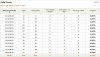
Man, I see the advantage is in tracking and adjusting... because my numbers have me baffled right now:

amazon-dailytrends-2012-04-10.jpg

That single sale was something *I* bought. So, in short - no sales. I hope to discuss this further on the Skype group (when I join.) Because right now, it's not looking good.

I have 10 accounts using private proxies I bought. I use the Popular Pin-Resubmitter, Commentor (very spintaxed comments - even topical like on Easter weekend or Mondays, etc.,) Like Bot, Amazon product Submitter, and Follower bot. I have, what I believe to be, an appropriate keyword list I created for Pinterest based on the demographics there crossed with Amazon's top sellers for specific categories.

Either I need to scale and track with Linktrackr (not a member at the moment) or I just need to stick to white hat and slowly build as I've been before. Odd.
 
Thanks for sharing your progress with the bot. Hope that amount increase for you.


Did you create all your accounts manually?

How did you use the bots on those accounts without using proxies? Did you have to do it one by one?

I currently have two accounts, one has a few hundreds of followers and 200 pins, the other one has 10k+ followers and 600+ pins. I've been doing it for about a few days now, but all I'm seeing is 30 clicks on the re-pinned pins and no sales on amazon.


Anyone knows why?

And can anyone tell me the skype group you guys were talking about?
 
Did you create all your accounts manually?

How did you use the bots on those accounts without using proxies? Did you have to do it one by one?

I currently have two accounts, one has a few hundreds of followers and 200 pins, the other one has 10k+ followers and 600+ pins. I've been doing it for about a few days now, but all I'm seeing is 30 clicks on the re-pinned pins and no sales on amazon.


Anyone knows why?

And can anyone tell me the skype group you guys were talking about?

PM Sent
 
Just a quick review:
I just purchased some more Pinterest accounts and plan to keep going, the current earnings are small, but I will write it off to trial & error, I can totally see this being profitable if you scale it up (after all, I only have 12 accounts right now).
TD

How many accounts do you think you need in order to start seeing sales of $50+ /day? Thanks
 
How are you promoting your offer? It helps to make your Pin's targeted when linking to CPA offers, personally I prefer clicks through the description as this way I can tell the user what to do.

Im re-pinning the popular pins & adding the shorturl in the description, along with the default description text... offer isn't targeted but the offer deals with pinterest its self... its a cpa pinterest offer.. email submit.
 
How many accounts do you think you need in order to start seeing sales of $50+ /day? Thanks

I am not sure, I will run with all the current accounts I have and will be sure to let you guys know what my progress is. The main thing is, if it works, scale it up!
 
Just a quick update, logged in to Amazon this morning, currently on 377 clicks, 13 orders and about $12 in earnings. And I've been bumped up to 6% referral rate.
 
Gimme did you ever get to check my pm? sorry ive emailed and not got a reply thats why i was asking.
 
Haha thanks my bad bro i sent you 2 thought it went to spam maybe :). thanks again and thanks for having me as a customer :)
 
Hello,
I just bought this package and joined the skype group. Burton is not answering me in the group. Is there a simple step by step to get this bot working? Please message me back asap. Thank you!
 
Status
Not open for further replies.
Back
Top