Facebook scans advertising accounts

NAM AGENCY

Power Member
Marketplace seller
Joined
Jan 28, 2015
Messages
626
Reaction score
117
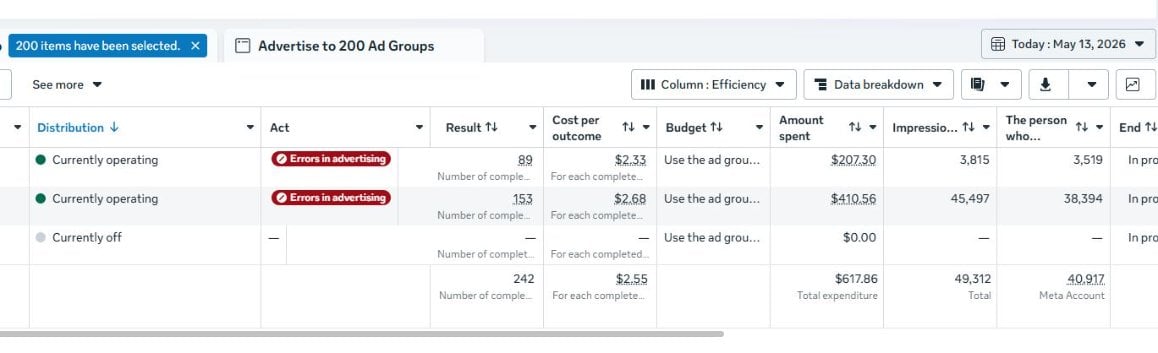
For the past week, Facebook has been cracking down on and disabling many advertising accounts, disabling accounts in bulk, setting Business Manager checkpoints, imposing unusual spending limits, rejecting ads unreasonably, and even terminating long-standing accounts.

The methods I use to reduce the risk of account suspension:
- Fixed network address
- Limited logging in from multiple devices
- Slowed campaign launches
- Increased budget by 20-30%

- Limited frequent card changes
Please leave your comments so we can all learn from each other.
full
 
otherways i tried but no good, i will increase my budget to 30% like you said to try, hope it better
 
otherways i tried but no good, i will increase my budget to 30% like you said to try, hope it better
I applied that method and found it to be effective.
 
Thanks, I use the same methods myself; the accounts seem to be doing just fine.
 
this time, I see facebook still scans accounts, and card. do the same problem happens to you? Increased budget by 20-30% is really effective? I haven't done like this before.
 
"Increased budget by 20-30%" - you mean that we must increase budget of Campaign or Ad set by 20-30%, not 50% or 100%? And how often we can increase budget by 20-30%, once per day or every 2 hrs?
 
"Increased budget by 20-30%" - you mean that we must increase budget of Campaign or Ad set by 20-30%, not 50% or 100%? And how often we can increase budget by 20-30%, once per day or every 2 hrs?
+1. I'm interested to know that as well!
 
Thanks bro.
I'd like to add the following suggestions:
1. Don't use spending limits.
2. Don't change your account name.
3. Run fewer advertising campaigns.
Please share any other suggestions you have.
 
Thanks bro.
I'd like to add the following suggestions:
1. Don't use spending limits.
2. Don't change your account name.
3. Run fewer advertising campaigns.
Please share any other suggestions you have.
Thank you for these helpful suggestions, I hope they will be of great help to others
 
Thank you for your sharing; I will try it later. But I find it quite useful :p
 
Budget increase is fine but not the main thing imo. If the page/BM already got bad quality score, 20-30% wont save it... better slow down everything for few days, keep same card/IP/device, and dont touch page name or business info unless really needed. Also check rejected ads history, sometimes one bad creative reused across many accounts is what triggers the whole batch.
 
Budget increase helps a bit, but @Nexora550 is right imo, if the creative/page already has bad history then scaling slower won't fix much. I usually let new BM sit with small clean campaigns for few days, no edits to business info, no switching cards, and avoid uploading same rejected video/image again. Seen one bad creative kill 5 accounts in same day... so now I check that first before blaming IP or device.
 
Back
Top