
Hello everyone,
I want to share the exact method I’ve been using for the past 5 months to successfully warm up and get approvals on Bing (Microsoft Advertising).
-------------------------
Before even creating an account, make sure you respect these fundamentals:
Bing cares A LOT about trust signals
------------------------------------------------------------------
Your website MUST meet these conditions:
 Product complies with Bing policies
Real company info (no fake business)
Unique contact details (email / phone / address)
All buttons functional
Website accessible worldwide
Clean and professional design
 Avoid:
This is where most people fail
This reduces risk of suspension later
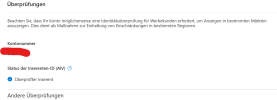


you can run shopping ads or search ads , for me i always start a search or display ads
good luck for everyone
I want to share the exact method I’ve been using for the past 5 months to successfully warm up and get approvals on Bing (Microsoft Advertising).
-------------------------
PART 1 — CORE PRINCIPLES (VERY IMPORTANT)
Before even creating an account, make sure you respect these fundamentals:
- Use an aged domain with clean history (NO blackhat past)
- Build high-quality backlinks
- Create high-quality, compliant content
- Avoid sensitive niches (crypto, make money, news, etc.)
- Always use:
- Privacy Policy
- Terms of Service
- Return Policy
- Contact Page
Bing cares A LOT about trust signals
------------------------------------------------------------------
PART 2 — WHITE PAGE REQUIREMENTS
Your website MUST meet these conditions:
Product complies with Bing policies Real company info (no fake business) Unique contact details (email / phone / address) All buttons functional Website accessible worldwide Clean and professional design Avoid:- Copying brands (Amazon, IKEA, etc.)
- One-product “thin” pages
- Fake or empty companies
- Broken pages or buttons
PART 3 — MY ACCOUNT CREATION METHOD (IMPORTANT)
This is where most people fail
Step 1 — Website Setup
- I use Shopify to build my store
- Fully completed before ads (NO empty pages)
Step 2 — Email Setup
- Use aged Outlook email
- Prefer business email (domain-based if possible)
- use webmaster tool and indexnow to build trust also use sitmaps
Step 3 — Register Microsoft Advertising
- Create account using the business email
- Use clean IP (1 account = 1 IP)
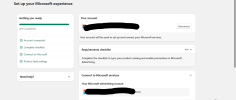
Step 5 — AIV Verification (CRITICAL STEP)
- Complete AIV (Advertiser Identity Verification)
- I ALWAYS do this before adding payment
This reduces risk of suspension later
Step 6 — Add Payment Method
- Only AFTER AIV is completed
- Use consistent billing info (always start with small amount)
Step 7 — Campaign Launch
- Start with:
- Clean keywords (get them from webmaster tool search)
- No sensitive angles
- Real product descriptions
you can run shopping ads or search ads , for me i always start a search or display ads
good luck for everyone


