

- Jan 9, 2023
- 265
- 43
If you suddenly cannot log into your Instagram account. Or your friends receive strange messages from you. Your account might be hacked. Do not worry. Getting hacked feels scary. But you can completely solve this problem. This guide will teach you step by step. First, it shows how to check if your account is hacked. Second, it tells you what to do in emergencies. Third, it explains how to get your account back. Finally, it teaches how to prevent future hacking. Start following this guide now.
1. Tips for Remote Login
2. Unexpected Password Reset Emails
3. Friends Reporting Strange Messages for You
4. Missing Posts or Unfamiliar Content
5. Unable to Access Your Account
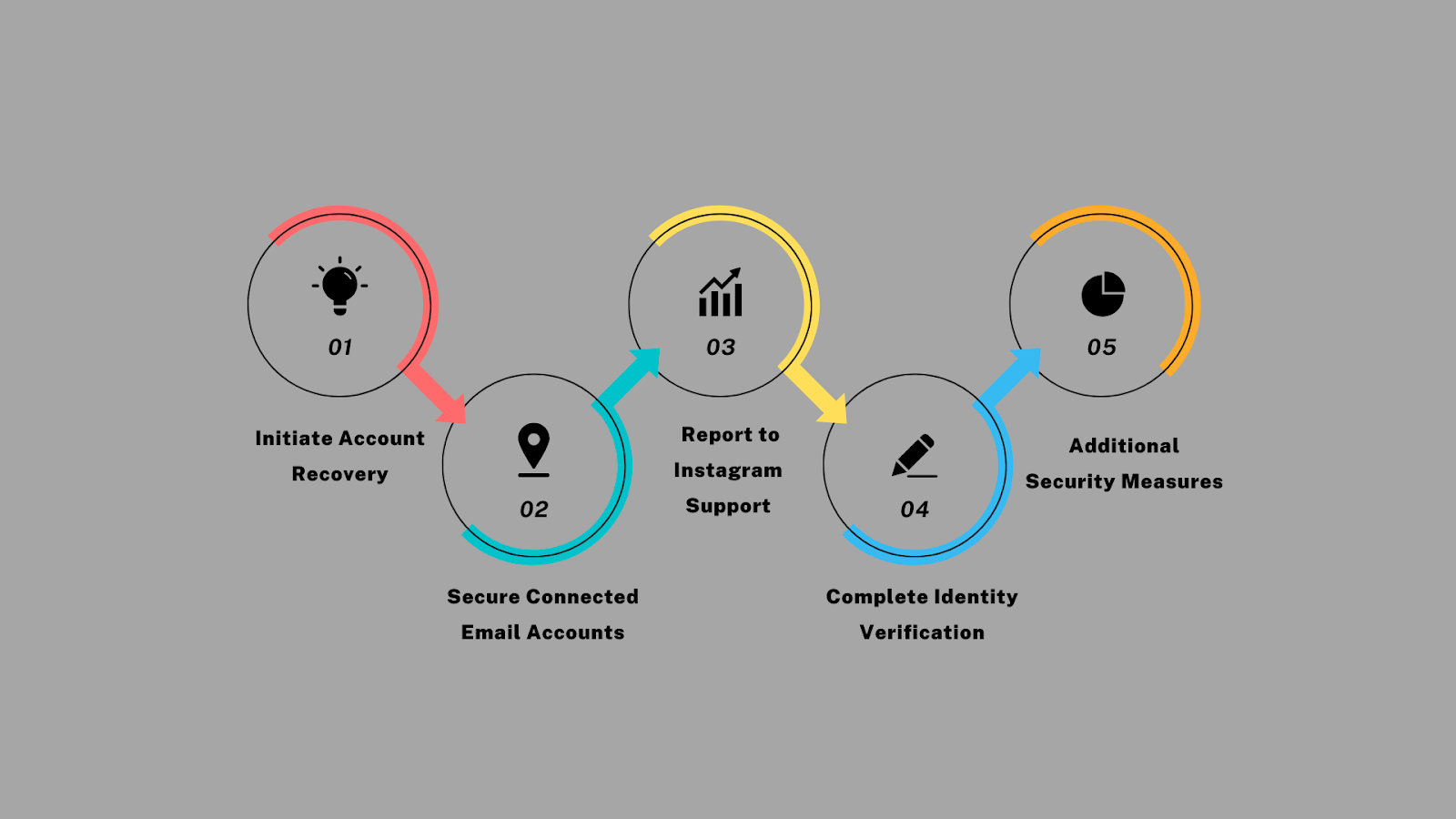
If you confirm that your Instagram was hacked and your email was changed, take these steps:
1. Start Account Recovery
2. Secure Connected Emails
3. Report to Instagram
1. Check All Notification Emails
Search your inbox for messages from Instagram about recent email or password changes.
2. Use Alternative Recovery Methods
If you previously set up a phone number or backup email, use those recovery options.
3. Provide Historical Account Details
When reporting an Instagram account hacked and deleted:
How To Tell If Your Instagram Account Has Been Hacked?
Watch for these signs. Act immediately if you notice Instagram has been hacked and your email has changed:1. Tips for Remote Login
Instagram notifies you about new logins. Alerts from cities/countries you don't know or wrong devices (like Android login when you use iPhone) mean a possible Instagram hack and email change. Check login times. Act immediately if times don't match your actual usage.
2. Unexpected Password Reset Emails
Getting unexpected password reset emails often indicates that someone hacked your Instagram and changed your email. Never ignore these warnings.
3. Friends Reporting Strange Messages for You
If friends get weird DMs or comments from your account that you didn't send, your account may be hacked. Hackers often send scam links or spam ads to followers.
4. Missing Posts or Unfamiliar Content
Finding your posts gone or new content you didn't post means someone else controls your account.
5. Unable to Access Your Account
If your password suddenly doesn't work after many tries, it likely means Instagram was hacked, and email changes occurred. Watch for "Wrong password" or "User not found" errors.
Urgent Steps To Take Immediately
If you confirm that your Instagram was hacked and your email was changed, take these steps:
1. Start Account Recovery
Begin recovery immediately when facing Instagram hacking and email changed:
- Go to the Instagram login page.
- Tap "Forgot password".
- Enter username, phone, or backup email.
- Complete verification steps.
- Reset password using their link.
2. Secure Connected Emails
After Instagram hacked and email changed, protect emails:
- Change passwords for ALL linked email accounts right now.
- Turn on two-step verification for these emails.
- Check email settings for suspicious forwarding rules.
3. Report to Instagram
- Visit Instagram Help Center.
- Submit a hacked account report.
- Tell them: When did you first notice the problem? What suspicious activities did you see? What changes happened without your permission?
- Complete Identity Check
- Prepare a valid ID (like an ID card, driver's license, or passport) that matches your account.
- If your account has a profile photo, record a video selfie: Look at the camera and slowly turn your head side to side. This proves you are a real person. Instagram deletes this video after 30 days.
- Extra Protection (If You Can Still Log In)
- Change your Instagram password immediately.
- Turn on two-step verification.
- Check connected emails and phone numbers. Remove anything you didn't add.
- Go to Settings > Security > Apps and Websites. And you can remove suspicious third-party apps.
What To Do If Your Instagram Email Address Has Been Changed?
Recovering an account after Instagram hacking and email change requires specific approaches:1. Check All Notification Emails
Search your inbox for messages from Instagram about recent email or password changes.
2. Use Alternative Recovery Methods
If you previously set up a phone number or backup email, use those recovery options.
3. Provide Historical Account Details
When reporting an Instagram account hacked and deleted:
- Previous emails used.
- Account creation date.
- Old profile photos.
- Your regular devices.
Prevent Future Hacking Attacks
After recovering from an Instagram hack and email change, implement these protections:- Enable Two-Factor Authentication
Add an extra security layer requiring both a password and verification code. - Create Stronger Passwords
Use 12+ character combinations with numbers, symbols, and mixed cases to prevent future Instagram hacking and email changes. - Review Active Sessions Monthly
Regularly check and log out of unfamiliar devices in account settings. - Recognize Phishing Attempts
Avoid Instagram hacking and email changes by ignoring suspicious links. - Limit Third-Party App Access
Remove unnecessary apps with account permissions in Settings > Security.


 i forgot to write! thanks for the addition!
