

Dtra1n
Newbie
- Dec 14, 2024
- 25
- 19
For those of us dealing with Facebook advertising, one of the most frustrating challenges is encountering restricted VIA accounts. Identifying the type of restriction early can save time, resources, and future headaches. In this post, I’ll break down 3 types of restricted VIA accounts and share practical tips to avoid falling into these situations.
Understanding the differences between restricted VIA accounts is key to saving time and resources in the long run. By staying compliant, using clean accounts, and building trust with Facebook’s systems, you can reduce the risk of account restrictions and keep your campaigns running smoothly.
If you’ve encountered any similar issues or have other tips to share, let’s discuss below!
1. Restricted VIA with Appeal Option

Identification:
You’ll see a notification stating that the account has been restricted but there is an appeal button available.
Facebook may request verification documents such as ID, selfie verification, or proof of business.
Recovery Chance: High (If you provide accurate and legitimate documents).
Tip: Always keep high-quality, verifiable documents ready, and ensure your account activity complies with Facebook's advertising policies.
2. VIA Permanently Restricted After Appeal Denied

Identification:
The account went through the appeal process but received a final decision of permanent restriction.
No further appeal button or recovery option is available.
Recovery Chance: None. The account is permanently banned from advertising.
Tip: If your appeal has been denied, avoid repeatedly submitting invalid documents or spamming support. Instead, focus on preventive measures to protect fresh accounts.
3. Restricted VIA with No Appeal Button
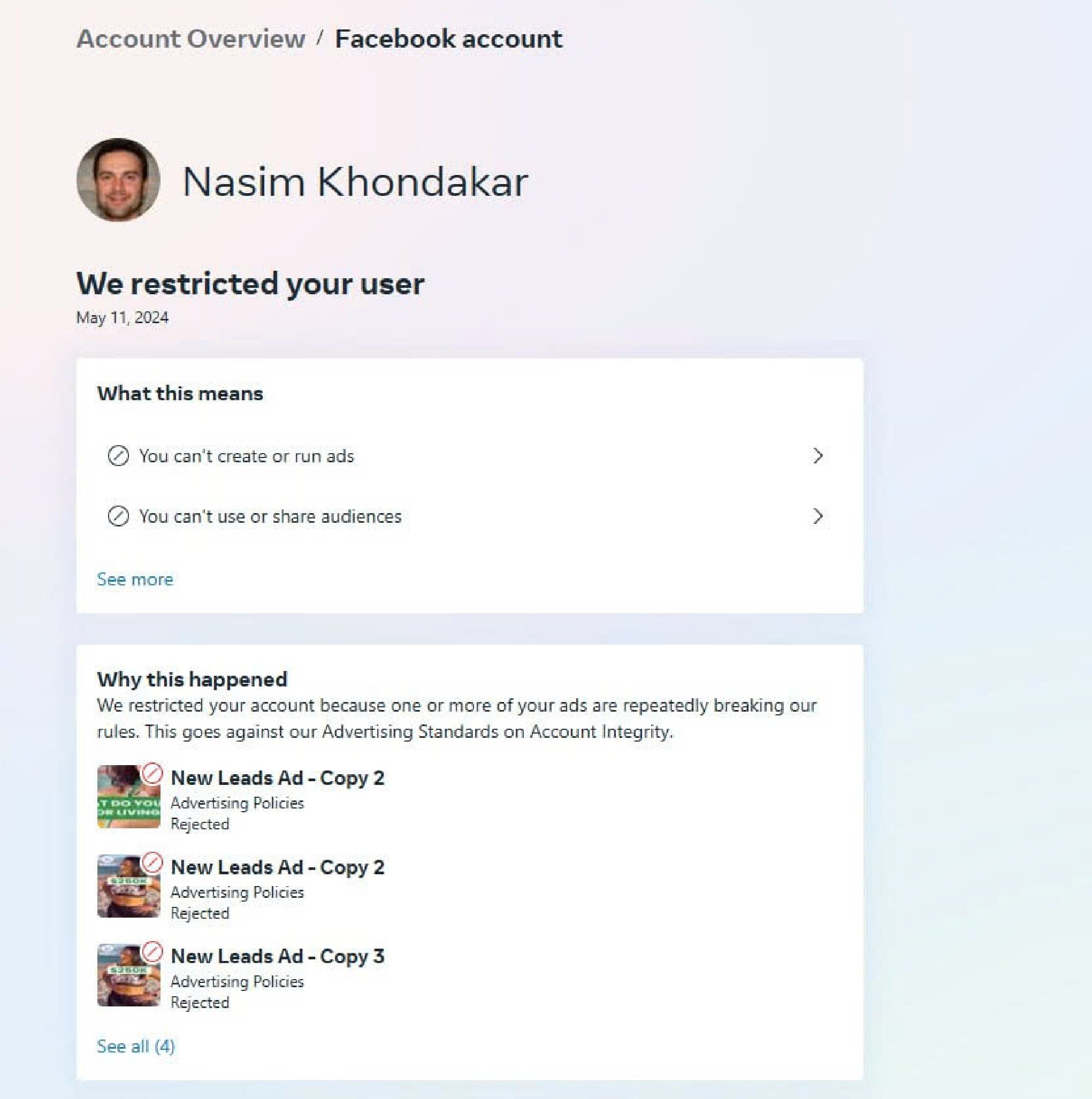
Identification:
The account is restricted, but there’s no appeal option displayed.
Facebook has flagged the account as non-recoverable due to serious violations or suspicious activity.
Recovery Chance: Very low. The absence of the appeal button means Facebook has decided the account cannot be trusted.
Tip: Avoid risky activities like using flagged payment methods, low-quality proxies, or inconsistent login locations that can trigger Facebook’s automated system.
ConclusionTips to Avoid VIA Restrictions
Use Clean, Aged Accounts:
Avoid fresh VIA accounts with no history. Build trust by warming up the account (engaging in organic activities like posting, commenting, etc.) before running ads.
Stable Login Environment:
Always log in from the same IP address or high-quality residential proxies to avoid triggering Facebook’s suspicion.
Compliant Payment Methods:
Use trusted payment cards (avoid prepaid or flagged methods). Ensure billing details match account information.
Follow Facebook Ads Policies:
Regularly review and comply with Facebook’s advertising policies to avoid flagging or immediate restrictions.
Document Backup:
Have clean, verified documents (government IDs, utility bills) ready for account recovery, if needed.
Avoid High-Risk Behaviors:
Stay away from blacklisted industries, spammy content, or aggressive scaling of ad spending on new accounts.
Understanding the differences between restricted VIA accounts is key to saving time and resources in the long run. By staying compliant, using clean accounts, and building trust with Facebook’s systems, you can reduce the risk of account restrictions and keep your campaigns running smoothly.
If you’ve encountered any similar issues or have other tips to share, let’s discuss below!


