Image Upload Error on Facebook Profiles with Residential Proxies – Need Help

lum4n4r3

Junior Member
Joined
Oct 13, 2023
Messages
163
Reaction score
31
Hi! I have 4 Facebook profiles with residential proxies, but I'm encountering the same error on all of them: "Your file can't be uploaded: 453778621_469002452763751_6666247236955827830_n.jpg". I've tried changing the name and location of the images, but it didn't work. Can anyone tell me or recommend what to do to fix the problem? Could the issue be related to the proxies?
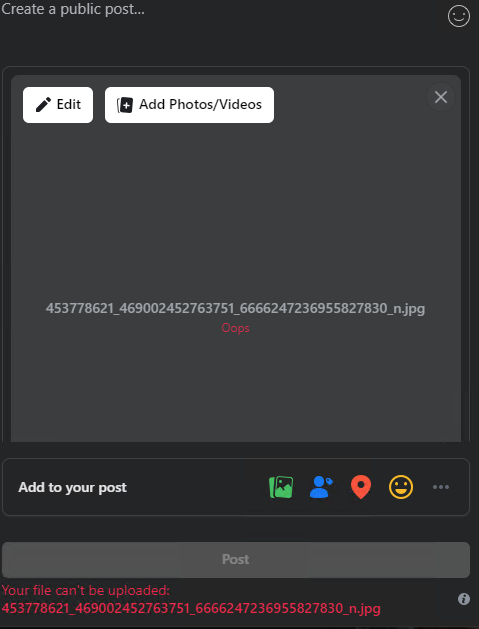
1729413846776.png
 
did you upload it ok before?
try changing the name, using a different browser, if nothing changes turn off proxy and upload the image again
Hi! I have 4 Facebook profiles with residential proxies, but I'm encountering the same error on all of them: "Your file can't be uploaded: 453778621_469002452763751_6666247236955827830_n.jpg". I've tried changing the name and location of the images, but it didn't work. Can anyone tell me or recommend what to do to fix the problem? Could the issue be related to the proxies?
View attachment 386154
 
did you upload it ok before?
try changing the name, using a different browser, if nothing changes turn off proxy and upload the image again
When I use my real residential address, I don't receive any errors and I'm able to post successfully. However, when I use only the proxy IP address residential "ISP", it doesn't work. I have bought 100 Residentials proxy for 5USD,was ok last month but this month is disaster.
 
Hi! I have 4 Facebook profiles with residential proxies, but I'm encountering the same error on all of them: "Your file can't be uploaded: 453778621_469002452763751_6666247236955827830_n.jpg". I've tried changing the name and location of the images, but it didn't work. Can anyone tell me or recommend what to do to fix the problem? Could the issue be related to the proxies?
check if the photo size is suitable for uploading to facebook. In many cases, the photo is too large and Facebook cannot read it. Keep the photo size to 15MB or less.
 
check if the photo size is suitable for uploading to facebook. In many cases, the photo is too large and Facebook cannot read it. Keep the photo size to 15MB or less.
I've already checked the photo size, and it's well within Facebook's limits. I've also tried uploading the same photo using other proxies and it works fine, so it's not an issue with the photo itself. The problem seems to be either with Facebook's restrictions or the residential proxy I'm using. Any further suggestions?
 
First, check your connection and image size. If it still doesn't work, you can try changing your device.
 
The problem you are experiencing when uploading files may be related to proxy usage, especially if you use a consumer proxy or a cheap proxy. Make sure the proxy you use is not flagged or banned by Facebook. Low-quality proxies or from blocked IP addresses may cause errors when you try to upload files.
 
Yeah it sounds like they're low quality proxies, I would message the provider first
 
Hi! I have 4 Facebook profiles with residential proxies, but I'm encountering the same error on all of them: "Your file can't be uploaded: 453778621_469002452763751_6666247236955827830_n.jpg". I've tried changing the name and location of the images, but it didn't work. Can anyone tell me or recommend what to do to fix the problem? Could the issue be related to the proxies?
View attachment 386154
What regional proxy are you using? maybe try using eu proxy
 
The proxy you're using might have restrictions or limitations on file uploads. If you have access to multiple proxies, switch to a different one and see if that resolves the issue
 
Turn off the proxy and then upload the photo. Then, contact the provider to check if the proxy you are using is restricted or limited for file uploads?
 
Back
Top