

- Dec 22, 2022
- 1,576
- 491
Recently, Instagram has been aggressively taking down accounts, particularly those featuring “babe” and “hot girls” content. Over the past few days, I've managed to recover more than 20 accounts and I’m sharing this guide for free to support others in the community.
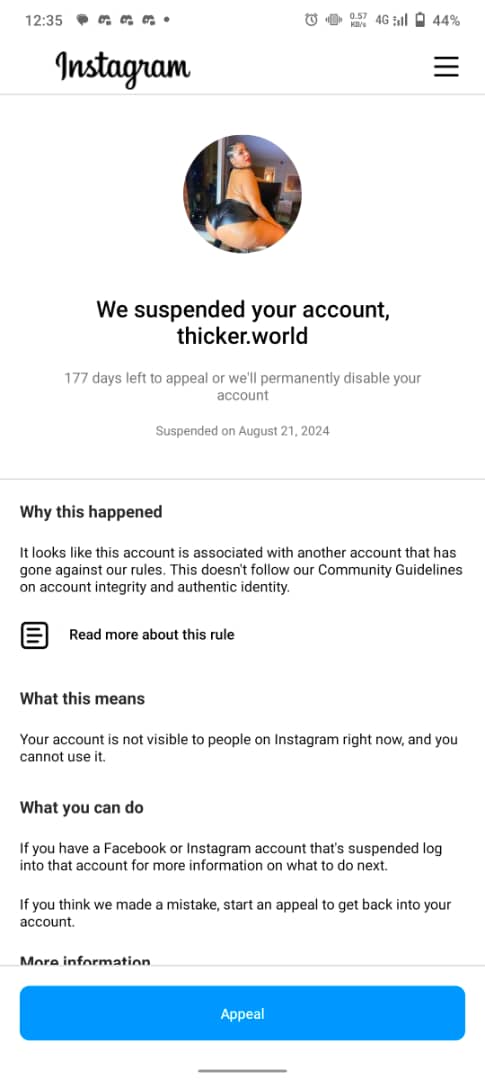
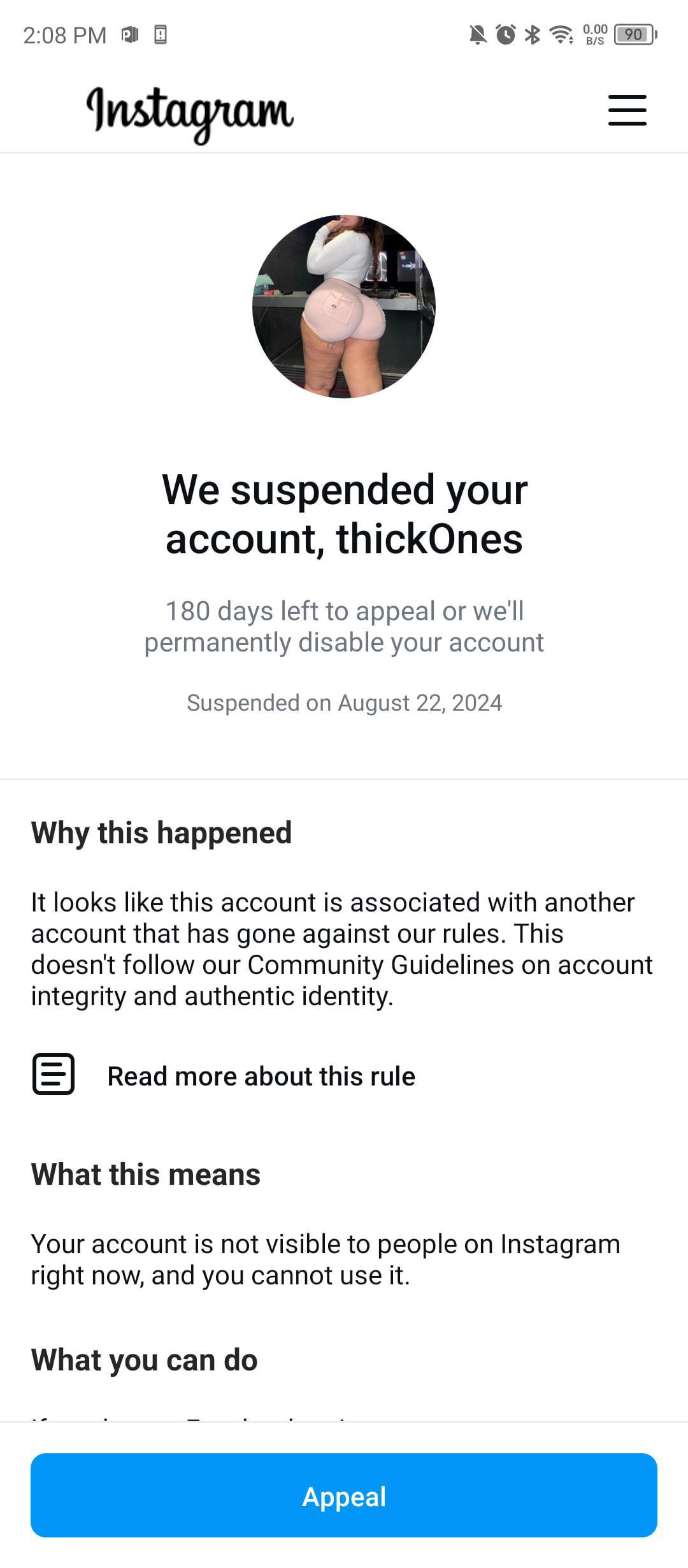
Why does Instagram suspend accounts?
Instagram may suspend accounts if its algorithm suspects you're using external software to manipulate your account's performance. Using third-party apps, proxies, scheduling tools, and similar services increases the risk of suspension.
Steps to recover your account:
1. Update Your Instagram App - Ensure you're using the latest version of Instagram. An outdated app might prevent you from completing the recovery process.
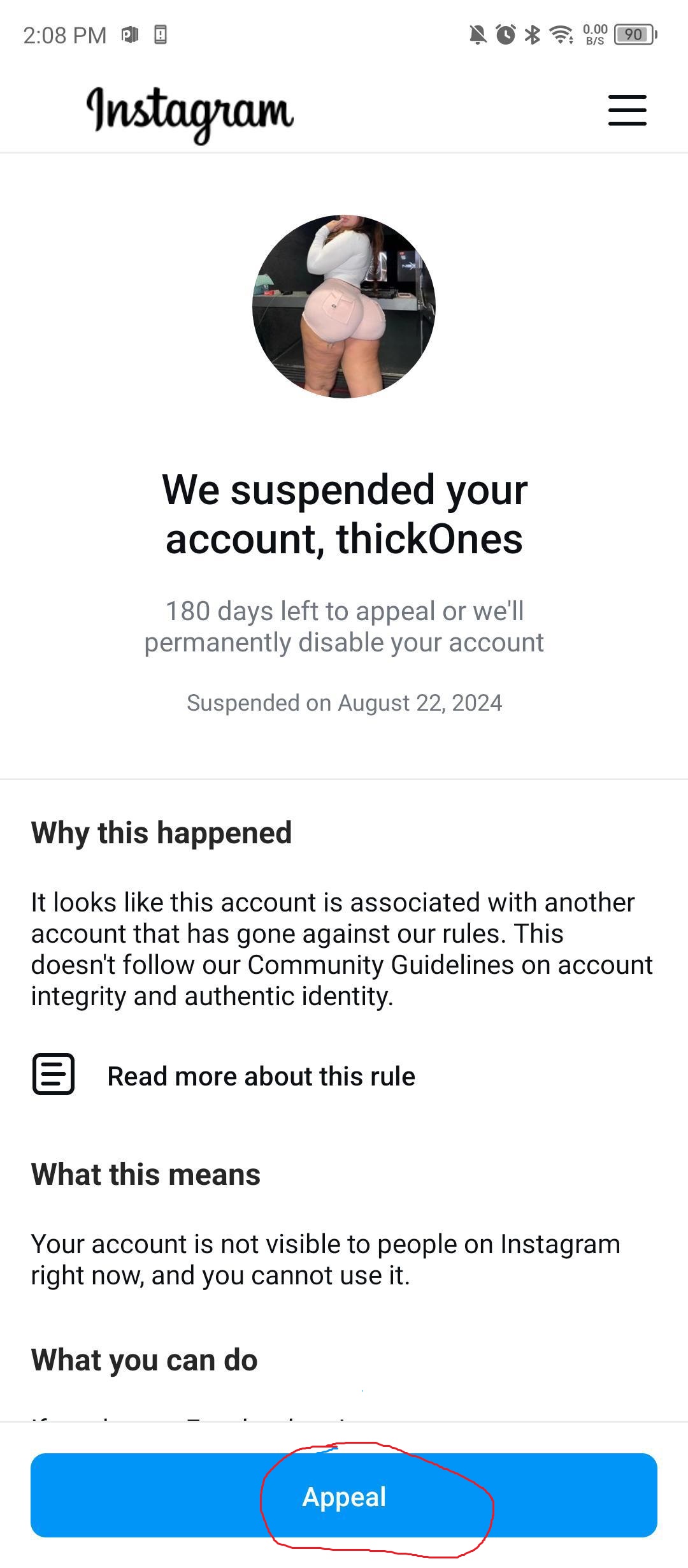
2. Click "Appeal" - Tap the appeal button to proceed to the next step.
2. Confirm Your Email Address - Enter and confirm your email address. Interestingly, even if it’s not the email linked to your account, this step often still works.
3. Confirm Your Phone Number - Select your country, enter your phone number, and confirm. This step is similar to the email confirmation.
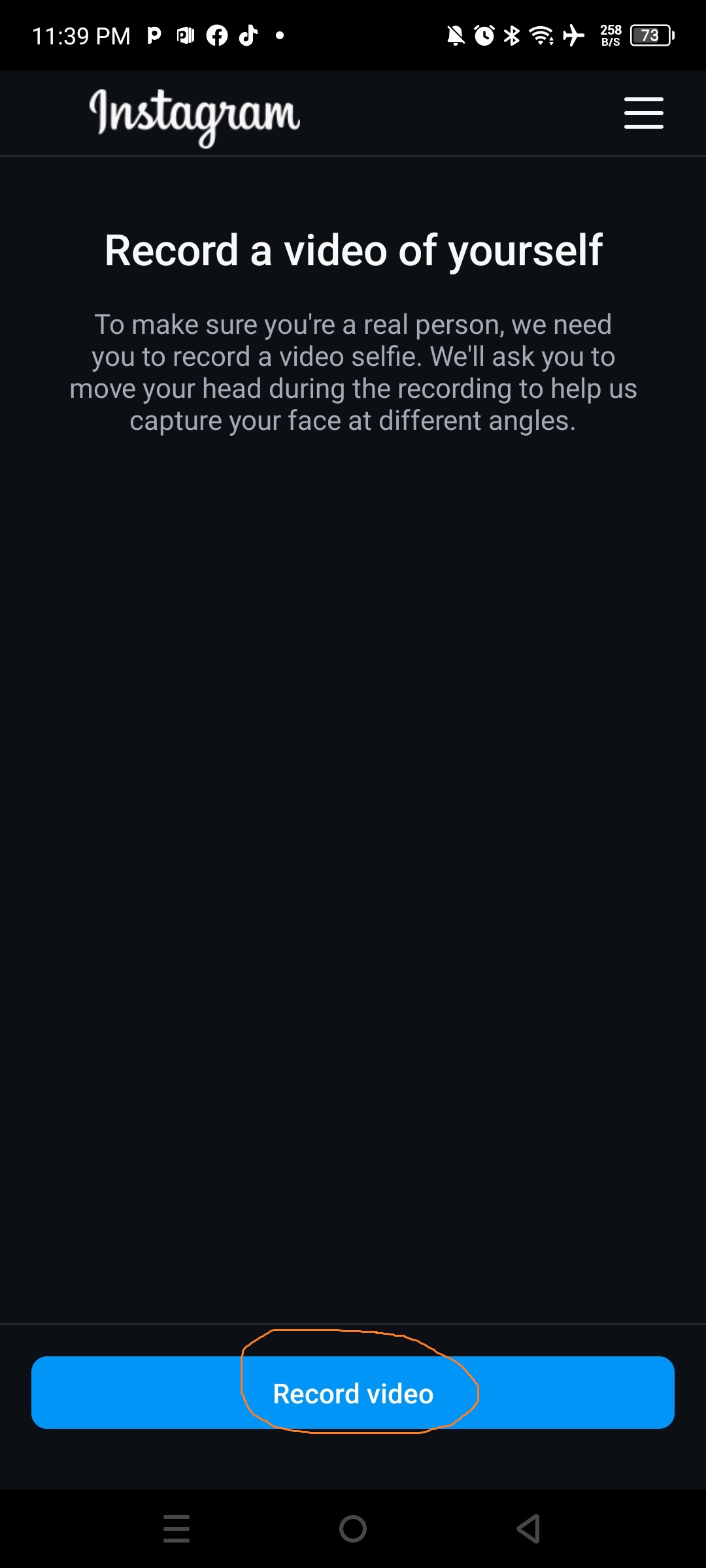
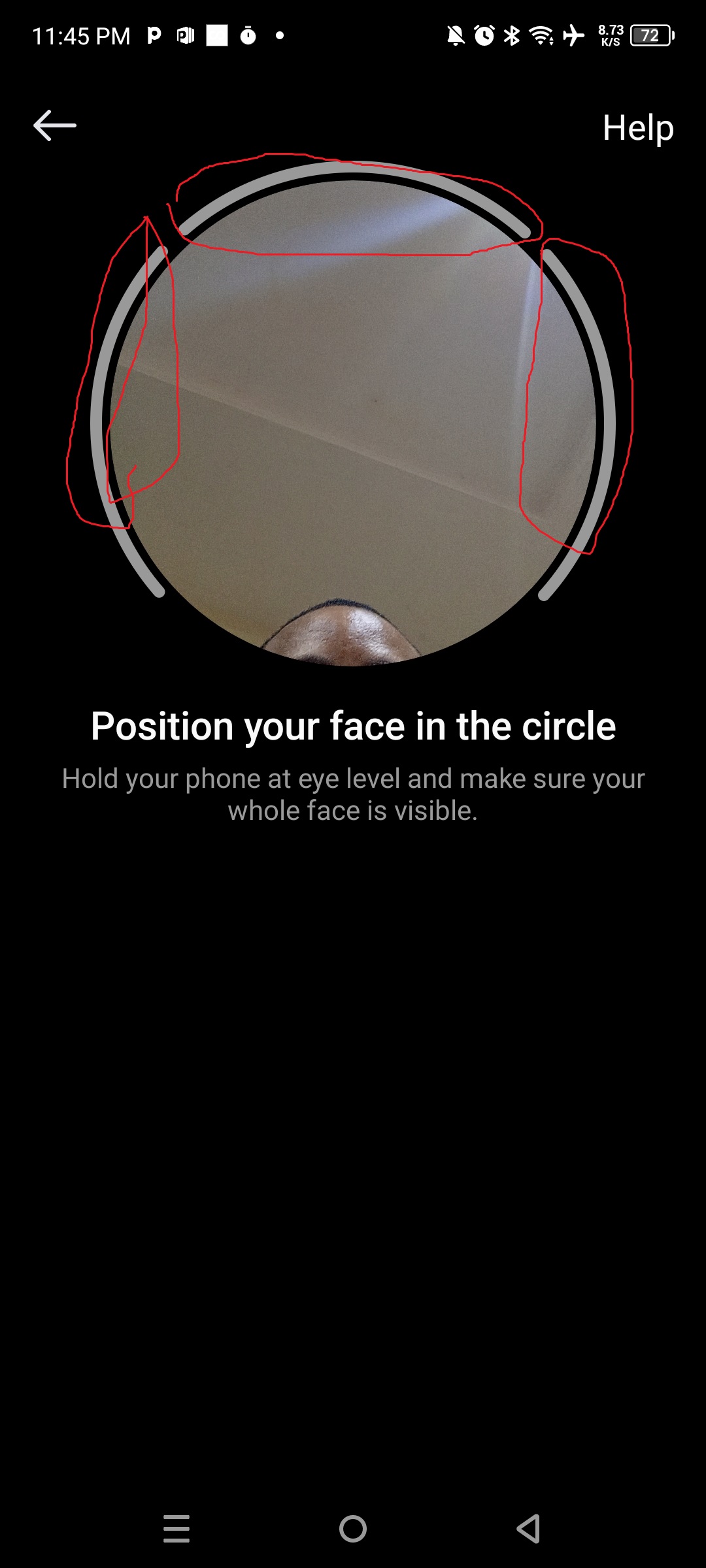
4. Take a Selfie - Instagram needs to verify that a real person is behind the account. Follow the on-screen instructions to take photos from different angles. For best results, you can turn your head left or right while holding your phone in different hands. Avoid screen timeouts during this step to prevent having to redo the process.
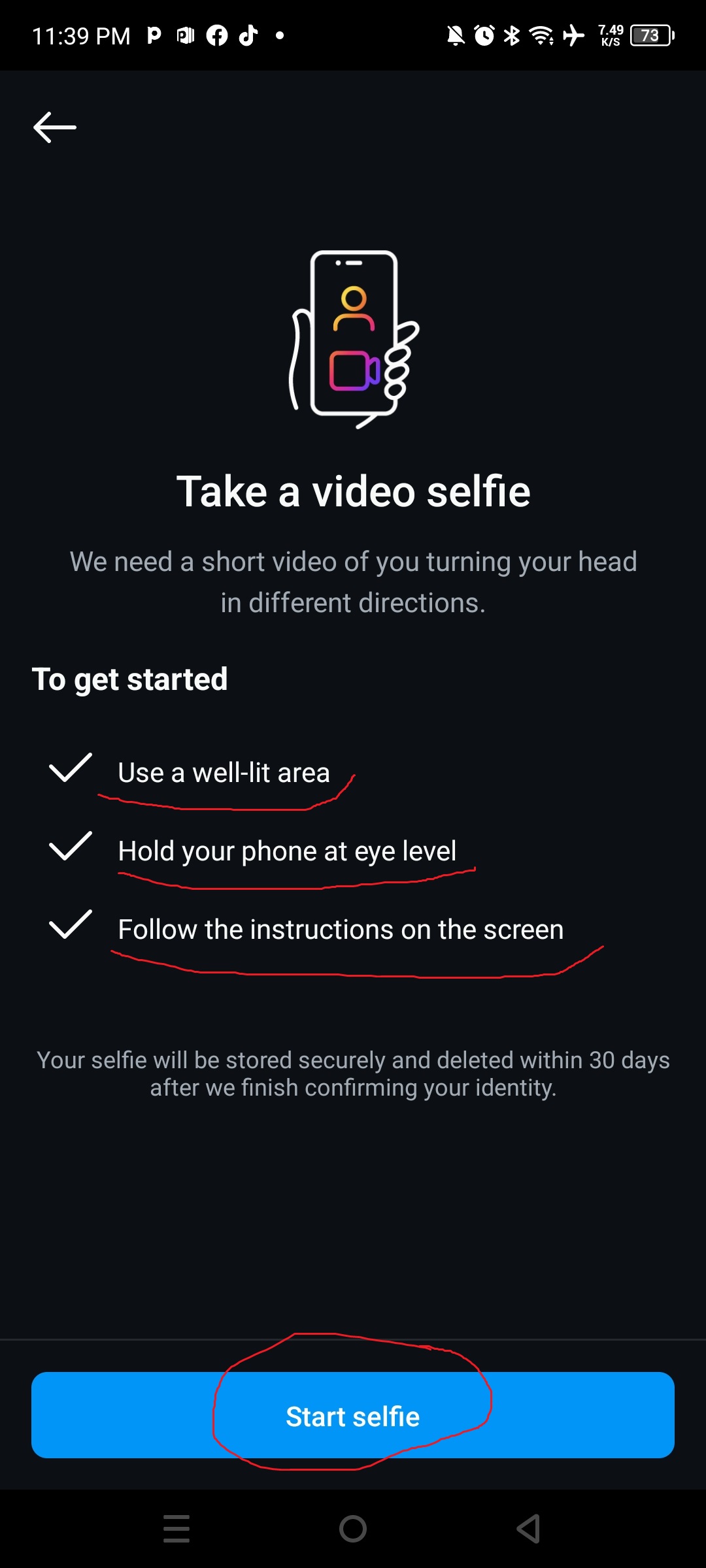
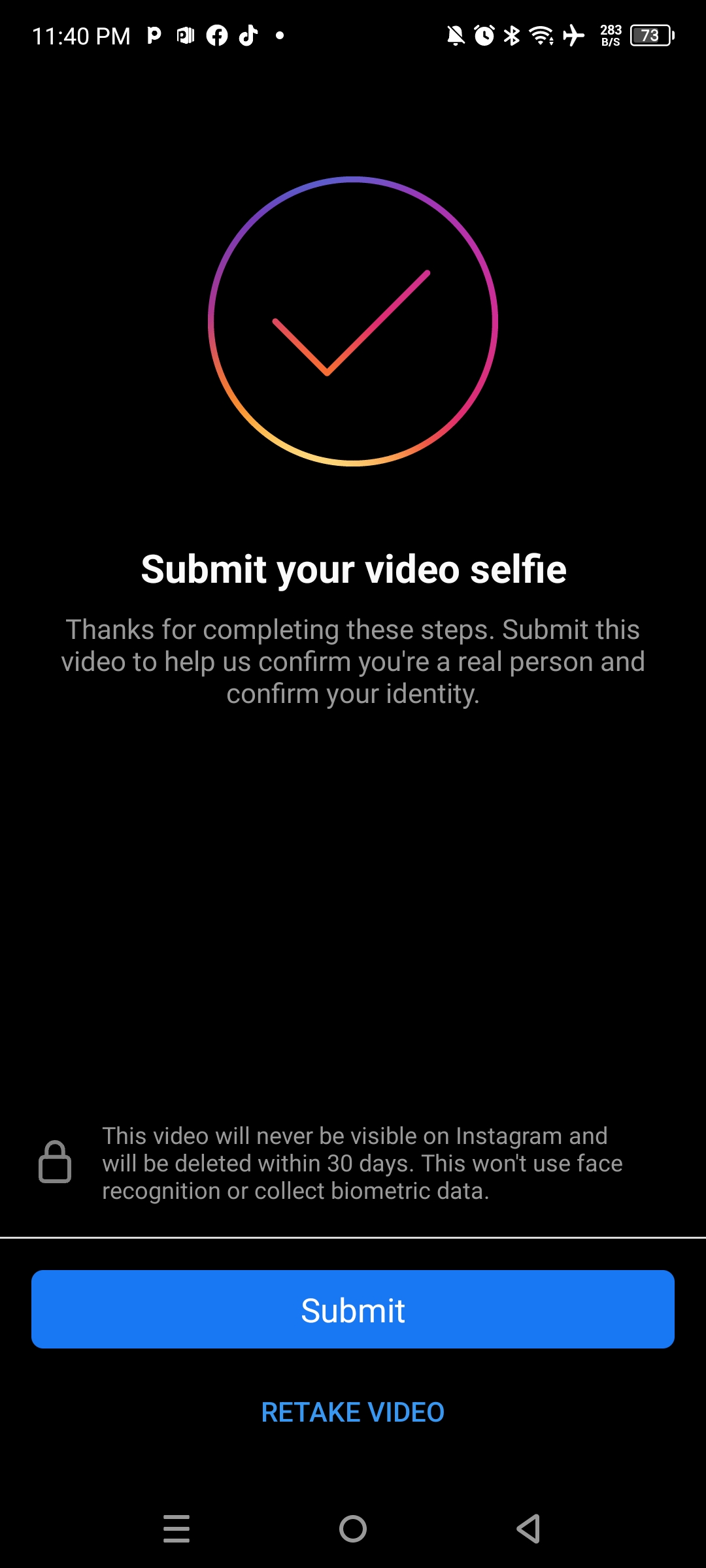
5. Submit Your Selfie - After taking your selfie, submit it as instructed.
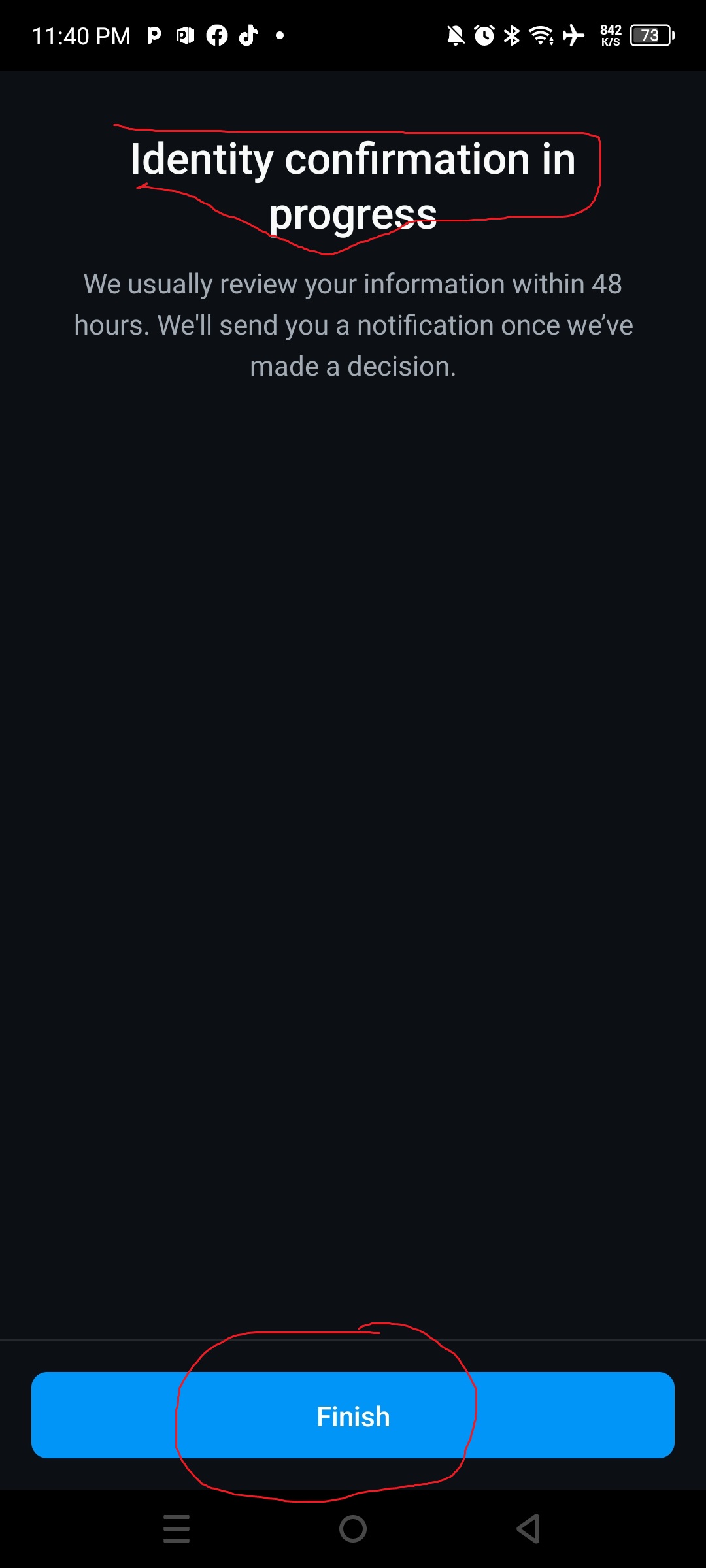
6. Complete Identity Confirmation - Click "Finish" to finalize the identity verification.
7. Wait for Confirmation - You’ll receive a message indicating that your appeal has been submitted. Keep the app open and avoid screen timeouts. If successful, you’ll receive a notification that your account is active again.
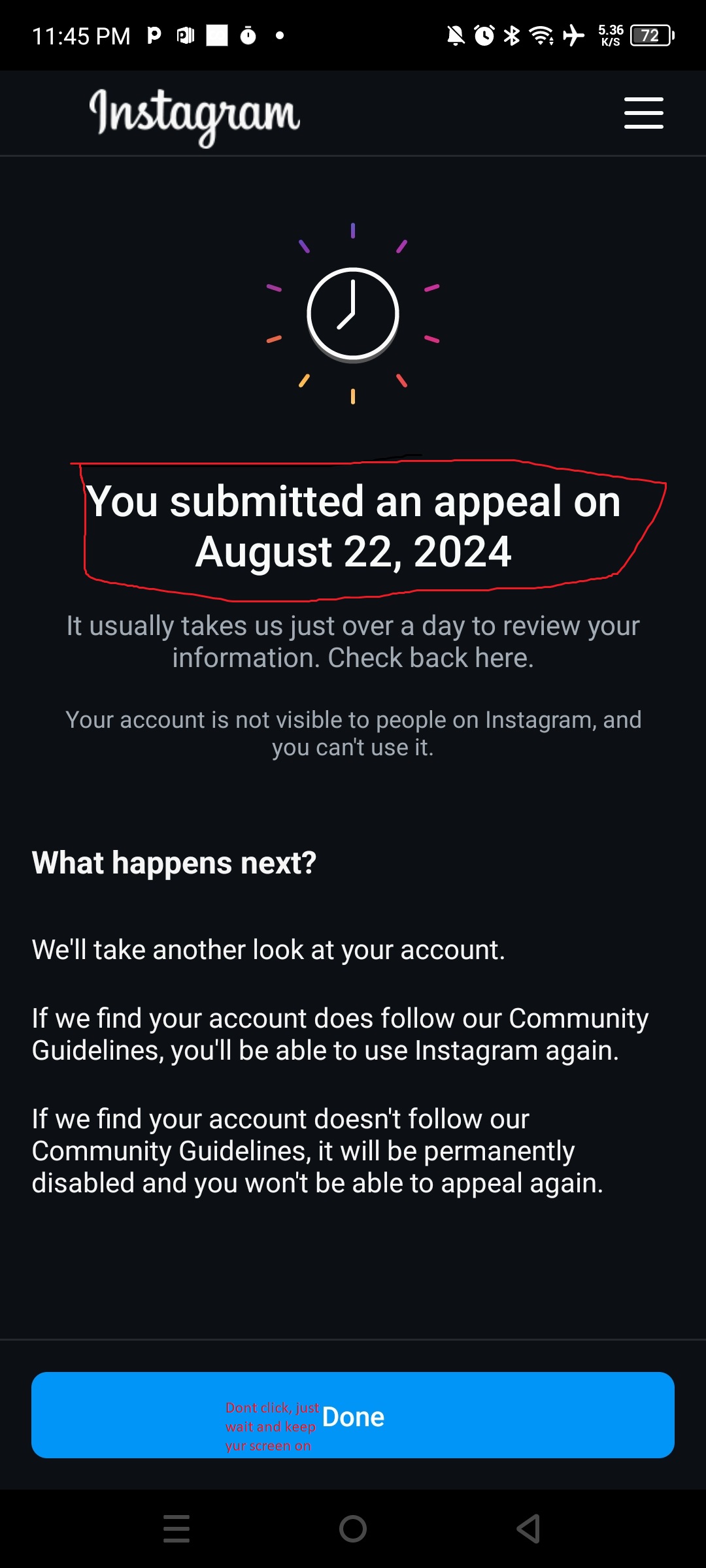
If you follow these steps correctly, you should be able to recover your account quickly.
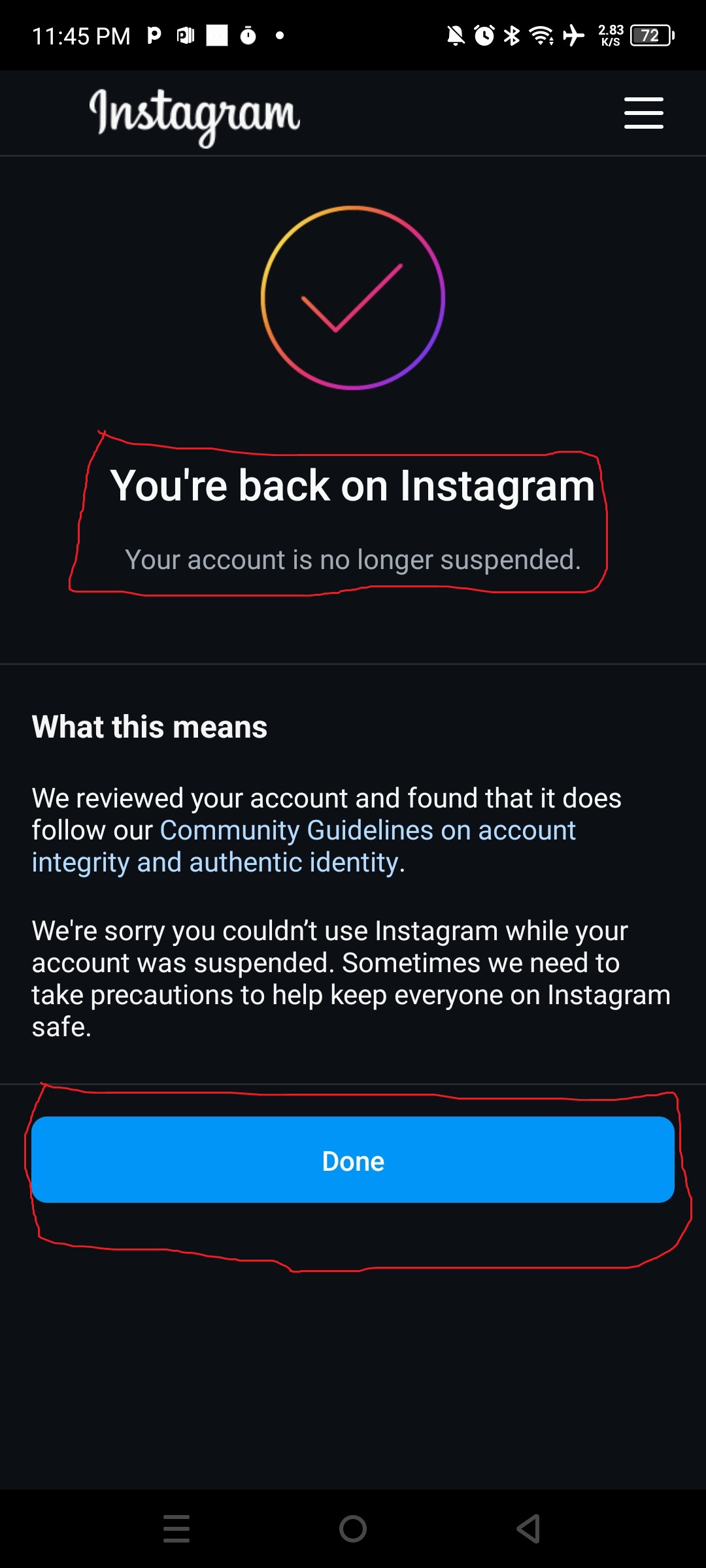
If you have any questions, feel free to ask in the comments.
Why does Instagram suspend accounts?
Instagram may suspend accounts if its algorithm suspects you're using external software to manipulate your account's performance. Using third-party apps, proxies, scheduling tools, and similar services increases the risk of suspension.
Steps to recover your account:
1. Update Your Instagram App - Ensure you're using the latest version of Instagram. An outdated app might prevent you from completing the recovery process.
2. Click "Appeal" - Tap the appeal button to proceed to the next step.
2. Confirm Your Email Address - Enter and confirm your email address. Interestingly, even if it’s not the email linked to your account, this step often still works.
3. Confirm Your Phone Number - Select your country, enter your phone number, and confirm. This step is similar to the email confirmation.
4. Take a Selfie - Instagram needs to verify that a real person is behind the account. Follow the on-screen instructions to take photos from different angles. For best results, you can turn your head left or right while holding your phone in different hands. Avoid screen timeouts during this step to prevent having to redo the process.
5. Submit Your Selfie - After taking your selfie, submit it as instructed.
6. Complete Identity Confirmation - Click "Finish" to finalize the identity verification.
7. Wait for Confirmation - You’ll receive a message indicating that your appeal has been submitted. Keep the app open and avoid screen timeouts. If successful, you’ll receive a notification that your account is active again.
If you follow these steps correctly, you should be able to recover your account quickly.
If you have any questions, feel free to ask in the comments.
Last edited:


