Best CTR service for GMBs?

bottingisfine

Power Member
Joined
Apr 13, 2022
Messages
679
Reaction score
284
Looking for the best price for CTR services for GMB.

Have you tried any in the marketplace that gave good results? thanks in advance
 
hello :)

Few options...

-> Serp Clix - https://serpclix.com/
Or

Serp Empire - https://www.serpempire.com
CTR Booster - https://www.ctrbooster.com

Source ( daltonluka (dot) com )

  1. Click My Orders in the main nav
  2. Select the Create a New Order button
  3. Choose the Google Maps / Google My Business search engine option
  4. Add the URL of the website used on your GMB (homepage or local landing page)
  5. Select the Only this exact URL option
  6. Enter the target keywords(s) for which you wish to increase visibility
  7. Enter the name of your business exactly as it appears on your GMB listing
  8. Set the number of clicks per day to 5
  9. Set the order duration to run for 5 days, then End the order
  10. Add the country to only receive clicks from your country
  11. Double check each field for accuracy
  12. Submit order
If you wish to include CTR optimization as part of your monthly strategy, I recommend following these guidelines:

  • Limit orders to 1 / month.
  • Most businesses will see results from 25 clicks / month.
  • If results are not sufficient, add an additional 25 clicks.
  • A high volume of clicks in shorter periods of time suggests “popularity” to Google. Often, this can be more valuable than a consistent amount of clicks over a longer period of time.
  • If you’re providing reporting directly on any CTR and click data, be sure to exclude these clicks in any calculations OR simply disclose to the client that traffic is slightly inflated due to CTR optimization

-> Micro worker Or

picoworkers.com/
rapidworkers.com/
Amazon Mechanical Turk
mturk.com/


1. . Preform Google Search (Google.com) Search in [CITY+KEYWORD]

2. In the "map pack" Click on "website" for [GMB LISTING]
*Click on "more places" if [GMB LISTING] is not in the top 3 results.

3. In the navigation menu select [WEBPAGE] or [WEBPAGE]. Stay on the page for 45 seconds
to 1 min scrolling slowly up and down

4. Perform any option:
-Go to [WEBPAGE]and stay 20ish seconds
-Go TO [WEBPAGE] and stay on the page for 20ish seconds

5. CLOSE

Lastly..

Antidetection browser
Like morelogin.com, multilogin.com/


Undetectable — Anti-detect browser with unique technologies ❗️Free plan❗️ Unlimited local profiles
https://www.blackhatworld.com/seo/u...s-free-plan-unlimited-local-profiles.1415383/
I hope it helps

thanks
 
hello :)

Few options...

-> Serp Clix - https://serpclix.com/
Or

Serp Empire - https://www.serpempire.com
CTR Booster - https://www.ctrbooster.com

Source ( daltonluka (dot) com )

  1. Click My Orders in the main nav
  2. Select the Create a New Order button
  3. Choose the Google Maps / Google My Business search engine option
  4. Add the URL of the website used on your GMB (homepage or local landing page)
  5. Select the Only this exact URL option
  6. Enter the target keywords(s) for which you wish to increase visibility
  7. Enter the name of your business exactly as it appears on your GMB listing
  8. Set the number of clicks per day to 5
  9. Set the order duration to run for 5 days, then End the order
  10. Add the country to only receive clicks from your country
  11. Double check each field for accuracy
  12. Submit order
If you wish to include CTR optimization as part of your monthly strategy, I recommend following these guidelines:

  • Limit orders to 1 / month.
  • Most businesses will see results from 25 clicks / month.
  • If results are not sufficient, add an additional 25 clicks.
  • A high volume of clicks in shorter periods of time suggests “popularity” to Google. Often, this can be more valuable than a consistent amount of clicks over a longer period of time.
  • If you’re providing reporting directly on any CTR and click data, be sure to exclude these clicks in any calculations OR simply disclose to the client that traffic is slightly inflated due to CTR optimization

-> Micro worker Or

picoworkers.com/
rapidworkers.com/
Amazon Mechanical Turk
mturk.com/


1. . Preform Google Search (Google.com) Search in [CITY+KEYWORD]

2. In the "map pack" Click on "website" for [GMB LISTING]
*Click on "more places" if [GMB LISTING] is not in the top 3 results.

3. In the navigation menu select [WEBPAGE] or [WEBPAGE]. Stay on the page for 45 seconds
to 1 min scrolling slowly up and down

4. Perform any option:
-Go to [WEBPAGE]and stay 20ish seconds
-Go TO [WEBPAGE] and stay on the page for 20ish seconds

5. CLOSE

Lastly..

Antidetection browser
Like morelogin.com, multilogin.com/


Undetectable — Anti-detect browser with unique technologies ❗️Free plan❗️ Unlimited local profiles
https://www.blackhatworld.com/seo/u...s-free-plan-unlimited-local-profiles.1415383/
I hope it helps

thanks
Damn, amazing answer, this should be featured in the weekly newsletter
 
hello :)

Few options...

-> Serp Clix - https://serpclix.com/
Or

Serp Empire - https://www.serpempire.com
CTR Booster - https://www.ctrbooster.com

Source ( daltonluka (dot) com )

  1. Click My Orders in the main nav
  2. Select the Create a New Order button
  3. Choose the Google Maps / Google My Business search engine option
  4. Add the URL of the website used on your GMB (homepage or local landing page)
  5. Select the Only this exact URL option
  6. Enter the target keywords(s) for which you wish to increase visibility
  7. Enter the name of your business exactly as it appears on your GMB listing
  8. Set the number of clicks per day to 5
  9. Set the order duration to run for 5 days, then End the order
  10. Add the country to only receive clicks from your country
  11. Double check each field for accuracy
  12. Submit order
If you wish to include CTR optimization as part of your monthly strategy, I recommend following these guidelines:

  • Limit orders to 1 / month.
  • Most businesses will see results from 25 clicks / month.
  • If results are not sufficient, add an additional 25 clicks.
  • A high volume of clicks in shorter periods of time suggests “popularity” to Google. Often, this can be more valuable than a consistent amount of clicks over a longer period of time.
  • If you’re providing reporting directly on any CTR and click data, be sure to exclude these clicks in any calculations OR simply disclose to the client that traffic is slightly inflated due to CTR optimization

-> Micro worker Or

picoworkers.com/
rapidworkers.com/
Amazon Mechanical Turk
mturk.com/


1. . Preform Google Search (Google.com) Search in [CITY+KEYWORD]

2. In the "map pack" Click on "website" for [GMB LISTING]
*Click on "more places" if [GMB LISTING] is not in the top 3 results.

3. In the navigation menu select [WEBPAGE] or [WEBPAGE]. Stay on the page for 45 seconds
to 1 min scrolling slowly up and down

4. Perform any option:
-Go to [WEBPAGE]and stay 20ish seconds
-Go TO [WEBPAGE] and stay on the page for 20ish seconds

5. CLOSE

Lastly..

Antidetection browser
Like morelogin.com, multilogin.com/


Undetectable — Anti-detect browser with unique technologies ❗️Free plan❗️ Unlimited local profiles
https://www.blackhatworld.com/seo/u...s-free-plan-unlimited-local-profiles.1415383/
I hope it helps

thanks
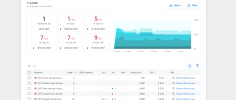
  1. Click My Orders in the main nav
  2. Select the Create a New Order button
  3. Choose the Google Maps / Google My Business search engine option
  4. Add the URL of the website used on your GMB (homepage or local landing page)
  5. Select the Only this exact URL option
  6. Enter the target keywords(s) for which you wish to increase visibility
  7. Enter the name of your business exactly as it appears on your GMB listing
  8. Set the number of clicks per day to 5
  9. Set the order duration to run for 5 days, then End the order
  10. Add the country to only receive clicks from your country
  11. Double check each field for accuracy
  12. Submit order
Where do you do all these??
 

Attachments

  • 1704733585087.png
    1704733585087.png
    99.9 KB · Views: 239
  1. Click My Orders in the main nav
  2. Select the Create a New Order button
  3. Choose the Google Maps / Google My Business search engine option
  4. Add the URL of the website used on your GMB (homepage or local landing page)
  5. Select the Only this exact URL option
Hey, I just signed up for SerpClix. Thanks for the info.

When I "Add the URL of the website used on your GMB" do I put my domain name or do I put my https://maps.app.goo.gl/xyz URL?
 
hello :)

Hey, I just signed up for SerpClix. Thanks for the info.

When I "Add the URL of the website used on your GMB" do I put my domain name or do I put my https://maps.app.goo.gl/xyz URL?

do u want to rank your site or maps?
use the url, which u want to rank

the same with youtube videos or any thing :)

thanks
 
Back
Top