Changing Fiverr's Country, how do I avoid this?

Alae63

Power Member
Joined
Apr 14, 2018
Messages
580
Reaction score
183
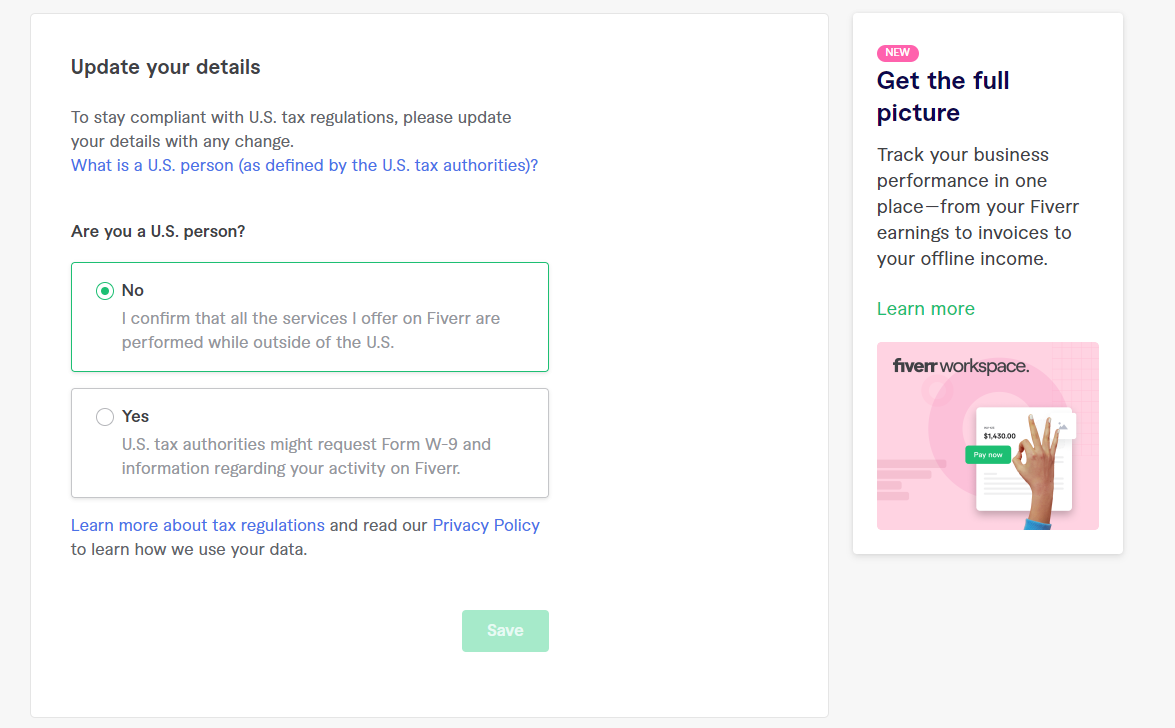
Hey guys, I'm currently planning to use a proxy for a Fiverr account that I have, I'm aiming for a USA proxy but there is a little issue which is this
0d1385f91dccf0493b86ce2b64186c49.png


Now let's say I logged on to my account from my USA proxy, is there anyway I can avoid this W9 form or even fake it? because I'm not really an US person I just want my Fiverr account to show that I'm from the USA
 
As far as I know, the 'from' section of your fiverr profile comes from the IP you used when you signed up for the account. For instance, I signed up for my fiverr account many years ago when I was on holiday at my parents place in France, so my profile has forever said I'm from France :confused:
 
Yes such form is indeed needed for US sellers. You can't really avoid it unless you change your IP to something else than USA and create an account that way... There are some other options but due to Forum rules, we dont talk about that.
 
As far as I know, the 'from' section of your fiverr profile comes from the IP you used when you signed up for the account. For instance, I signed up for my fiverr account many years ago when I was on holiday at my parents place in France, so my profile has forever said I'm from France :confused:
Thats the trick i used, i signed up with a usa vpn but lately they updated it and it changed to my original country, and now I need it back to USA But I need to bypass that w9 form as I'm not really from the USA
Yes such form is indeed needed for US sellers. You can't really avoid it unless you change your IP to something else than USA and create an account that way... There are some other options but due to Forum rules, we dont talk about that.
 
Back
Top