

Monzani
BANNED
- Jun 3, 2019
- 1,509
- 2,082
I apologize if it is an old/repeated method, I hope to be useful to someone.
You can check the voice quality on the link below. In my opinion it is a great option, if you have other suggestions, I would like to know.
1) Go to this site. It is IBM's Watson service: https://www.ibm.com/demos/live/tts-demo/self-service/home
2) Right click on the Play button and select ''Inspect''.
If you try to click "save as", you will be able to save only as HTML.
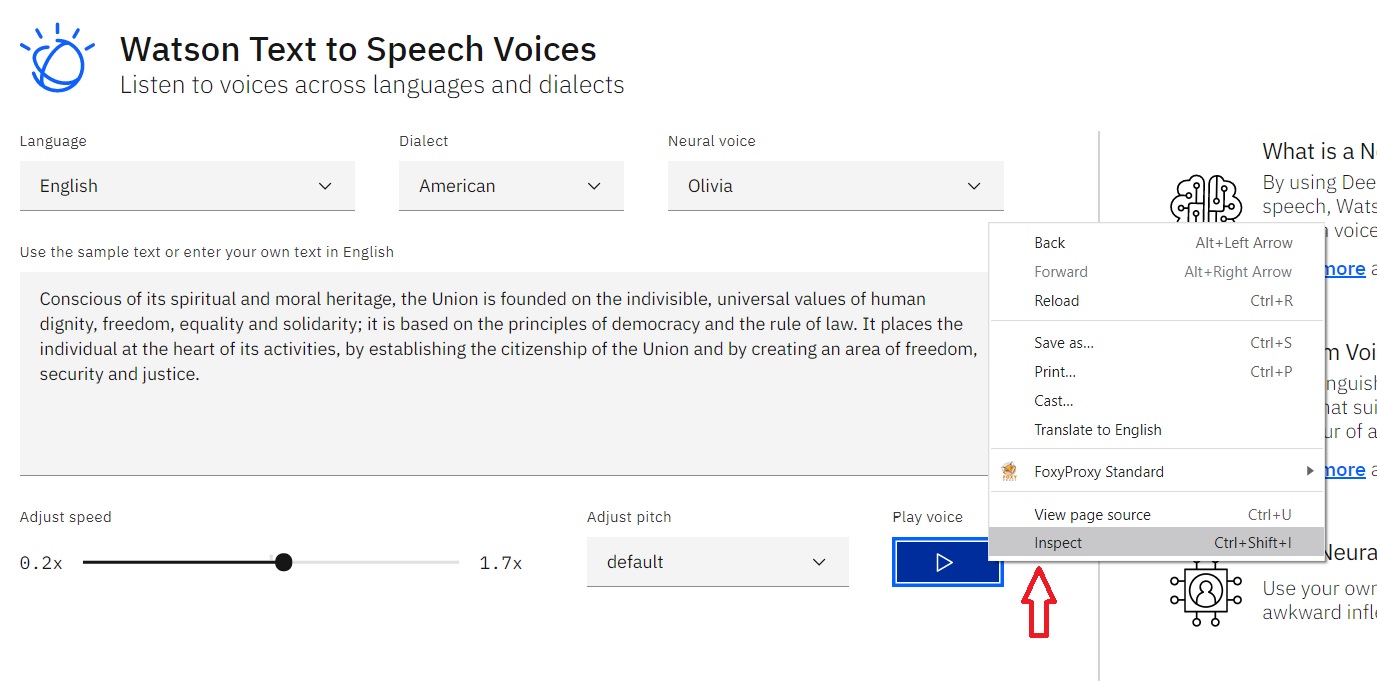
3) You will see the text "audio autoplay". Double click on autoplay to edit.
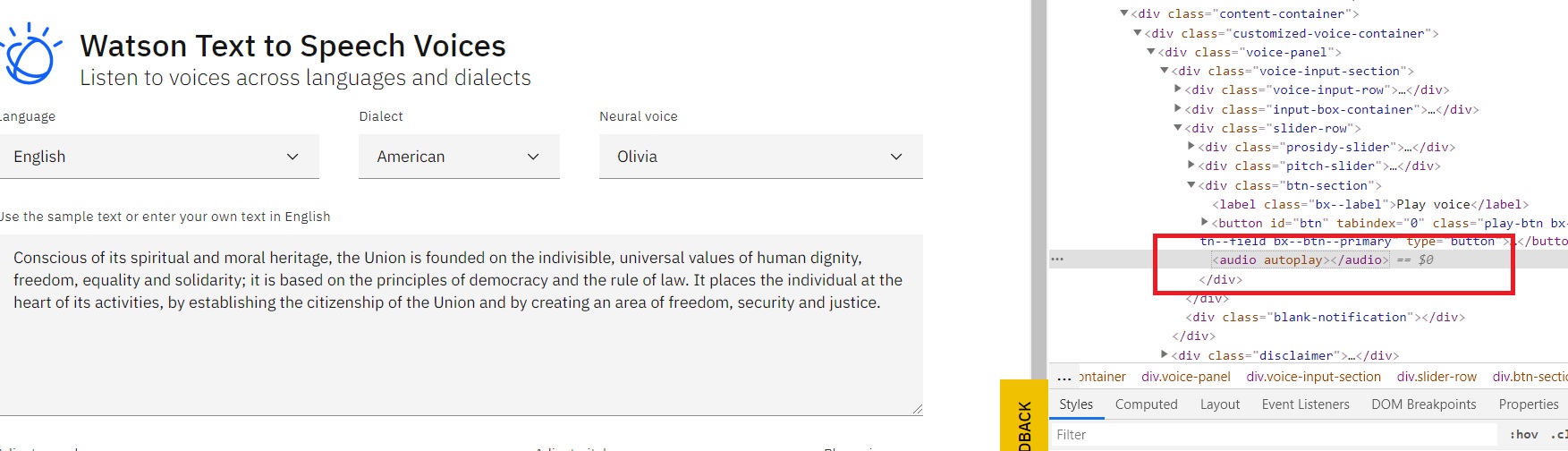
4) Type "controls" after autoplay and enter.
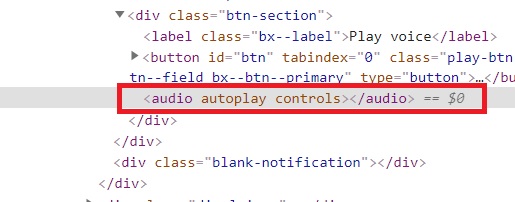
5) Right after Enter, this play will appear.
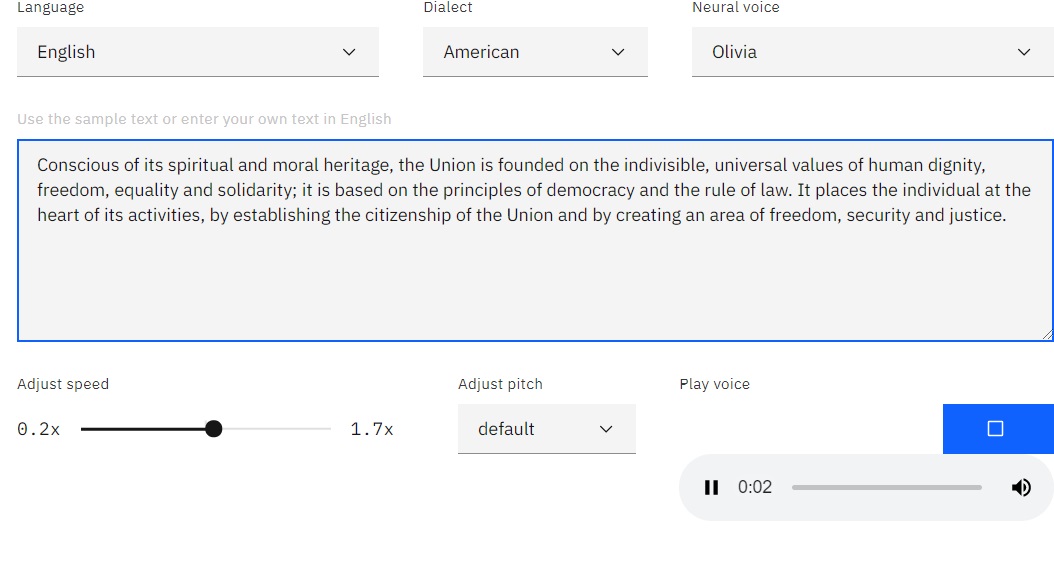
6) Play the blue button and wait for the audio to be spoken.
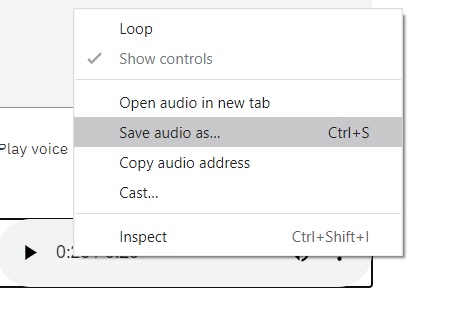
To download you can right click on the new player and select "save as''
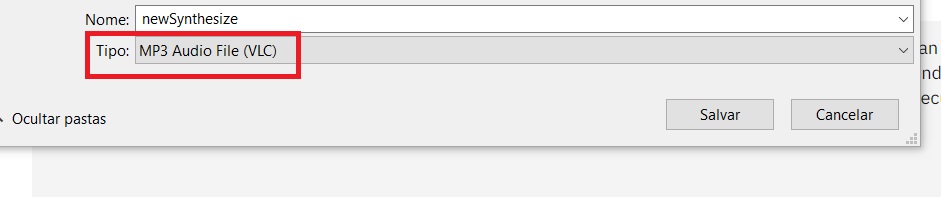
7) Done! You can download directly in .MP3 and add audio to your videos.
You can check the voice quality on the link below. In my opinion it is a great option, if you have other suggestions, I would like to know.
1) Go to this site. It is IBM's Watson service: https://www.ibm.com/demos/live/tts-demo/self-service/home
2) Right click on the Play button and select ''Inspect''.
If you try to click "save as", you will be able to save only as HTML.
3) You will see the text "audio autoplay". Double click on autoplay to edit.
4) Type "controls" after autoplay and enter.
5) Right after Enter, this play will appear.
6) Play the blue button and wait for the audio to be spoken.
To download you can right click on the new player and select "save as''
7) Done! You can download directly in .MP3 and add audio to your videos.


