Need help with site speed

inspiretoday

Regular Member
Joined
Nov 28, 2014
Messages
248
Reaction score
58
Hi,

I need help to understand if the speed of my site is good or it requires some changes like hosting or any other technical changes.

I tested my site on gtmetrix and pingdom (for pingdom, used 2 different servers). It's a normal wordpress site with negligible traffic at the moment. Here are the results.

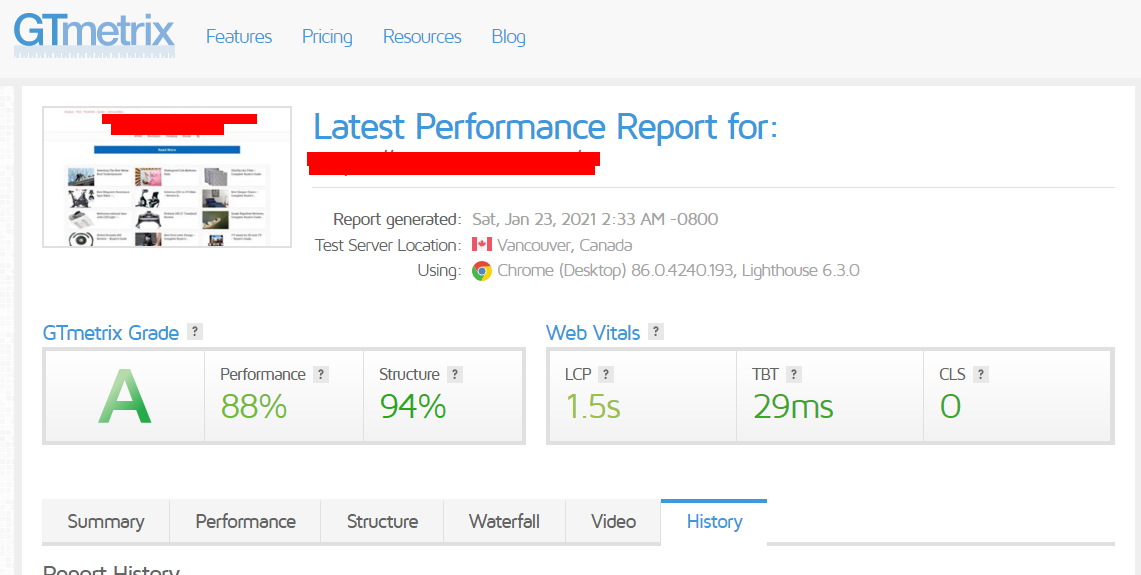
gtmetrix
gtmetrix.png


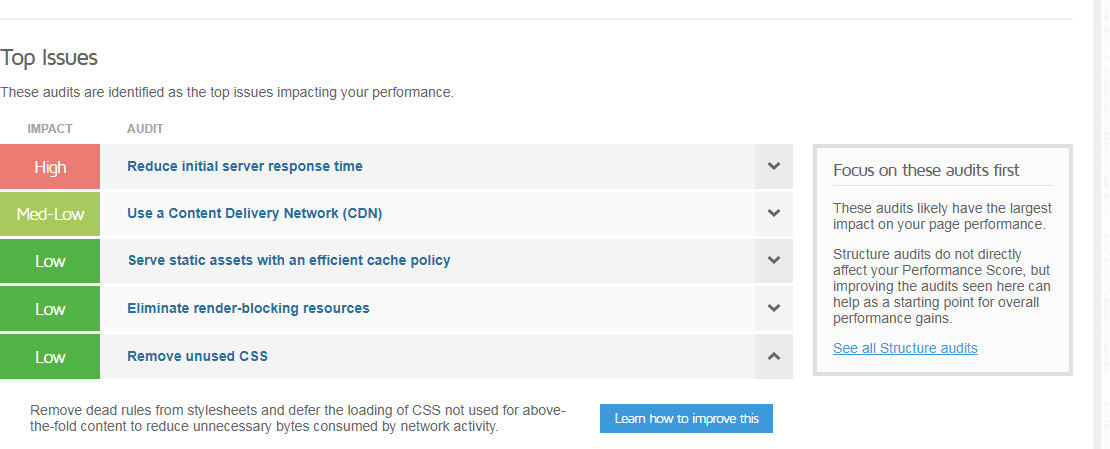
gtmetrix top issues

gtmetrix top issues.png


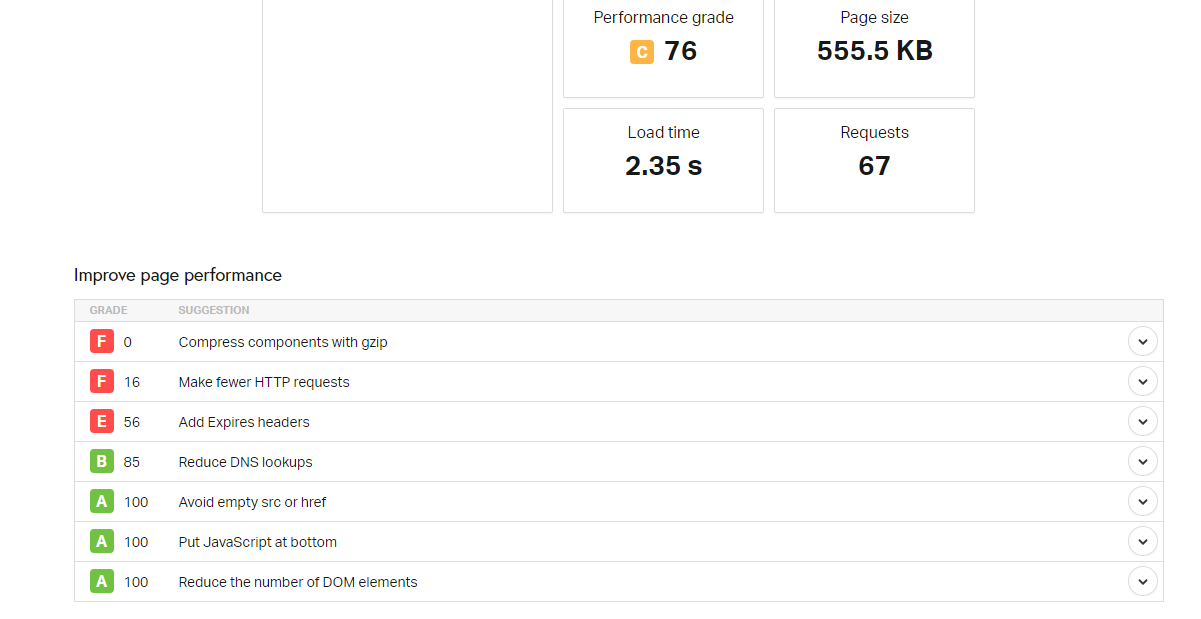
pingdom washington server

pingdom washington.png


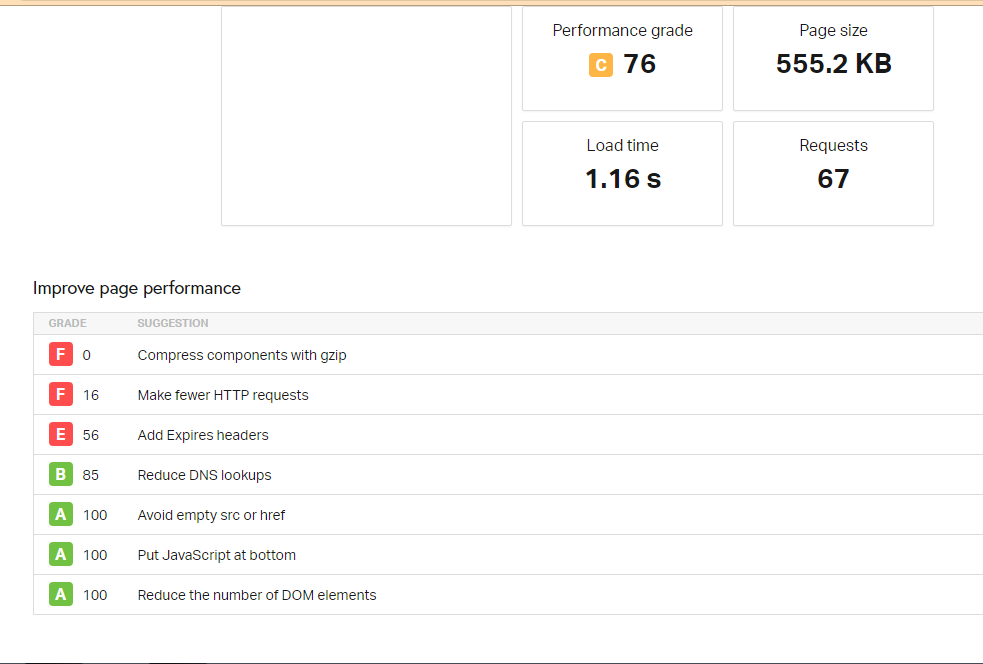
pingdom san francisco server

pingdom san francisco.png
 
Adding Expires headers will really improve your website speed. For WordPress, try with adding hummingbird cache plugin to add expire headers.

If you add the expire headers, the images, scripts will add in the local browser cache. From next time, it will easily load the images, scripts. Eventually the content part will not take more to load.

So it will boost your loading time when they try next time.

The small definition of expire headers-

Expires headers tell the browsers what resource can be stored and fetched from the browser’s cache or the source itself. In effect, it’ll help your site load faster by being able to display certain elements from the cache and not having to get it from the server.

Hope it helps.
 
Where do you host your server? are you able to change your nginx config yourself? Try enabling GZIP through the "gzip on;" directive.

On another easy way to speed up your site, try attaching your web through cloudflare. Cloudflare will cache your site and serve it from a region nearer to the viewer than your server (if any).
 
Adding Expires headers will really improve your website speed. For WordPress, try with adding hummingbird cache plugin to add expire headers.

If you add the expire headers, the images, scripts will add in the local browser cache. From next time, it will easily load the images, scripts. Eventually the content part will not take more to load.

So it will boost your loading time when they try next time.

The small definition of expire headers-

Expires headers tell the browsers what resource can be stored and fetched from the browser’s cache or the source itself. In effect, it’ll help your site load faster by being able to display certain elements from the cache and not having to get it from the server.

Hope it helps.

Ok. I did some basic research and figured out there are two ways to doing this
1. through a wordpress plugin
2. by inserting a code in .htaccess file

Which one would be more helpful to the objective of improving the site speed ? (I guess adding code to .htaccess might be better way)


Where do you host your server? are you able to change your nginx config yourself? Try enabling GZIP through the "gzip on;" directive.

On another easy way to speed up your site, try attaching your web through cloudflare. Cloudflare will cache your site and serve it from a region nearer to the viewer than your server (if any).

It's a shared hosting. Should I move it to a dedicated hosting or some other platform ?

nginx - I couldn't understand technicalities of this...

I can attach the site through cloudfare though...
 
Ok. I did some basic research and figured out there are two ways to doing this
1. through a wordpress plugin
2. by inserting a code in .htaccess file

Which one would be more helpful to the objective of improving the site speed ? (I guess adding code to .htaccess might be better way)


It's a shared hosting. Should I move it to a dedicated hosting or some other platform ?

nginx - I couldn't understand technicalities of this...

I can attach the site through cloudfare though...


Oh maybe you can check your cpanel for compression options. Try searching for "CPanel GZIP" should show some nice tutorials. (Sorry I cant share link yet)
 
Adding Expires headers will really improve your website speed. For WordPress, try with adding hummingbird cache plugin to add expire headers.

If you add the expire headers, the images, scripts will add in the local browser cache. From next time, it will easily load the images, scripts. Eventually the content part will not take more to load.

So it will boost your loading time when they try next time.

The small definition of expire headers-

Expires headers tell the browsers what resource can be stored and fetched from the browser’s cache or the source itself. In effect, it’ll help your site load faster by being able to display certain elements from the cache and not having to get it from the server.

Hope it helps.

Also, this will speed up the site for those who visit the site again - the repeated visitor. Will it have a positive effect on first time visitors to the site too ?
 
Back
Top