
You are using an out of date browser. It may not display this or other websites correctly.
You should upgrade or use an alternative browser.
You should upgrade or use an alternative browser.
Need simple Wordpress Help
- Thread starter Joalis
- Start date


- Feb 20, 2018
- 534
- 442
Simple, you just need to open your functions.php file located in wp-content/themes/your-theme-name/ and add this code at the end of it:
| /** | |
| * Hides the product's weight and dimension in the single product page. | |
| */ | |
| add_filter( 'wc_product_enable_dimensions_display', '__return_false' ); |

Joalis
Regular Member
- Jan 7, 2020
- 203
- 29
Simple, you just need to open your functions.php file located in wp-content/themes/your-theme-name/ and add this code at the end of it:
/** * Hides the product's weight and dimension in the single product page. */ add_filter( 'wc_product_enable_dimensions_display', '__return_false' );
Can you please check or I do it right? I'm afraid to mess up something when need to add some code

- Feb 20, 2018
- 534
- 442
It is not correct...
Please copy and paste exactly (I am not sure how one can not copy-paste exactly), lol
/**
* Hides the product's weight and dimension in the single product page.
*/
add_filter( 'wc_product_enable_dimensions_display', '__return_false' );
Please copy and paste exactly (I am not sure how one can not copy-paste exactly), lol
/**
* Hides the product's weight and dimension in the single product page.
*/
add_filter( 'wc_product_enable_dimensions_display', '__return_false' );
Joalis
Regular Member
- Jan 7, 2020
- 203
- 29
You can even skip the commented part and add this line only, it will still do the job:
add_filter( 'wc_product_enable_dimensions_display', '__return_false' );
Thanks for your time.
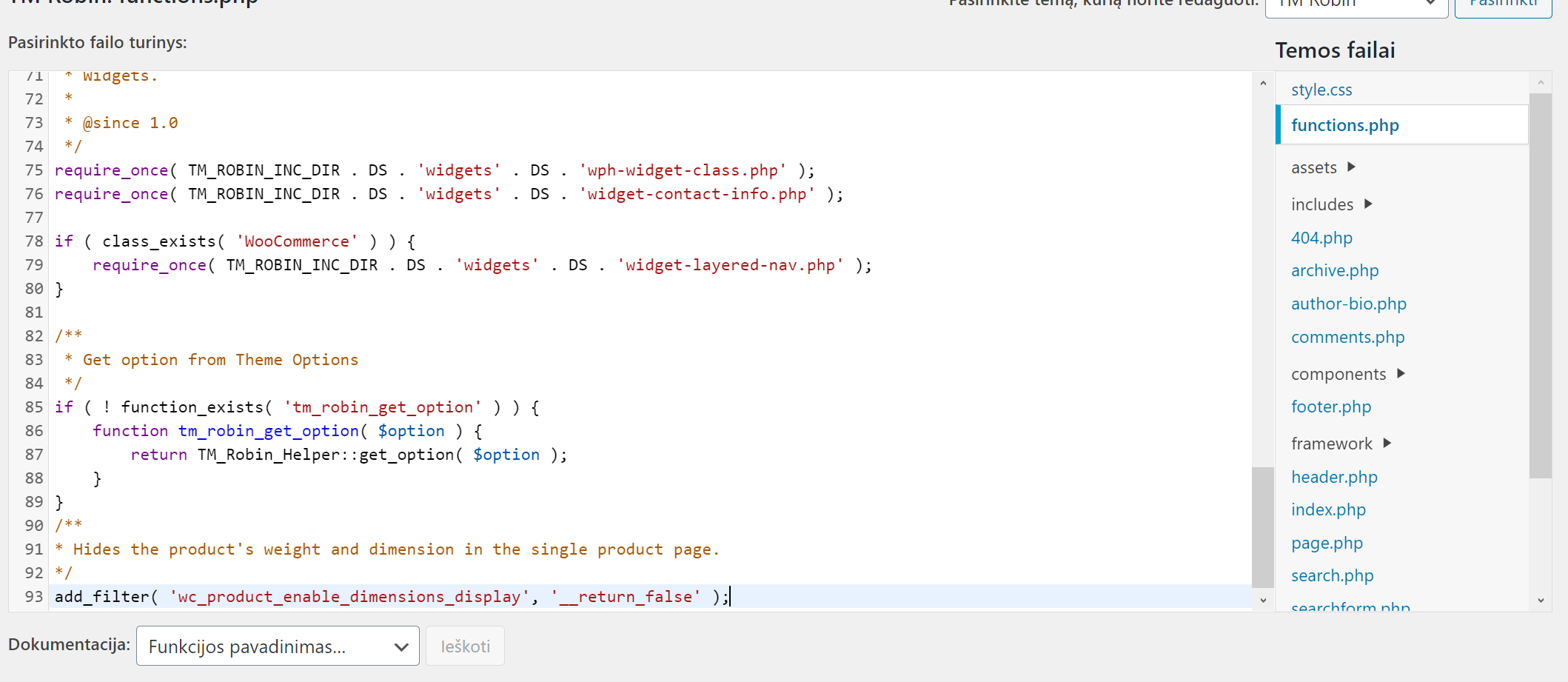
I can save it right now yes?
Joalis
Regular Member
- Jan 7, 2020
- 203
- 29
It dissapered when I open products on my PC, but it still shows when I open on mobileYou can even skip the commented part and add this line only, it will still do the job:
add_filter( 'wc_product_enable_dimensions_display', '__return_false' );

thegoldeneye
Power Member
- Oct 26, 2015
- 544
- 520
Code:
.class {
    display: none;
}maybe it's a caching problem.It dissapered when I open products on my PC, but it still shows when I open on mobile

- Sep 10, 2010
- 11,814
- 26,653
If it got removed, it got removed. Try visiting the same page in incognito mode, and see if makes a difference.It dissapered when I open products on my PC, but it still shows when I open on mobile