You are using an out of date browser. It may not display this or other websites correctly.
You should upgrade or use an alternative browser.
You should upgrade or use an alternative browser.

Clare Jane
BANNED
- Nov 13, 2008
- 2,438
- 613
This looks super cool.. going to check all the new stuff 
D
Deleted member 110025
Guest
Love it!! Great job done!


D
Deleted member 283687
Guest
Looks great

Any chance to view again the post i rated before the update?At long last, BHW 2.0 is finally here after two years in the making. I know many of you have been waiting for BHW 2.0 for what has felt like an eternity, and you'll be pleased to know that there's a cornucopia of updates that have been made to enhance the user-experience here on BHW and make it easier for us to update the forum in the future.
What's NewUpdated GUI
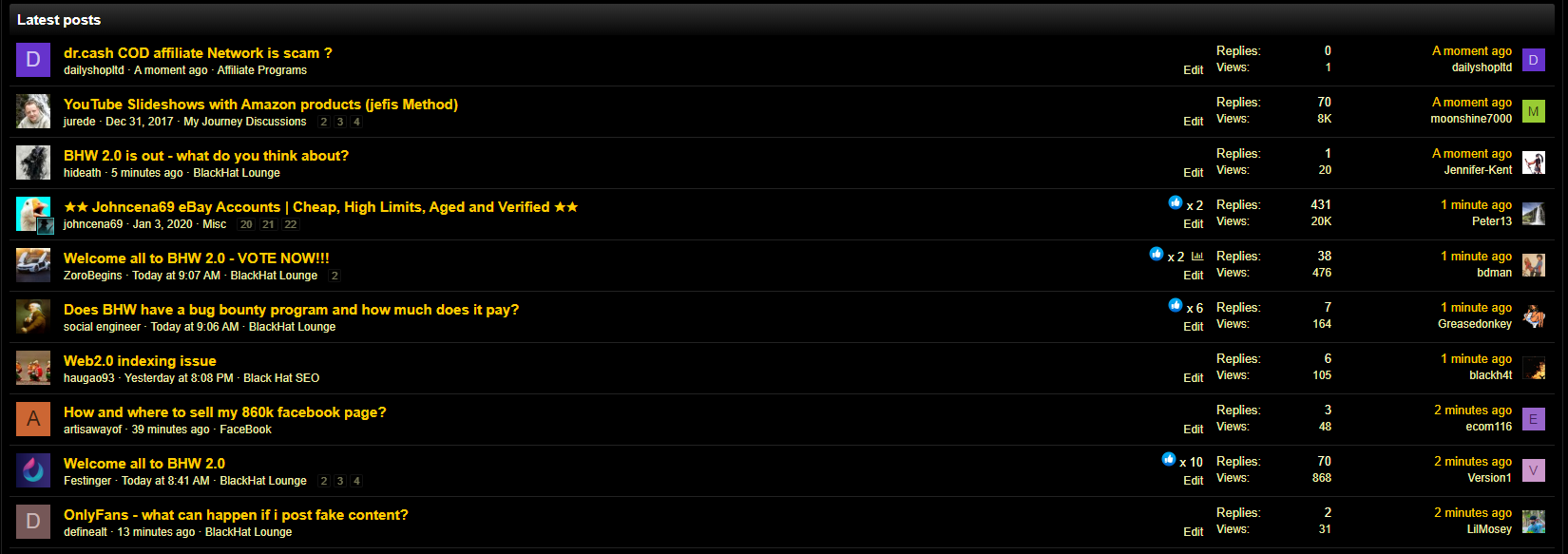
Does something here look... different to you?
That's because the GUI for BHW 2.0 has been updated to be more modern.
Feel like not much has changed? That's a good thing, because we aimed to keep BHW 2.0 as close to that original à la mode BHW style everyone has come to know and love.
Reactions

The "thank you" system on Black Hat World has gone through several changes over the last 5 years. Those of you who were around prior to BHW's migration to Xenforo will remember when a "like" was a "thank you" that listed the usernames of every member at the bottom of your post.
Now that "like" system has expanded into the new reactions system. At the moment, it appears this system still only allows you to "like" a post or thread, but as some of you may know from beta testing BHW 2.0, the system can be expanded into additional reactions. Alerts you receive for reactions on reflect this change as well by telling you exactly who reacted and which reaction they used.
Social Shares

Ever dreamt of having your BHW post go viral on the internet? Well,dream on little broomstick cowboythat dream has just been made slightly more possible.
If you look at the top right-hand corner of each post, you'll see that every post now has a social share button to easily get the link to specific posts.
Bookmarks
Members now have the option to bookmark specific posts, threads and sub-forums. Want to come back to a useful guide, or just a funny post you read? Well, now you can easily find them again using the bookmark feature.
Pop-Up Box Glow
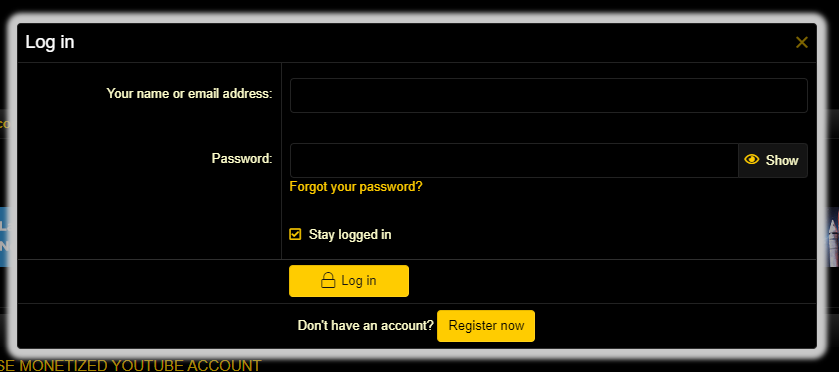
There's now a subtle white glow around pop-up boxes, such as the login pop-up box, to make them just a bit more noticeable. It might seem like a basic CSS change, but it was added in based on the support tickets we've received.
Speed Improvements
BHW 2.0 is harder, better, faster, stronger, and more. But in regards to speed, it really is much faster. You'll not only notice pages loading in much faster than before, but clickable page elements no longer require you to refresh the page. Even logging in feels like was lightning fast compared to the old forum.
Images & Videos On Profiles
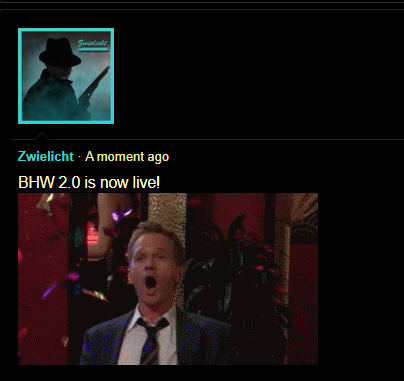
Remember how you couldn't share images and videos on your profile and you had to opt for just posting the link instead? That's a thing of the past as you can now embed them in profiles posts. I'm personally looking forward to seeing all of the meme status updates we get on profiles from now on.
Sticky Navigation Menu

BHW now has a sticky navigation menu, meaning when you scroll down, the main forum links at the top of the page are still viewable.
Viewable Sections On The Homepage
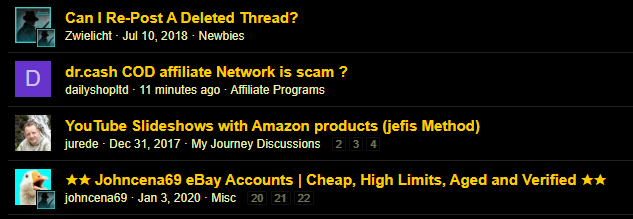
As you can see in the screenshot above, the section a thread is in is now viewable from the homepage.
This should definitely help those of you who want to differentiate marketplace threads from regular threads on the forum.
Resizeable Images
Have you ever wanted to embed an image in a thread, only to find that the resolution of it takes up most of your screen and makes your post too long? Well, we've now added the feature to resize your image in the text editor before posting. I've personally already used the feature multiple times throughout this thread.
New Default Avatars
Have you wanted better default avatars for BHW? Now, instead of the generic male, female and neutral avatars, users will get the first letter of their username and a random colour instead.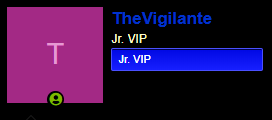
New Colour Swatches
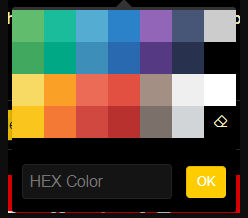
There's a new colour palette for the forum. You can also now enter custom codes if you prefer not using the default colours on the palette.
In-Line Spoilers
I personally quite like this new update. You can see the new in-line spoilers and how they work in the gif above. In the event that the image stops working, it blurs the text out and members can read the text by clicking on it.
Back-To-Top Button
When you scroll down and start scrolling back up, you'll notice this icon appear at the bottom right-hand corner of the page. This button will allow you to quickly go back to the top of the page.
Links Now Turn Into Snippets
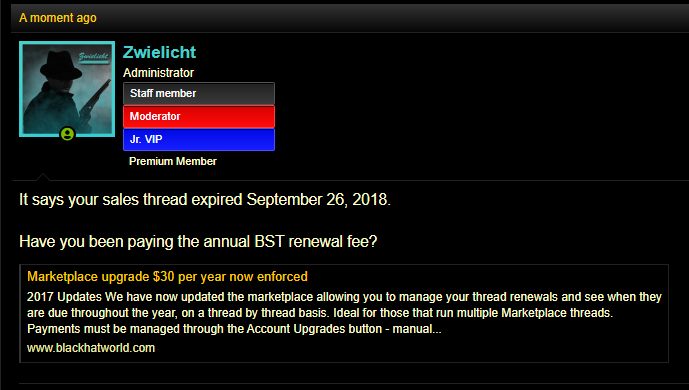
When you share a link in a post, it now displays a snippet.
In-Line Code
Look out, programmers! Similarly to our new in-line spoiler, we now have in-line code.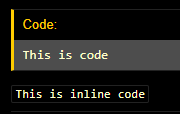
It's delicious, I know.
Thread previews
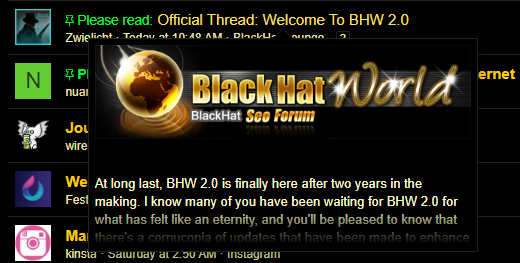
Suspicious that "How to make money with Instagram" thread is actually a poorly-titled question or a clickbait marketplace thread instead of a helpful guide? Well, if you hover over a thread title in one of the subforums, you can now see a preview of the contents of the thread.
Push Notifications
You should now receive an alert at the bottom of your page to enable push notifications. This is still rolling out, so give it some time.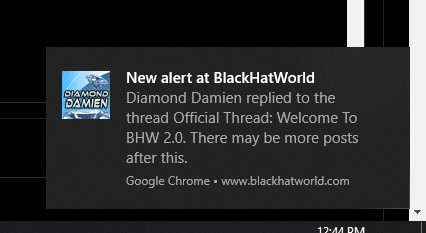

For more information on enabling push notifications, please refer to our BHW newbie guide thread here:
https://www.blackhatworld.com/seo/push-notifications-on-blackhatworld.1240207/
Reactions In PMs
You can now like a message in a conversation. Previously, members were unable to do this.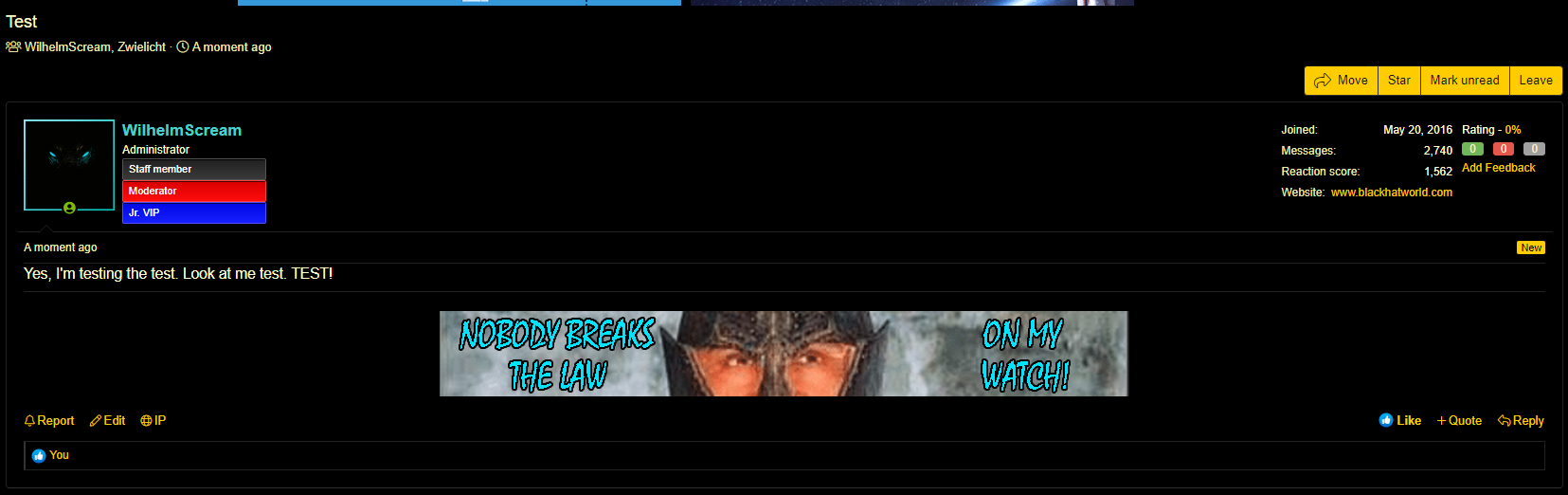
The No Folder
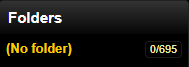
For those of you who organise their PMs like I do, PMs that are not sorted are placed in the "No Folder" .
Sort Subforum By Likes
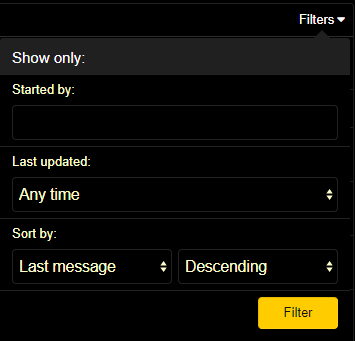
I know this is one of those changes many of you have been asking about for a long time now. With BHW 2.0, you can now sort threads in a subforum by the number of likes in the first message.
What's ChangedLeft & Right-Aligned Images

See... See what I did there?
Ever found it annoying whenever you inserted a left or right-aligned image only to find that the forum always centre-aligns it? Well, no more! With BHW 2.0, images are no longer auto-centered.
This means that if you wish to center an image in a post or a signature space, you'll be able to specify the alignment using BBcode or the forum's built-in rich text editor; it'll actually listen to you now.
Left-Hand Menu GUI Change
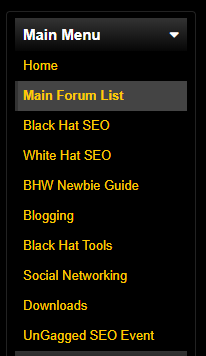
The left-hand menu that displays popular sections of the forum now shows the currently selected section you are on with a tab on the left (on hover) and a grey highlighted bar instead of highlighting it in yellow.
Quotes
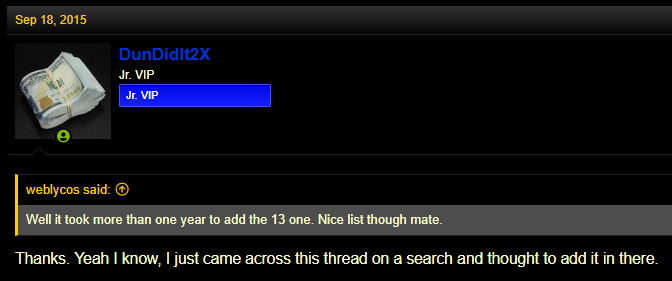
Prior to BHW 2.0, quotes in posts were displayed in a grey and dark grey blockquote. It did the job, but the style was rather outdated.
The new quotes are similar to the old quotes in terms of the grey background colour, however they're now more indented with a yellow bar on the left-hand side.
Member Profile Changes

Members profiles have been re-organised to make them easier to view and navigate. Language used on profiles is now more consistent with language used across the forum (e.g., "quote" and "reply" are used now instead of "comment"). As Reaction scores have replaced likes, they can now be viewed on profiles as well.
Membership Banner Changes
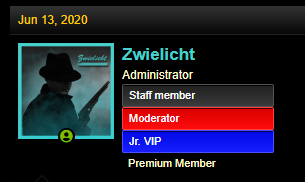
Banners no longer wrap around the avatar. Instead, they're displayed in
Online User Icon
Instead of being a yellow dot at the corner of an avatar, the online user icon can now be found at the bottom of a member's avatar.
Notable Member's List
The notable member's list has changed a bit. There are now "See more..." links at the bottom of each list, and only the top five members for each category will be displayed (except staff members; these are displayed alphabetically).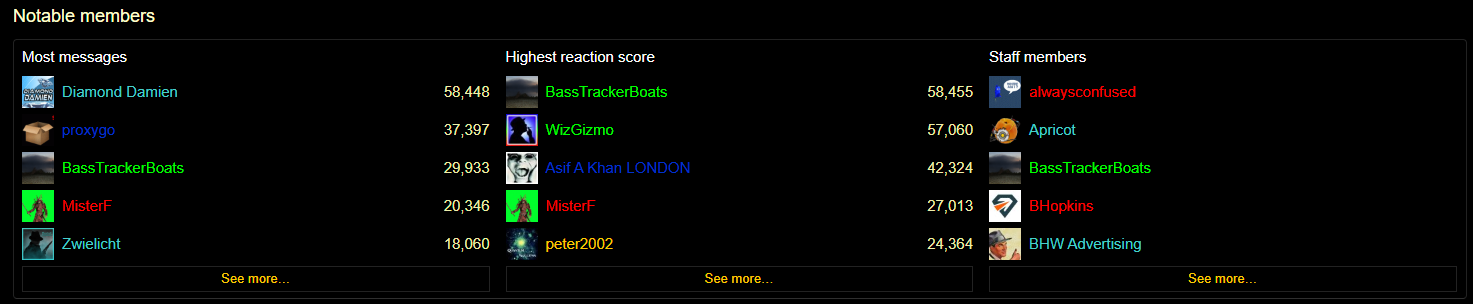
Gif Avatars No Longer Work
Gif avatars no longer work on the forum.
Full Change Log (So Far)
Special ThanksStaff
@Jammie Dodger, @Diamond Damien, @WilhelmScream, @alwaysconfused, @Society Girl, @Zwielicht (self-aggrandising, I know), @MisterF, @davids355, and @BassTrackerBoats.
Members
@yakuzaemme, @Veil123, @Billy Batts, Deleted member 923340, @Topiano, @Total Noob, @Seo Lover, @baccart, @FatBee , @3bisu, @Mr Positive, @Meerakat, @Social Sparrow, @xfiles999, @Azaan, @Festinger, @nonin, @Aulig, @rafark, @Toz, @Razen666, @The Seer, @reuse, @perrymason, @Walterwhit, @SirLouen, and the rest of our community.

Visual Eagle
Elite Member
- Dec 11, 2008
- 2,630
- 2,282
What happened to the signature banners being limited to your own sales threads only? Is this how it is now?


Makemeproguys
Banned for Inflammatory Content.
- Oct 30, 2017
- 1,093
- 879
I believe there could be more reactions like facebook

Zwielicht
Elite Member
- Aug 31, 2013
- 21,128
- 40,576
There was in the beta and the option is still there. I'm not really sure why it was disabled, but it may come out later.I believe there could be more reactions like facebook
Edit Wednesday: It'll be rolled out eventually.
I mentioned in an earlier post that this is still being looked into. No update on that one yet whilst some of the more urgent issues are still being ironed out.Any chance to view again the post i rated before the update?
Can you tell me what browser you're using on mobile (or does this happen on every mobile browser you use)?Hey, nice job !
I’m on mobile and it’s the first time I see it. I have kind of an issue. I have a good internet and every time I change page, the menu on top is scrolled down and scrolls back up only when all the page is loaded. It happened before with slow internet. Making it painful to read because you now have the feature of sticky header.
I'm sorry, there's no way to disable it that I'm aware of.BTW, is it possible for me to remove this “sticky header” I maybe clicked on that bar a few times in many years (may be useful for moderators I guess)
Last edited:

redjebo
Regular Member
- Jul 18, 2015
- 243
- 321
The desktop version (haven't checked mobile yet) doesn't have the little dot next to a thread title that let you know it has unread posts for you, is there a setting I'm missing or is it removed?
I see the threads with unread posts in them are in bold font but when the whole page is filled with either read or unread threads you can't tell which one is it.
I see the threads with unread posts in them are in bold font but when the whole page is filled with either read or unread threads you can't tell which one is it.

Steve Waller
Junior Member
- Sep 1, 2014
- 185
- 82
Thrilling to see all the upgrades, it must have been a great effort to work on these changes. Kudos to all the staff behind this awesome work

D
Deleted member 1132725
Guest
mobile usability has suffered a bit.
Its lagging, menus sometimes stuck and the threads cannot be navigated as before (you cannot choose thread page)
Also you cannot check user created threads from their profile, only the posts.
Its lagging, menus sometimes stuck and the threads cannot be navigated as before (you cannot choose thread page)
Also you cannot check user created threads from their profile, only the posts.
meathsauce
Newbie
- Feb 19, 2011
- 7
- 1
its very nice having an update....
Zwielicht
Elite Member
- Aug 31, 2013
- 21,128
- 40,576
Are you referring to the sticky mobile menu? If so, that's intentional.Its lagging, menus sometimes stuck
The lagging is a different issue. If you have any additional information on when it's happening, that should help us figure out if the problem is on our end.
That one I got an answer on. It is just that they don't want to clutter the mobile version of the site.cannot be navigated as before (you cannot choose thread page)
Go to a profile, click "find", and then click "Find all threads by..."Also you cannot check user created threads from their profile, only the posts.
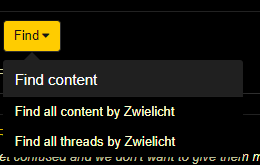
I know what you're referring to, and I'm not sure if that was omitted purposefully.The desktop version (haven't checked mobile yet) doesn't have the little dot next to a thread title that let you know it has unread posts for you, is there a setting I'm missing or is it removed?
I see the threads with unread posts in them are in bold font but when the whole page is filled with either read or unread threads you can't tell which one is it.
This will be looked into.


- Oct 11, 2018
- 1,234
- 1,044
Really nice touch to have clickable quote bars to see the writer of the original comment. And also the redesigned search makes searching a breeze Wanted this for ages.
Nice one guys.
Wanted this for ages.Nice one guys.