[DIY] How To Create Your Own 4G Proxy

This is my script sad to see... it here getting shared on the web and now on BHW for FREE
I'm so much on BHW and i just see this today on BHW... anyways i'm Not blaming you @AlphaSupreme :cool:

This all started to get on the web since @lorentzo has posted it on his website without me knowing, breaking my business just like that income has dropped and now with the script full on BHW income is scripting 4G proxy
for people has dropped completly.. !


Seems like he deleted it for me from his website in December 2019
https://learnproxy.com/create-your-own-mobile-4g-proxies-for-instagram/

and putted it on another website .. which i see TODAY

https://learnproxy.altervista.org/create-your-own-mobile-4g-proxies-for-instagram-tutorial-2020/

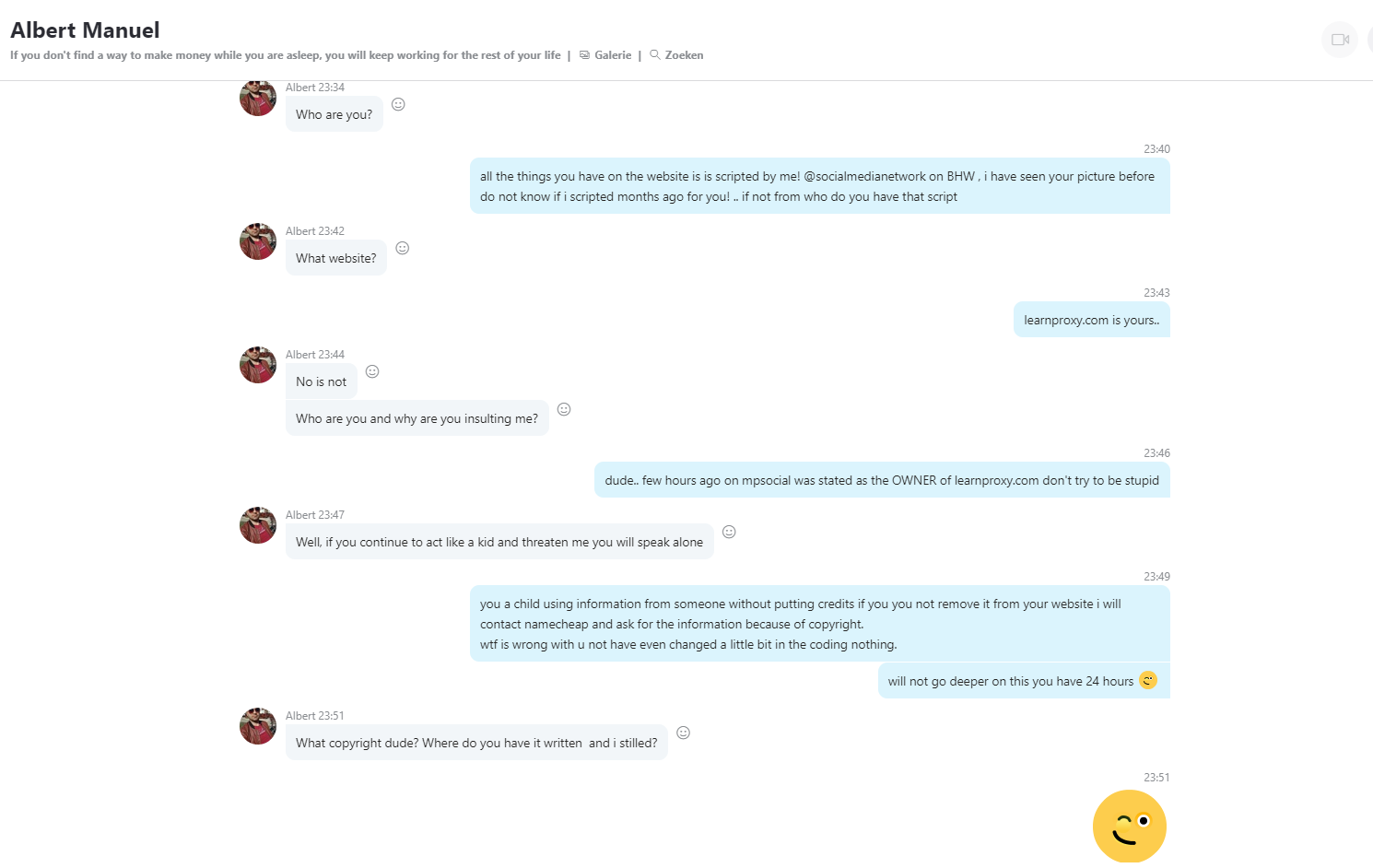
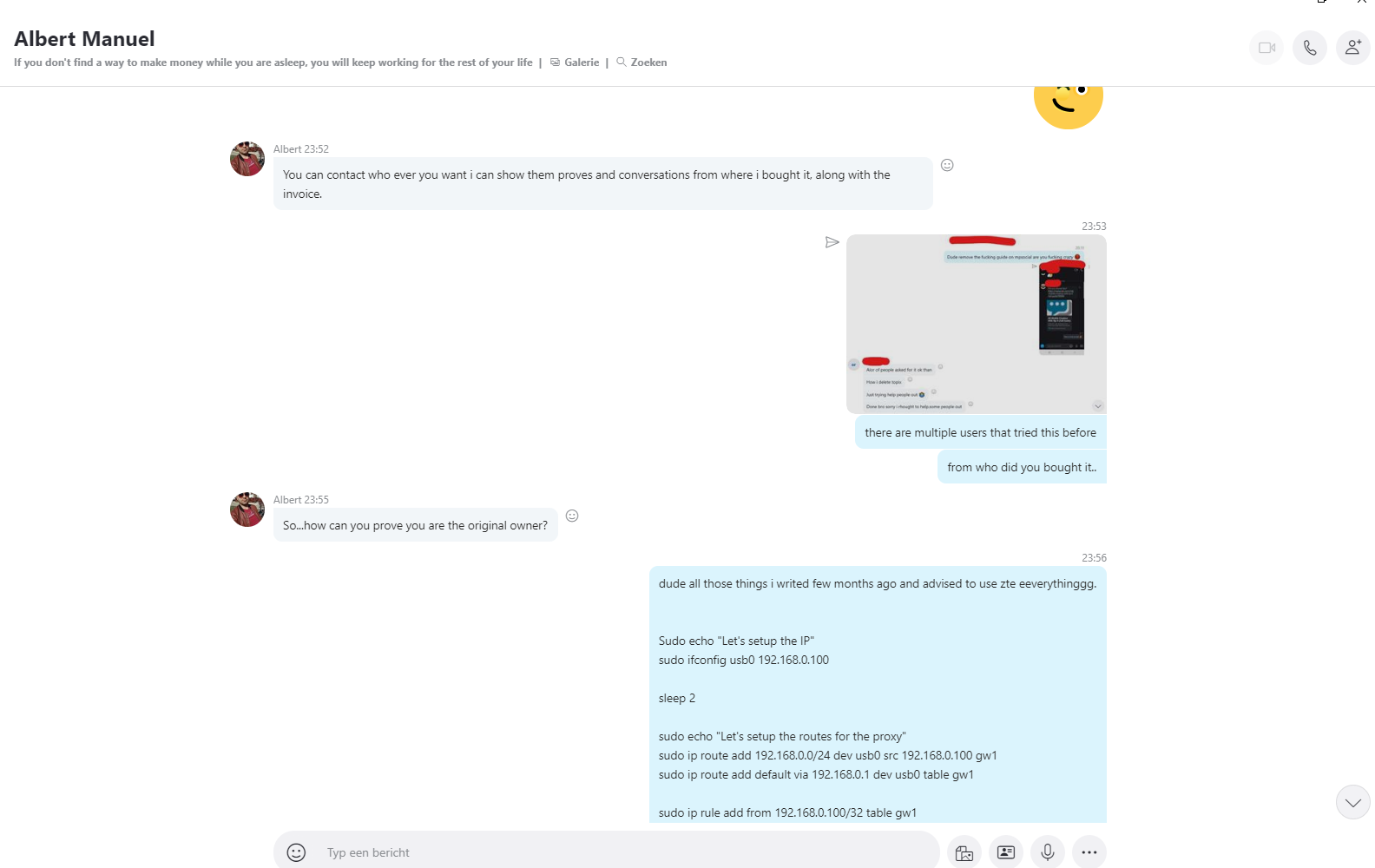
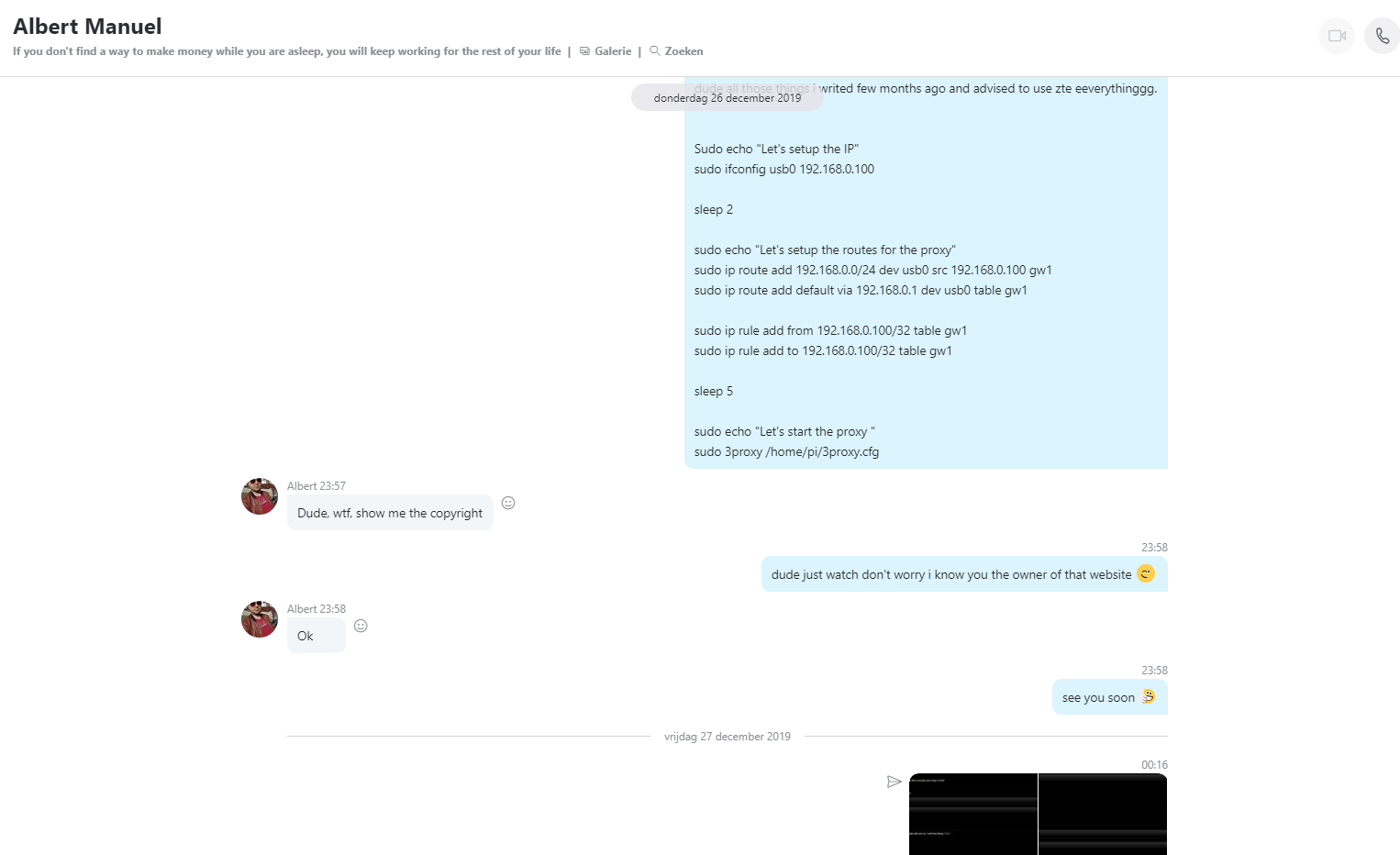
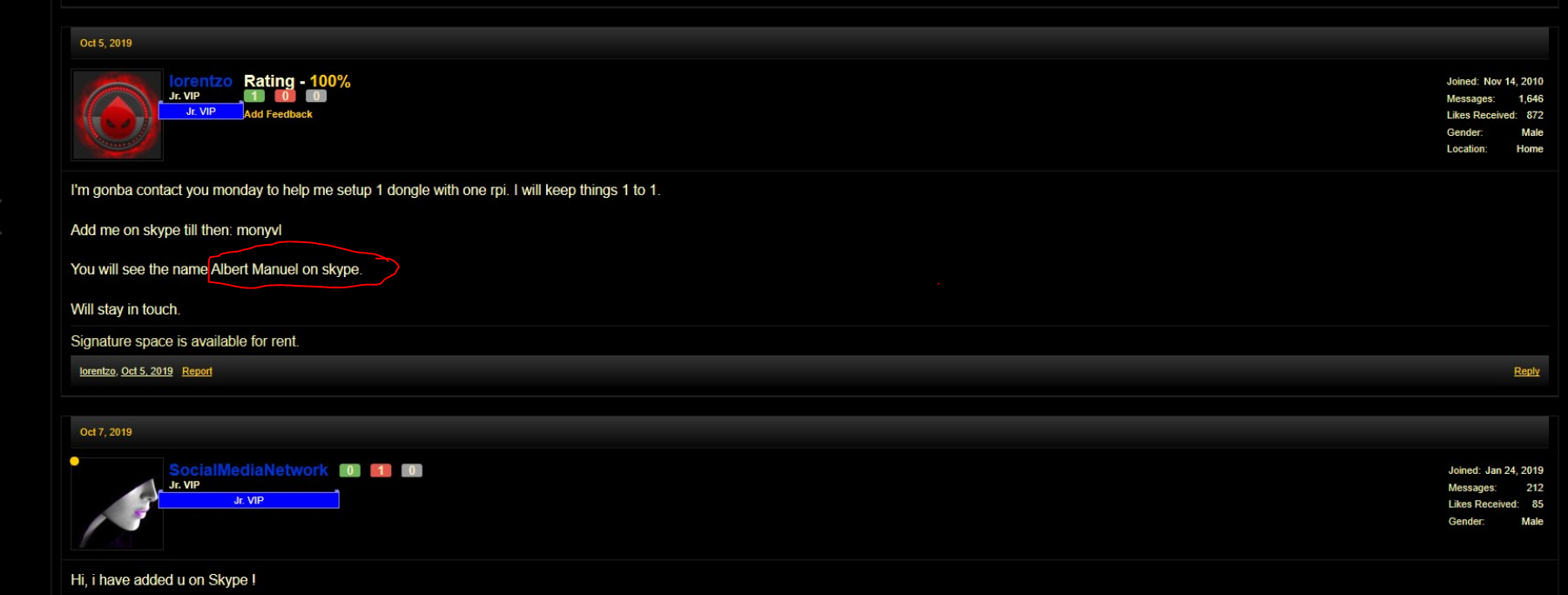
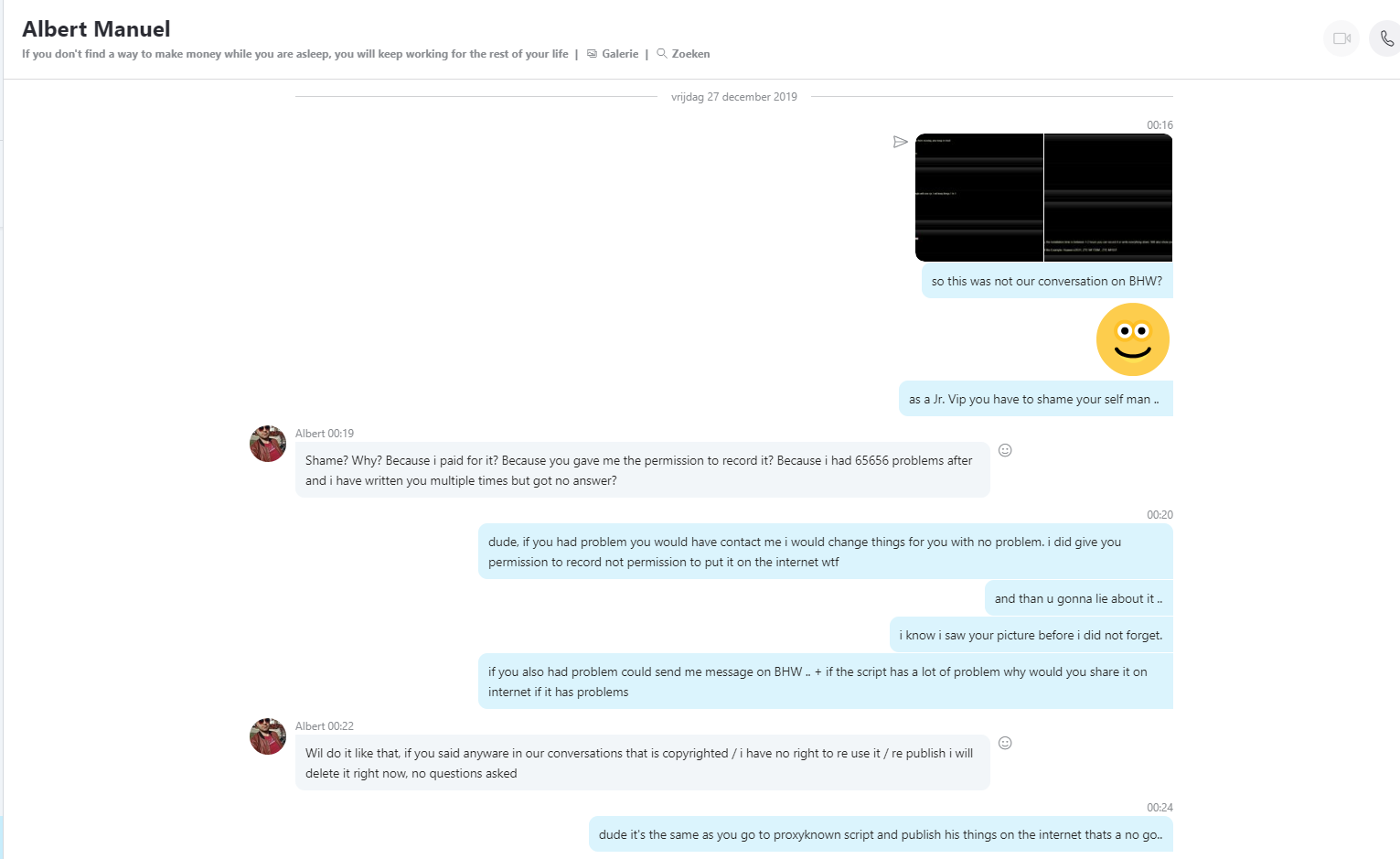
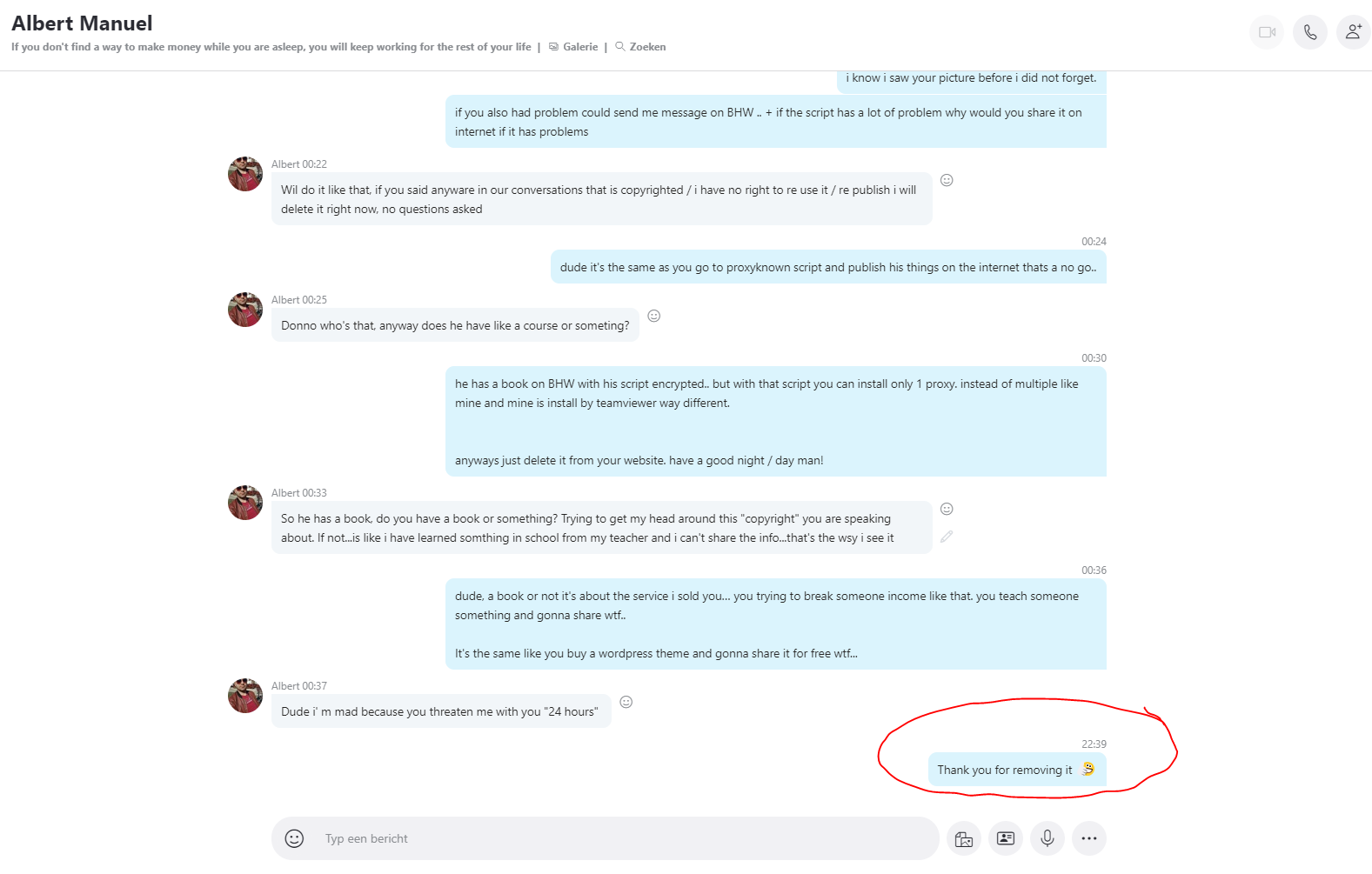
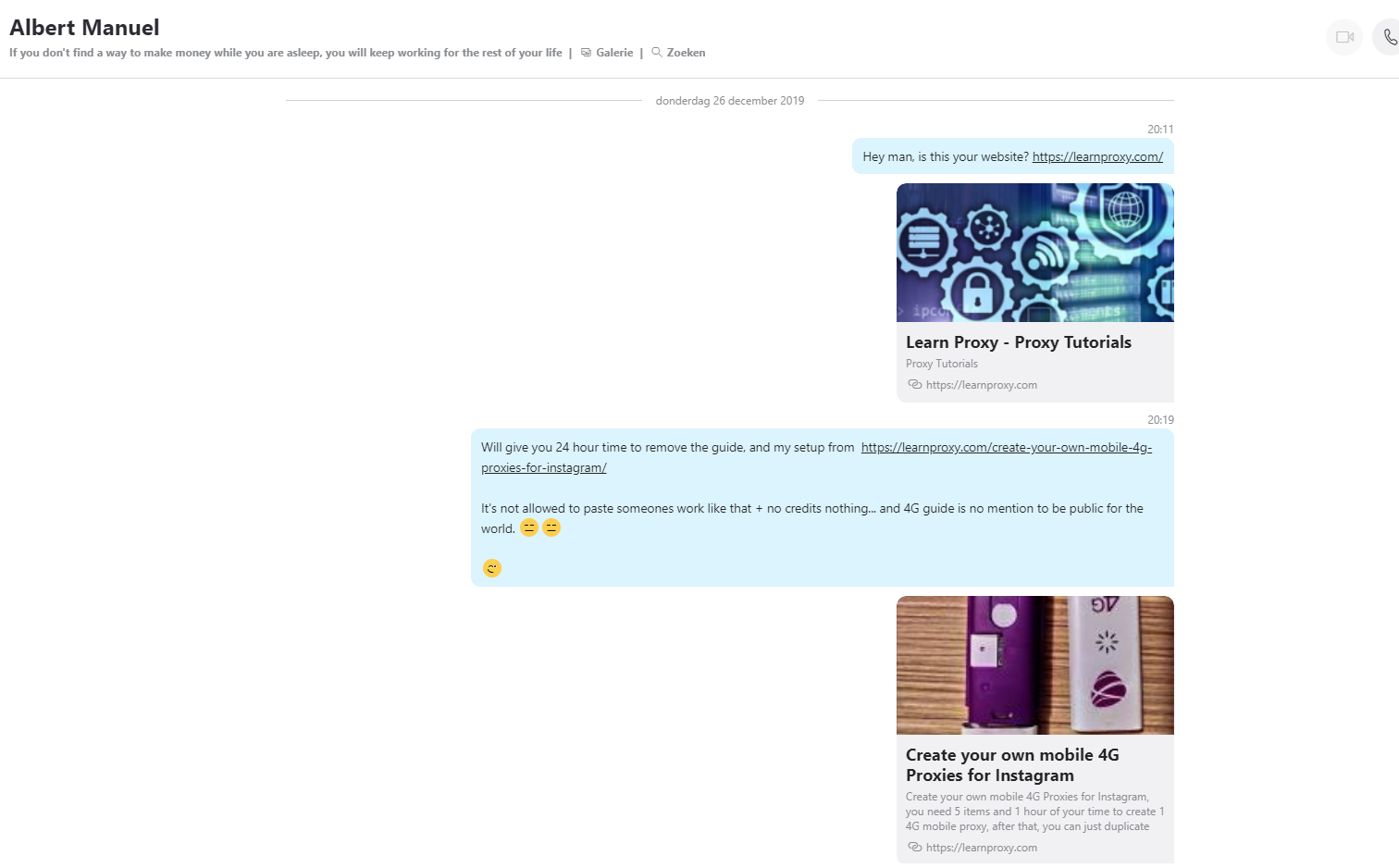
Here below the pictures of our conversation... :):) and @lorentzo still has the BALLS to answer something like this in this thread.. sad.. so here below some prove !
The site you have copied the entire tutorial and pictures - you have modified the text a little bit but..still.

5.png

6.png


7.png

1.png

2.png

3.png

4.png
 
You said the script needs small changes for multiple sticks. Mind sharing?
Why this is made only for 1 dongle. How to make it with multiple dongles?

If you want multiple dongles just do this:

#This is the ip of the first dongle
sudo ifconfig usb0 192.168.0.100

sleep 2

sudo ip route add 192.168.0.0/24 dev usb0 src 192.168.0.100 gw1
sudo ip route add default via 192.168.0.1 dev usb0 table gw1
sudo ip rule add from 192.168.0.100/32 table gw1
sudo ip rule add to 192.168.0.100/32 table gw1

sleep 2

#This is the ip of the second dongle
sudo ifconfig usb1 192.168.0.101

sudo ip route add 192.168.0.0/24 dev usb1 src 192.168.0.101 gw2
sudo ip route add default via 192.168.0.1 dev usb1 table gw2
sudo ip rule add from 192.168.0.101/32 table gw2
sudo ip rule add to 192.168.0.101/32 table gw2

Enjoy! :D:p
 
If you want multiple dongles just do this:

#This is the ip of the first dongle
sudo ifconfig usb0 192.168.0.100

sleep 2

sudo ip route add 192.168.0.0/24 dev usb0 src 192.168.0.100 gw1
sudo ip route add default via 192.168.0.1 dev usb0 table gw1
sudo ip rule add from 192.168.0.100/32 table gw1
sudo ip rule add to 192.168.0.100/32 table gw1

sleep 2

#This is the ip of the second dongle
sudo ifconfig usb1 192.168.0.101

sudo ip route add 192.168.0.0/24 dev usb1 src 192.168.0.101 gw2
sudo ip route add default via 192.168.0.1 dev usb1 table gw2
sudo ip rule add from 192.168.0.101/32 table gw2
sudo ip rule add to 192.168.0.101/32 table gw2

Enjoy! :D:p
Thx buddy. I know that one, bought your setup some time ago already:rolleyes:. Was just pretty obv. OP copy&paste and couldnt answer that simple question:anyway:
 
How much traffic volume per month you need for let say 10 IG account?
So need the sim card unlimited traffic volume?
 
Awesome!!!

Does it rotates the IPs?
You said it can have 1k accs if they are used for 1 sec (theorically), or more threads if you have more dongles, If were to make a multiple dongles system, how does it works, in the guide it says I have to use the home router IP to connect to the proxy, would a N thread workload get each a different IP (assuming I have N dongles) automatically?

Thanks
 
If you want multiple dongles just do this:

#This is the ip of the first dongle
sudo ifconfig usb0 192.168.0.100

sleep 2

sudo ip route add 192.168.0.0/24 dev usb0 src 192.168.0.100 gw1
sudo ip route add default via 192.168.0.1 dev usb0 table gw1
sudo ip rule add from 192.168.0.100/32 table gw1
sudo ip rule add to 192.168.0.100/32 table gw1

sleep 2

#This is the ip of the second dongle
sudo ifconfig usb1 192.168.0.101

sudo ip route add 192.168.0.0/24 dev usb1 src 192.168.0.101 gw2
sudo ip route add default via 192.168.0.1 dev usb1 table gw2
sudo ip rule add from 192.168.0.101/32 table gw2
sudo ip rule add to 192.168.0.101/32 table gw2

Enjoy! :D:p

Can you hit me up bro.
I need some help, willing to pay.
 
Hi there,

can I get some help with setup please? I am already torturing myself 3 days, doing research but I cannot get move place now.
First of all I still have closed port 3128 altought I talked with ISP and they gave me IPv4 instead of IPv6 and unblocked port for me.
I have done setup off port in Firewall, both TCP and UDP, both inbound and outbound.
Only way I managed to get open port on myopenports.com was through Bittorent using port 3128 (but I have to run Bittorent on background all the time)

I have got Huawei E3372 instead of MF823 ZTE when I list USBs in Raspberry with "lsusb" I am getting 12d1:14db ID and mode. After restart without SD card mode is still same 14db instead of 1405. But I tried to continue anyway.
https://pasteboard.co/JdHoFaB.png

sudo make - gives me errors, not sure whether because of oddly opened port via Bittorent or USB mode or some different reason.
https://pasteboard.co/JdHpvT1.png

sudo make install - says No such file or directory for bin/* but also these files are not in github.com/z3apa3a/3proxy bin/ so I guess its fine.
https://pasteboard.co/JdHpZqa.png

sudo systemctl is-enabled 3proxy.service - also failing because there is not such a file
https://pasteboard.co/JdHrmst.png
JdHmaoc.png


Thanks a lot for your time reading whole post, hopefuly someone will help, I am not expert at these things.
PS: I am sorry for links and images, I dont have 15 posts yet. :)

---
Raspberry Pi 4 Model B rev 1.1 (2GB)
Huawei E3372
 
Sooooo are we going to ignore the TS move to post here without notice and approval of the original content creator ?
 
Great tutorial. But with initial costs + monthly fees I don't know if really worths..
 
yep per month. 4g proxies, unlimited data on most common websites (socials)

Does it rotate though or you get a authentication and that's that. Because for let's say recaptcha solving with 30/50 threads that solves let's say 40000/5000 recaptchas every day is not doable with just 1 4g proxy. You want to have around 10 4g proxies that rotate and change ip's every 10min
 
Back
Top