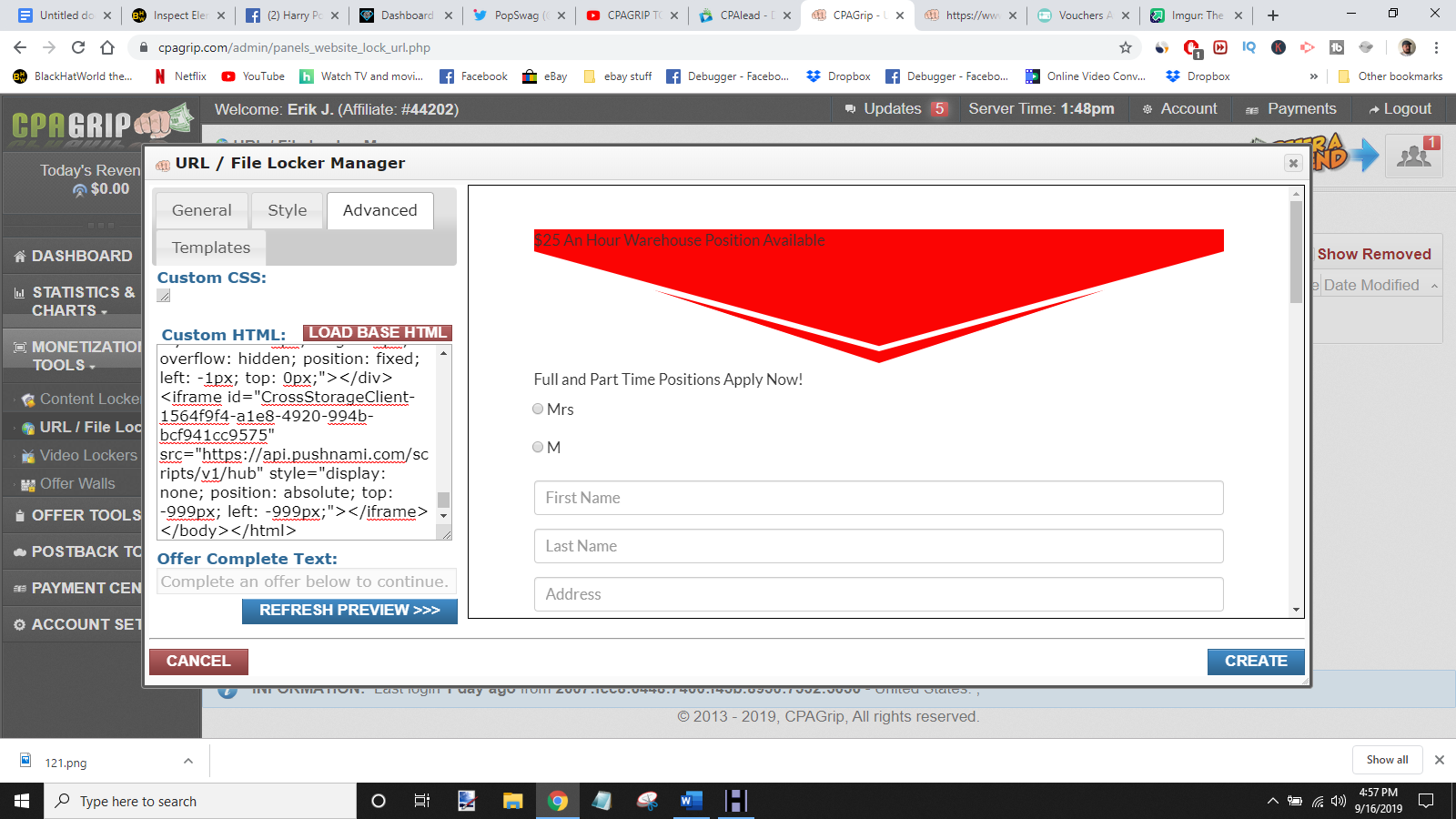
Inspect Element font and color edit question

swjedinight

Power Member
Joined
Jun 19, 2009
Messages
717
Reaction score
1,082
not sure if any of you know how to inspect element of a website and then change the text of a page.

When I do it, it will change the font and color as well as the left, right or cent location.

I don’t want the text to lose its font and color but every time I edit it after inspect element, I cut and paste and the aspects are changed.
 
Edit the html and give a specific id at the element that you want to change and then edit the css file.
 
an screenshot it a video would help. But i'm guessing you're editing the outerHTML and not the innerHTML. the text or elements change style only when it's outerhtml is messed
 
OMD did you just post this thread in the marketplace? :eek:

On topic, you are not targetting the correct selector as it seems. Could be due to dom update (by JavaScript) too. Impossible to tell without looking at the actual problem.
 
OMD did you just post this thread in the marketplace? :eek:
Damn, and he didn't even get a review. Must be an awful service. ;)

It was moved there by mistake (it happens sometimes, the sections have the same name). It's now been moved to the correct web design section.
 
Damn, and he didn't even get a review. Must be an awful service. ;)

It was moved there by mistake (it happens sometimes, the sections have the same name). It's now been moved to the correct web design section.
Haha, All cool then. I thought it was a bug or something lol.
 
SlQtGY4

This is what it looks like when I edit the page in the "Inspect Element" view
08ItdeG

This is what it looks like when i "copy outerHTML"
 
Its hard to tell from your picture what you're changing but if you PM me I can have a look or explain it to you.

P.s as suggested by someone above. No need to add any IDs or classes. If your styles are inline you can simply add a color inline.

--
Edit Im going to take a shot in the dark.

Instead of adding custom html. Add custom css targetting the class .signup-header

.signup-header.arrowColor{
color:#yourcolor;
}

P.s I can't tell if signup-header and arrowColor are separate or 1 word. I-e 1 class or 2 classes on 1 div. if its 2 classes the above css will work. If its one class remove the . before arrowColor
 
Last edited:
SlQtGY4

This is what it looks like when I edit the page in the "Inspect Element" view
08ItdeG

This is what it looks like when i "copy outerHTML"
What is the html generated? I can only see an iframe and end of html. That tells me exactly "nothing". :p
Also, if outer html doesn't work, you could click on body (inside the inspector dom structure) and then right click and edit html. Then press ctrl + a and ctrl + c to select all and copy.

Does that help?
 
I should also add, you can't change the css properties of an external iframe by css. By external I mean, content that you have no control over. If you want to change the css of the content that is loaded through an iframe, it has to be done on the source website.
 
SlQtGY4

This is what it looks like when I edit the page in the "Inspect Element" view
08ItdeG

This is what it looks like when i "copy outerHTML"

You need to copy the CSS rules (including fonts) used on that copied element if you expect the same looks.
 
Back
Top