YuvrajThapa
Supreme Member
- Sep 24, 2009
- 1,358
- 536
I recently found this on other forums so thought to share it with you guys. It has worked for me and hope to same with you. so please find the information below:
1. Go to
https://www.ccleaner.com/ccleaner/download
2. Download and install free version (not pro).
Once installed please do not launch/run it yet.
Once the free version is installed
1. Turn off/disconnect your internet connection or turn internet access off for CCleaner in firewall.
2. Launch (run) the installed CCleaner
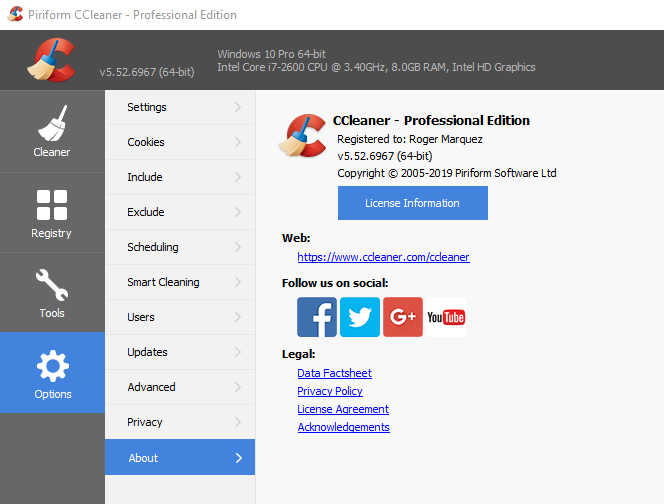
3. Go to options, then click on about, then click on upgrade to pro version
4. In the first box write your name or a name, in the second box write or copy paste the license key provided and press register.
5. Now the ccleaner professional is activated, now you can start the internet connection which was turned off or disconnected before
6. Enjoy the software
7 License keys: https://throwbin.io/SwVTRyx
I hope it helps.
Thanks!
1. Go to
https://www.ccleaner.com/ccleaner/download
2. Download and install free version (not pro).
Once installed please do not launch/run it yet.
Once the free version is installed
1. Turn off/disconnect your internet connection or turn internet access off for CCleaner in firewall.
2. Launch (run) the installed CCleaner
3. Go to options, then click on about, then click on upgrade to pro version
4. In the first box write your name or a name, in the second box write or copy paste the license key provided and press register.
5. Now the ccleaner professional is activated, now you can start the internet connection which was turned off or disconnected before
6. Enjoy the software
7 License keys: https://throwbin.io/SwVTRyx
I hope it helps.
Thanks!