Why wont this bash script run as background?

tb303

Supreme Member
Joined
Dec 18, 2011
Messages
1,238
Reaction score
909
I have a simple bash script like this
Code:
#!/bin/bash
while :
do
    wget -O lastwget https://url
    sleep 12
done

On my own hosting I can start it like this and be able to close the shell session and keep the script running
Code:
nohup scriptname &

But when I tried to set it up on someone elses hosting it doesnt keep running after session is closed.
I have also tried CTRL+Z, bg and then disown which doesnt work either.

Confused now, why would this work on one host and not the other?

This probably doesnt belong in the lounge but Im not sure where it would best go. Maybe someone like @jazzc or another mod could move it somewhere more appropriate if thats the case.
 
Instead of running from command prompt, you can set up cron job.

Remove sleep command from script and run cron job.
 
It's not set to run in the background as a process, it's a while loop. Install screen and run it if you need it to run all the time without it closing when you logout.
 
Instead of running from command prompt, you can set up cron job.

Remove sleep command from script and run cron job.
The wget needs to run every 12 seconds or so. You cant do this with a cron job. Hence the loop and sleep.


It's not set to run in the background as a process, it's a while loop. Install screen and run it if you need it to run all the time without it closing when you logout.
The script should run as background due to the "nohup scriptname &" regarless of the script contents? Like I said works fine on my own host not his. I already tried screen but get what looks like a permissions error on dev/pts/0 so no go with that. Im out of ideas short of telling him his hosting is crap.
 
The wget needs to run every 12 seconds or so. You cant do this with a cron job. Hence the loop and sleep.
Save your current code as a shell script, set the loop to run 5 times (60 seconds total), then have Cron call the script once every minute.
 
Do you get a proper job ID and process ID (PID) when running the nohup command?
 
Save your current code as a shell script, set the loop to run 5 times (60 seconds total), then have Cron call the script once every minute.
Aha! Nice simple work around Ill give that a go thanks. It might not work long term though if the WGET's take longer than expected to complete as the cron jobs will overlap which may well crash the web app its triggering.


Do you get a proper job ID and process ID (PID) when running the nohup command?
Yep JOBS lists it and PS will show a pid. When i EXIT the shell its gone from both though. Id expect it to have disappeared from JOBS when logging back in but it should still be shown by PS.

I'll try and go with what @Stavro suggested as a quick work around for now. You know how it is you say you will help a friend out with what you thought was a 10 min job and then 6 hours later you're still stuck lol. Id still like to work out why its different across two hosts though if only for the learning experience. If the cron jobs dont handle overlaping then Im still going to have to find the problem anyway.
 
Aha! Nice simple work around Ill give that a go thanks. It might not work long term though if the WGET's take longer than expected to complete as the cron jobs will overlap which may well crash the web app its triggering.
You can set a lockfile at each wget, so multiple iterations of the script will skip the wget call if the previous script is still running.

Code:
if lockfile -r 0 /tmp/myscript.lock; then
    wget -O lastwget https://url
    rm -f /tmp/myscript.lock
fi

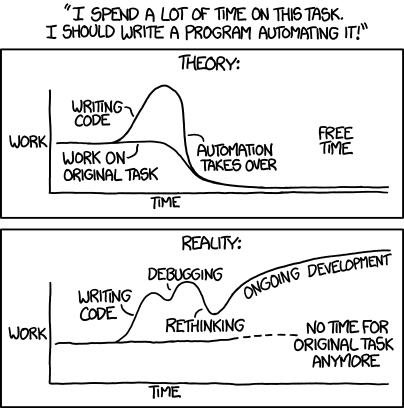
You know how it is you say you will help a friend out with what you thought was a 10 min job and then 6 hours later you're still stuck lol.
https://xkcd.com/1319/
 
You can set a lockfile at each wget, so multiple iterations of the script will skip the wget call if the previous script is still running.
Great solution thank you. And yep xkcd again. :)
 
Back
Top