[HOW TO] Get backlinks from Amazon AWS

I don`t get you...

Make the HTML public

Yes, I get it that the HTML file within the bucket is the link. But what should the HTML file include? Meta refresh redirect to the main website?

I got it now, the link is from the HTML file. Thank you! :)
 
Last edited by a moderator:
Created some pages with links already but without realizing its value :)
 
Newbie needs help! I created the bucket, and now I have to add an .html doc in it, that's it? Where do I put the link? (inside the html page like <a href:"https.....> or what?)
Thanks a lot for these posts, hope I will be able to use them :)

Ok, I could make it from your .html exemple, thank you very much, that's powerful :D
 
Last edited by a moderator:
How to check those links are indexed on google?
 
what is the monthly cost associated with this?
 
Pretty cool method - essentially a semi private Web 2.0. Slightly more powerful than a standard Web 2.0 property such as Weebly/Wordpress.

For those looking for more sources, check out these platforms:

  • Microsoft Azure
  • Netlify
  • Cloudfront
  • Cloudways
  • Appfog
  • Heroku
  • Bitnami
  • Google Cloud
  • Bluemix

I’ve seen a few members in the marketplace charge $50-$100/link for this :)

Does anyone know how to get the link from Microsoft Azure?
 
I am lost.

I created this buckets, but I cannot upload the code to have a static site,does someone have a step by step guide? One of the pictures does not load and might be the reason.
Thanks

EDIT: I was lost, link succesfully created. Thanks to the OP for the guide!!
 
Last edited:
After @Leith post how to get a backlink from Google Chrome, I was thinking will be nice to show you how to get from Amazon AWS.

This is great. How do you create the html file to upload and get the text, link and video embed to show? Can I make it in Wordpress in the text section? How do I save it as an HTML file? Is this the only way to get it to work? Thanks in advance!

1. You need a valid debit/credit card or a VCC ( you can buy from my thread of course if you don`t have :D )
2. One mobile phone number to answer and put the code generated from Amazon.

Let`s jump straight away, let`s say everything it`s setup and your Amazon AWS it`s ready!

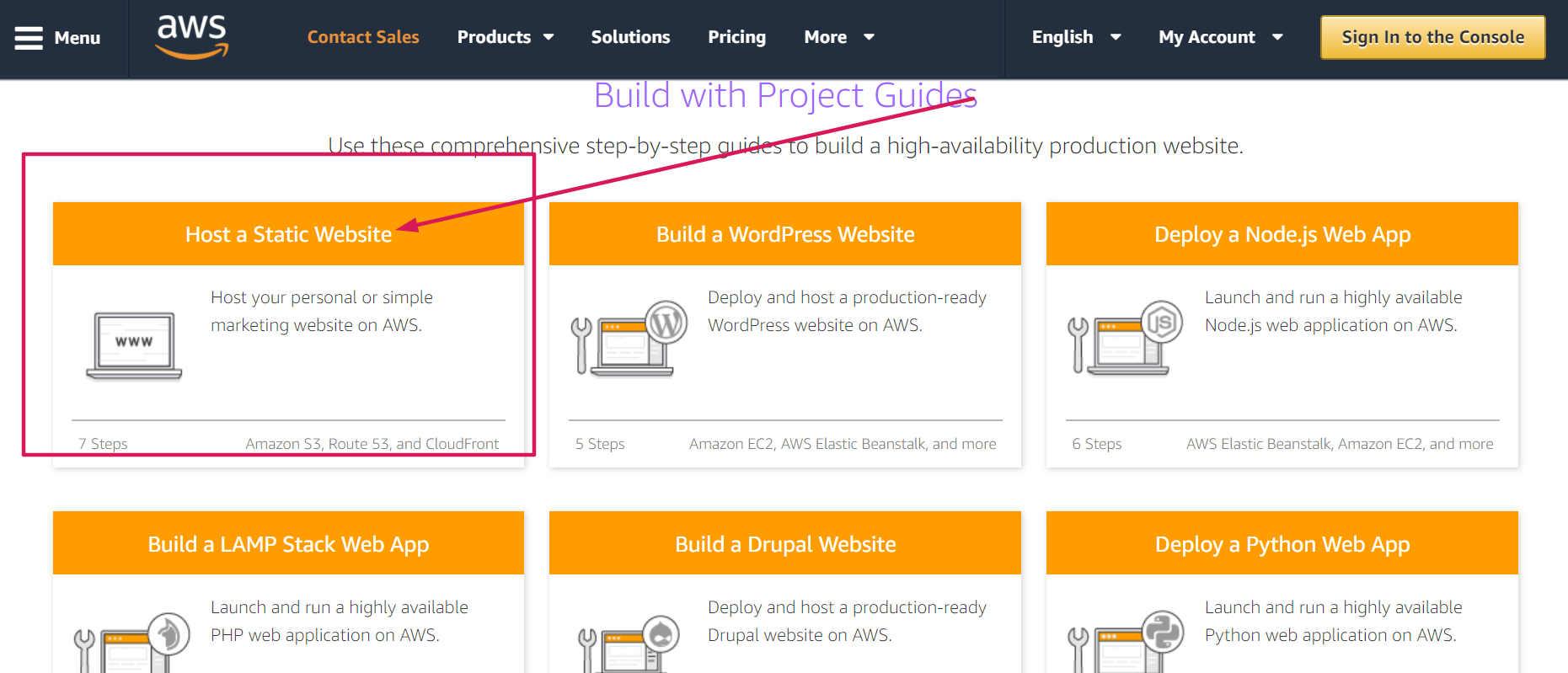
After you login scroll down a little bit and you will find this!
2GGWJJr


After you click like on image shows you must click again how you see in this image.
UgdI6Md


Scroll down after and you will see the yellow button with `` Get started with the implementation guide``

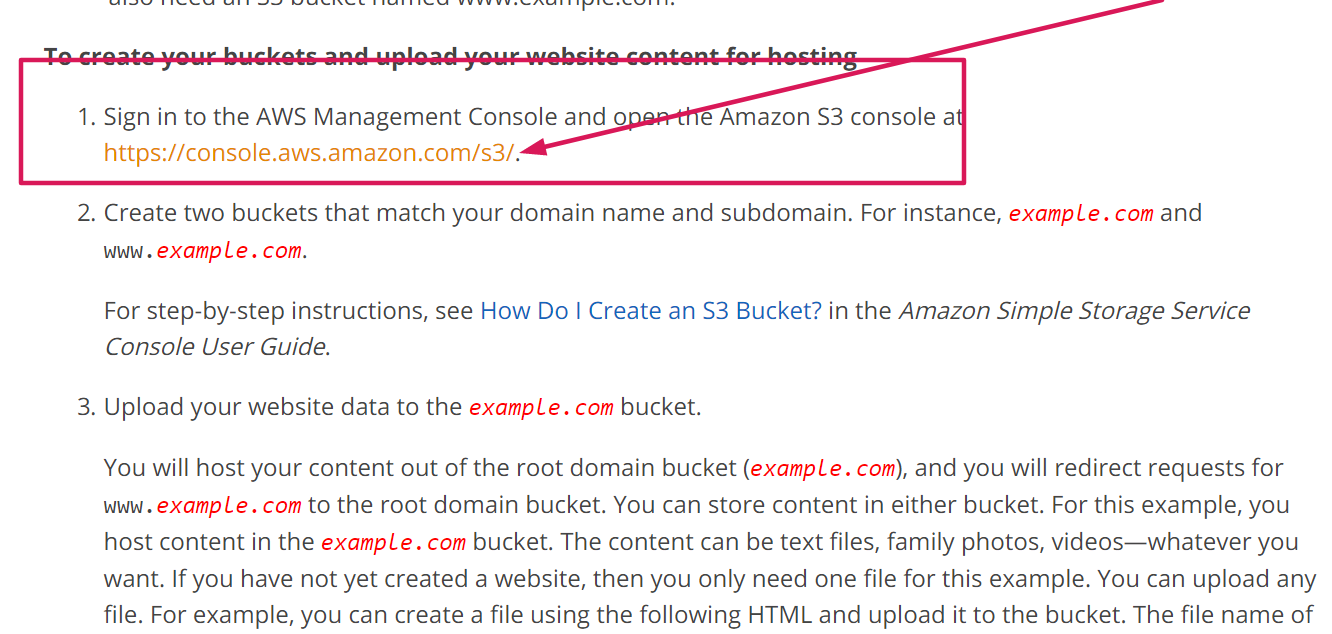
Go straight to
  • https://docs.aws.amazon.com/AmazonS3/latest/dev/website-hosting-custom-domain-walkthrough.html#root-domain-walkthrough-s3-tasks
OJitjj0


In this step, I`m not sure if they will give you a different link so I posted.
6aeb0f86-07d5-43fd-aaea-e9326332d93d

CeZAJKS


After that, you should be able to create a `` bucket ``

DRHrI4G

Just press next until the end after.

Come back, click on your bucket
fbiHSuG


Upload it, make it readable for the public and enjoy!
==========================================

Proof: https://s3.us-east-2.amazonaws.com/1blackhatworld/123.html

Gk1t3Zs


Now I am testing how to get from Amazon.com itself,if I come back with details.

I have no idea about link building but this is fun, I see people charge 30$ on Fiverr for this shit.

End of story, hope this helps!:)
 
Here i link value but to see exact you must see trough Google webmaster console.
 

Attachments

  • Link Value.png
    Link Value.png
    35 KB · Views: 290
How many links can we safely create on amazon was or google cloud from same account?
 
Back
Top