

alexxforrd
Regular Member
- Jun 7, 2017
- 338
- 36
This is my first guide on BHW. This is a guide made by me on how to get Grammarly and Lynda Premium Account for FREE. Also english is not my native language, so sorry for any spelling mistakes.
Keep in mind that this method works only with chrome browser.
So then let's get started.
1. CREATE AN ACCOUNT ON FLIKOVER
Normal link - www.flikover.com
My Invite link - www.flikover.com/?refer=LzwxD9
(Don't use temporary email id, your account may get blocked permanently with ip)
2. INSTALL FLIKOVER 1 AND FLIKOVER 2 PLUGINS
After signing up on flikover you will see 2 options addressing you to install their plugins into your Chrome browser.
3. THIS IS IMPORTANT STEP
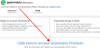
After you have installled both the plugins go to your flikover dashboard and click on grammerly or lynda.com VISIT HERE button
and then click on
"
Click here to access Grammarly Premium
"
button
Thats it, Congratulations! You have your very own Grammarly and lynda premium account .
if this was helpful hit that thumbs up button.
Keep in mind that this method works only with chrome browser.
So then let's get started.
1. CREATE AN ACCOUNT ON FLIKOVER
Normal link - www.flikover.com
My Invite link - www.flikover.com/?refer=LzwxD9
(Don't use temporary email id, your account may get blocked permanently with ip)
2. INSTALL FLIKOVER 1 AND FLIKOVER 2 PLUGINS
After signing up on flikover you will see 2 options addressing you to install their plugins into your Chrome browser.
3. THIS IS IMPORTANT STEP
After you have installled both the plugins go to your flikover dashboard and click on grammerly or lynda.com VISIT HERE button
and then click on
"
Click here to access Grammarly Premium
"
button
Thats it, Congratulations! You have your very own Grammarly and lynda premium account .
if this was helpful hit that thumbs up button.
Attachments

Last edited:


