Pardon me if this has been discussed before, but I found a flaw with the current version of PDFCreator (0.9.8). I haven't checked previous versions, so if you have one, test it out for yourself.
I'm currently writing a series of ebooks using OpenOffice. I've always liked OO for exporting to PDF. You can even disable copying under the security tab. However, I like the vast options that PDFCreator gives over OO's PDF export, plus the option of being able to convert non-OO files to PDF.
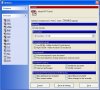
So here is the issue. When you print your book to PDFC, click "options", click "format" on the left, and click the "security" tab, you'll see where you can check a button that disallows a user to copy the text and images. However, I found that if the encryption level is set to 40 bit, IT WON'T WORK! Make sure to set it to 128 instead.
I bumped into this completely by accident when fooling around with the settings and then opening the corresponding PDF to see the result. I was trying to minimize people rebranding my books. Obviously the geeks will figure out a way to do it, but again the keyword here is minimize.
I checked another ebook written by another author who went through all the trouble to password protect his book, but didn't disallow copying. Perhaps he thought he did and only used 40 bit enc. Oops.
So theres your HEADS UP if you like using PDFC. Use 128 bit encryption.
Later!
I'm currently writing a series of ebooks using OpenOffice. I've always liked OO for exporting to PDF. You can even disable copying under the security tab. However, I like the vast options that PDFCreator gives over OO's PDF export, plus the option of being able to convert non-OO files to PDF.
So here is the issue. When you print your book to PDFC, click "options", click "format" on the left, and click the "security" tab, you'll see where you can check a button that disallows a user to copy the text and images. However, I found that if the encryption level is set to 40 bit, IT WON'T WORK! Make sure to set it to 128 instead.
I bumped into this completely by accident when fooling around with the settings and then opening the corresponding PDF to see the result. I was trying to minimize people rebranding my books. Obviously the geeks will figure out a way to do it, but again the keyword here is minimize.
I checked another ebook written by another author who went through all the trouble to password protect his book, but didn't disallow copying. Perhaps he thought he did and only used 40 bit enc. Oops.
So theres your HEADS UP if you like using PDFC. Use 128 bit encryption.
Later!