
Yes, I know what I am talking about and I am going to let you know the steps you need to do to get this DA 100 do-follow backlink from Google.
Okay. Follow the steps like I am going to put and you'll have one for you. (do this in Google Chrome)
1. Create a free Google business page from here: https://www.google.com/intl/en_in/business/
2. Once it goes live then follow the below process.

3. Open this website, "https://www.google.com/mymaps"
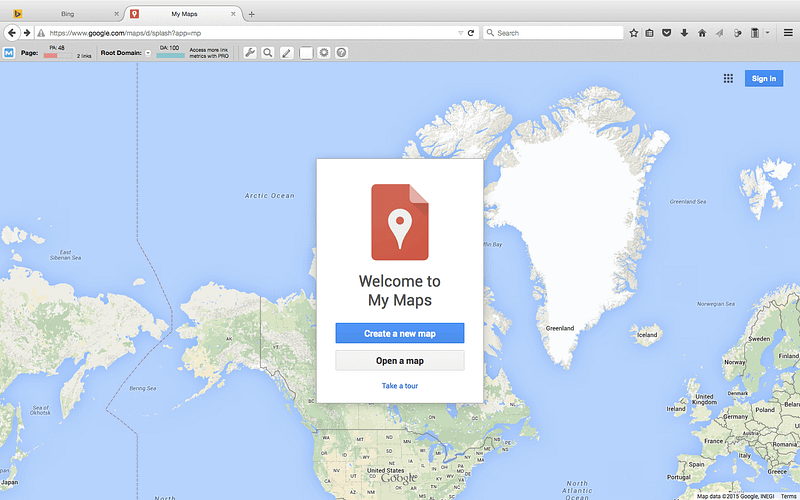
4. Now, click on “Create a new map”
5. If you have a Gmail account, please sign in using your credentials.
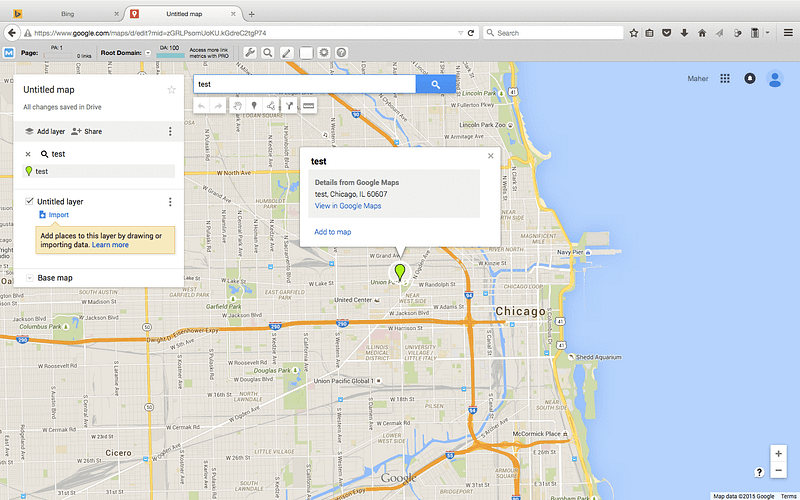
6. Now, search for your site or client site. Like, in example I am doing for "test"
7. Copy the information and then click on “Add to map”
8. Now, click on “Untitled map” and if you press this word you will have a pop up where you can insert your keywords. Now, in below in description box write a short notes about the details of your page, just describe it.
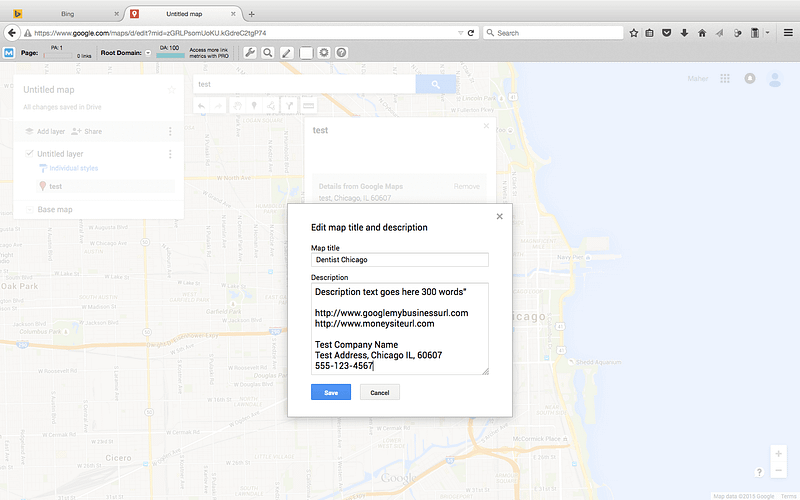
You can also add here Google Business URL or your site URL.
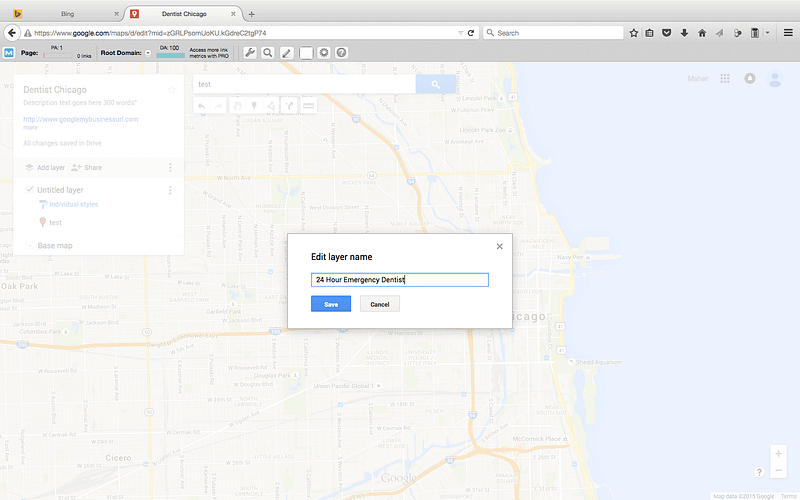
9. On the left top you can read, “Untitled layer” if you press this there will be pop up. Add your long tail keywords. If your targeted keywords is, play free games, you can make it long tail like, how to play free games. Save it.
10. Click on share button and you will have another window. It says private, you can change it by selecting “Public on the web” and then save it.
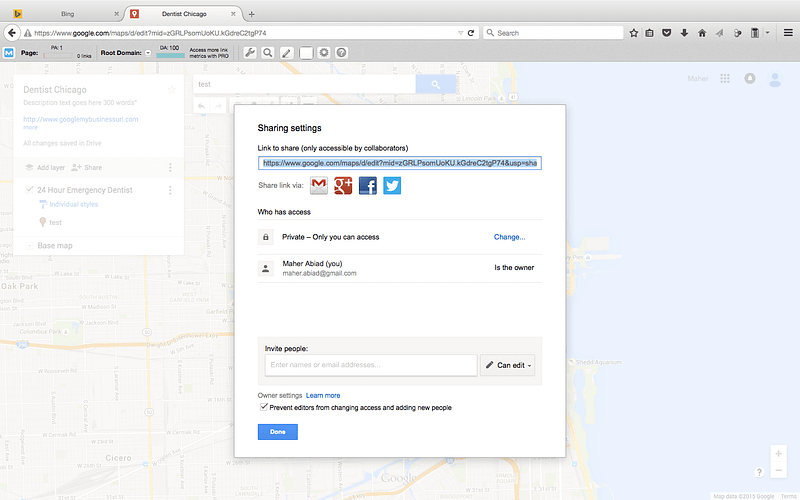
11. you are just done with a do-follow DA 100 backlinks from Google. Copy the url and paste in another browser.
Woo....hoo...You have just made something fabulous.
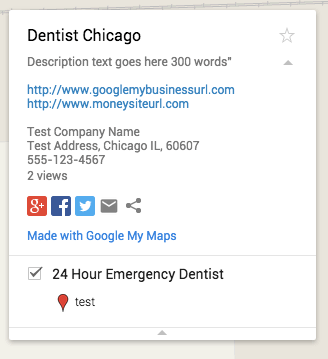
Of course it has a lot of value and I don't need to explain it.
Liked it?
Okay. Follow the steps like I am going to put and you'll have one for you. (do this in Google Chrome)
1. Create a free Google business page from here: https://www.google.com/intl/en_in/business/
2. Once it goes live then follow the below process.
3. Open this website, "https://www.google.com/mymaps"
4. Now, click on “Create a new map”
5. If you have a Gmail account, please sign in using your credentials.
6. Now, search for your site or client site. Like, in example I am doing for "test"
7. Copy the information and then click on “Add to map”
8. Now, click on “Untitled map” and if you press this word you will have a pop up where you can insert your keywords. Now, in below in description box write a short notes about the details of your page, just describe it.
You can also add here Google Business URL or your site URL.
9. On the left top you can read, “Untitled layer” if you press this there will be pop up. Add your long tail keywords. If your targeted keywords is, play free games, you can make it long tail like, how to play free games. Save it.
10. Click on share button and you will have another window. It says private, you can change it by selecting “Public on the web” and then save it.
11. you are just done with a do-follow DA 100 backlinks from Google. Copy the url and paste in another browser.
Woo....hoo...You have just made something fabulous.
Of course it has a lot of value and I don't need to explain it.
Liked it?


