Hide My Account (Anti Detect Browser) Default Settings

Blitz5

Registered Member
Joined
May 29, 2024
Messages
51
Reaction score
7
I have a question about the "New profile default" Should I just leave ON all the Hardware Settings for each profile?

-Mask Media Devices
-Mask Canvas
-Client Rects
-Audio Context
-WebGL Image
-WebGL Metadata
-Fixed Screen Size

I'm thinking about switching/rotating between Chrome, Brave and Edge browser for Facebook.
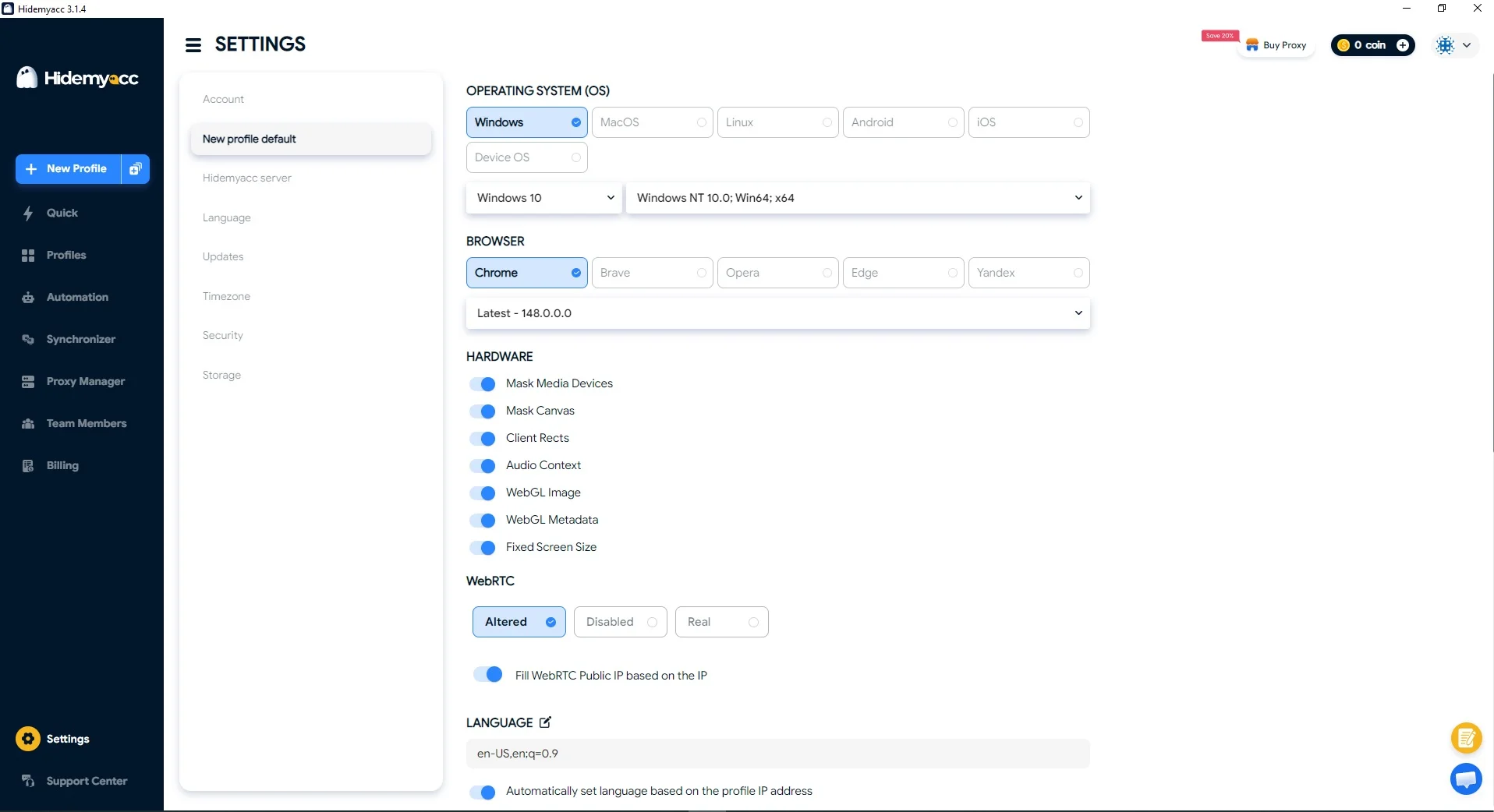


HMA.webp
 
I never used this option (only dolphin anti and adspower), but when it comes to anonymous browsers, all in all, the best option is to use the same os you have in your original computer. Besides that, just leave everything else as it already is
 
I can see that dolphin-anty is for Facebook/Social Media. So I will give that I try.

Does it matter. If a profile is marked as "home country X". That the VPN/Proxy address are in the same country?
 
Not sure about audio context, sometime it raises flags. It doesnt matter, but take care what proxy you use, sometimes it is better not to use at all than to use overused proxies
 
Maybe you should try another anti-detect browser that doesn't have issues with settings or the interface? For example, Vision is really intuitive and user-friendly
 
I've never had this issue. I use Vision, give it a try if your anti detect isn't working right
 
I have a question about the "New profile default" Should I just leave ON all the Hardware Settings for each profile?

-Mask Media Devices
-Mask Canvas
-Client Rects
-Audio Context
-WebGL Image
-WebGL Metadata
-Fixed Screen Size

I'm thinking about switching/rotating between Chrome, Brave and Edge browser for Facebook.


View attachment 531938
Try to change every information for next profile.
 
I think this is very tech savy setting i will let them like they are now by default but you can try to use something simpler like dolphin anty that also have some free profile. You will not have these issue as there are very few settings and actually explain what they do
 
Back
Top