
- Nov 8, 2005
- 167
- 913
Images on BlackHat World® Will Now Be Automatically Converted to WebP
Navigation
Last edited:

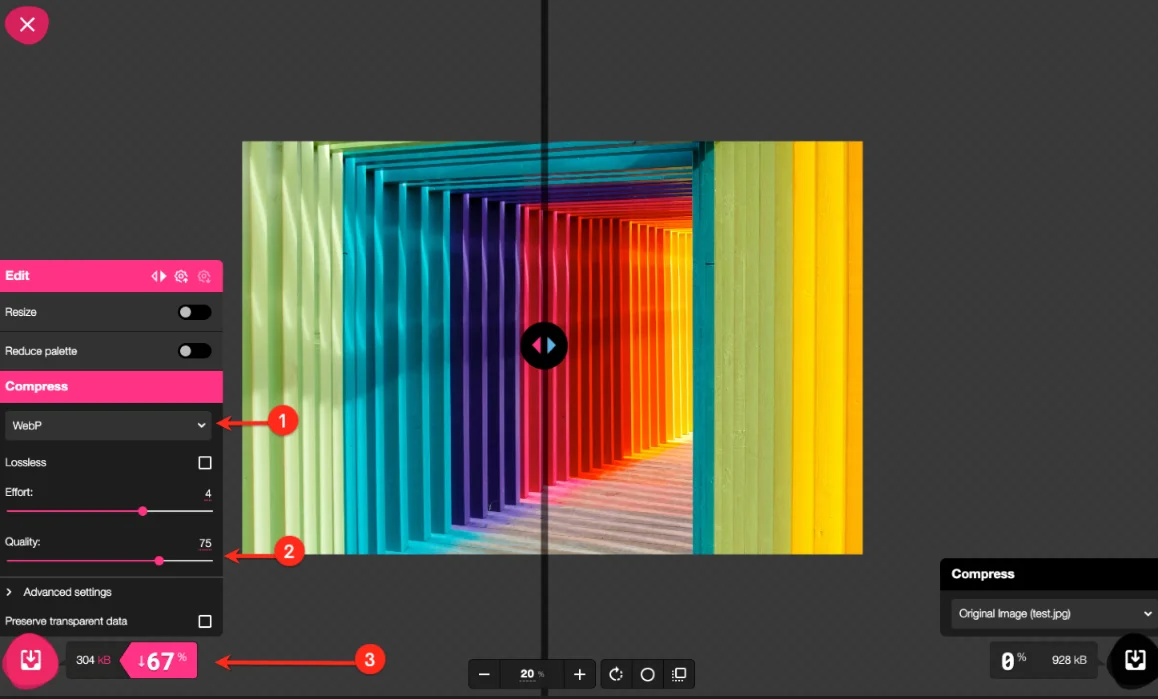
 PNG, JPG, and JPEG files are automatically converted to WebP. GIF files are not affected. No action is required from users. Manual conversion is recommended if you want full control over quality and compression. Final uploaded WebP files must be 2 MB or smaller. Your remaining Media storage was increased due to the WebP transition. Recommended dimensions: 1158 px width and up to 5000 px height.
Measurement | Maximum (pixels) | Note |
|---|---|---|
Width | 1158 px | This has always been the maximum allowed width and has not changed. |
Height | 5000 px (highly recommended!) | Very tall images can sometimes cause upload or processing issues. If you receive a server error, excessive image height may be the cause. Of course, you can also always Contact Support if you're not sure. |