
You are using an out of date browser. It may not display this or other websites correctly.
You should upgrade or use an alternative browser.
You should upgrade or use an alternative browser.
Dedicated & Rotating Residential VPN | Plans from $1.89/month or $0.70/GB
- Thread starter CometVPN
- Start date
-
- Tags
- residential vpn vpn

- Mar 5, 2025
- 144
- 14
Hey,Hi, do you have any discounts right now?
Yeah, we've got you – 10% off with code BLACKHATWORLD, or grab 3 days free at cometvpn.com/vpn-free-trial if you just want to test it out first

- Mar 5, 2025
- 144
- 14
[TIP] Getting more out of your Native Residential Proxy Generator (filters + rotation)
Hey guys,
Wanted to highlight something a lot of people miss about the Proxy Generator - it's not just a switch, it's actual control over your exit point.
You can filter by country, state, city, and even ISP, and choose how your IP rotates:
How it works:
Log in → Native Residential VPN in the left sidebar → set Country/State/City/ISP under Proxy filters → pick Randomise or Sticky under Proxy rotation → copy your credentials from Proxy details.
Requires an active Regular VPN base plan. Traffic billed per GB, never expires, starts from $0.70/GB.
Full breakdown: https://cometvpn.com/blog/native-residential-vpn-proxy-generator/
Drop any questions below
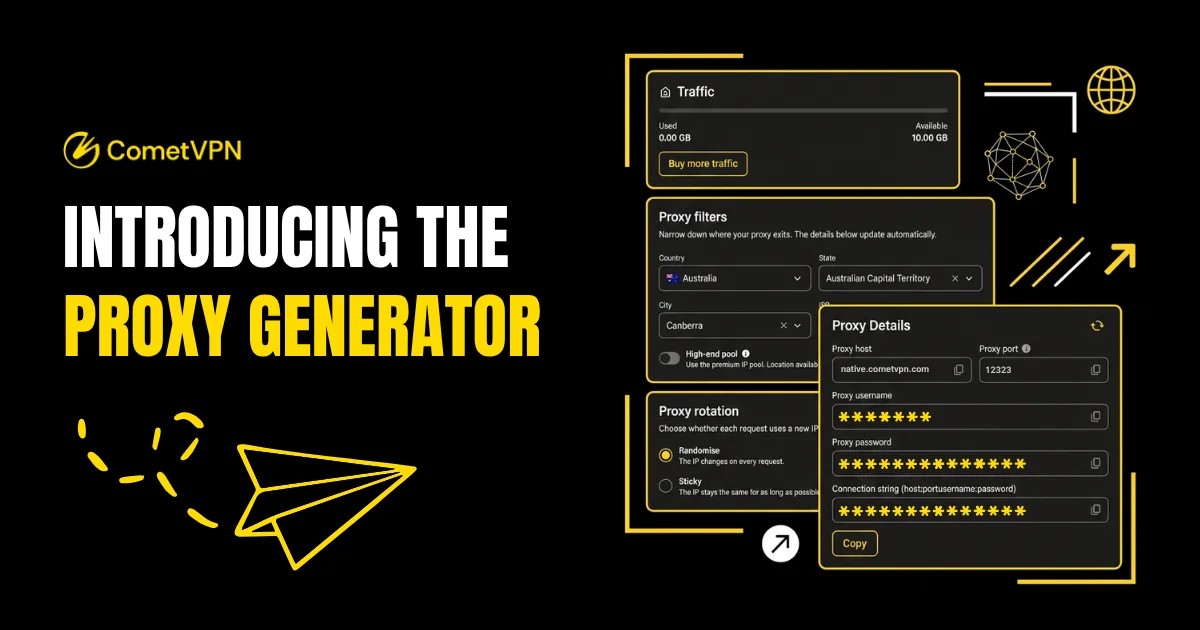
Hey guys,
Wanted to highlight something a lot of people miss about the Proxy Generator - it's not just a switch, it's actual control over your exit point.
You can filter by country, state, city, and even ISP, and choose how your IP rotates:
- Randomise - new IP on every request
- Sticky - same IP held for as long as possible
How it works:
Log in → Native Residential VPN in the left sidebar → set Country/State/City/ISP under Proxy filters → pick Randomise or Sticky under Proxy rotation → copy your credentials from Proxy details.
Requires an active Regular VPN base plan. Traffic billed per GB, never expires, starts from $0.70/GB.
Full breakdown: https://cometvpn.com/blog/native-residential-vpn-proxy-generator/
Drop any questions below
- Mar 5, 2025
- 144
- 14
[GUIDE] IP rotation, explained - Randomised vs Sticky
Hey guys,
Quick explainer since this comes up a lot: every proxy request goes out through an IP address, and rotation controls how (or whether) that address changes between requests.
Full breakdown: https://cometvpn.com/blog/native-residential-vpn-proxy-generator/
Drop any questions below
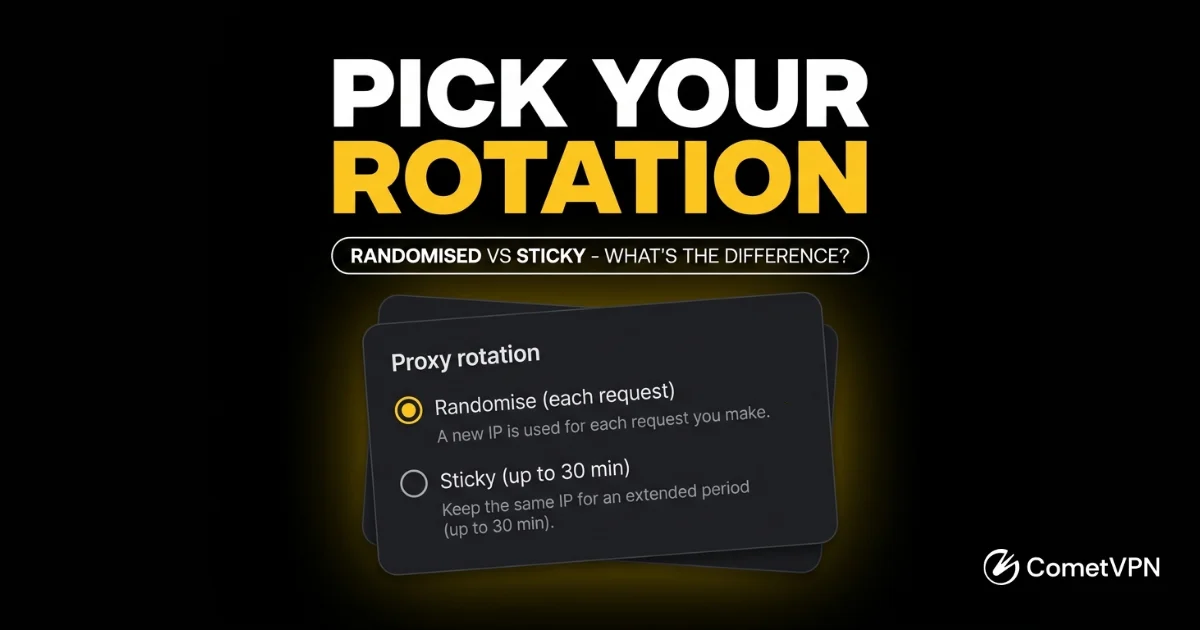
Hey guys,
Quick explainer since this comes up a lot: every proxy request goes out through an IP address, and rotation controls how (or whether) that address changes between requests.
- Randomise - your IP changes on every request.
- Sticky - your IP stays the same for as long as possible.
Full breakdown: https://cometvpn.com/blog/native-residential-vpn-proxy-generator/
Drop any questions below
- Mar 5, 2025
- 144
- 14
Hey guys,
Random one for the thread: did you know some residential IPs get flagged just from being reused too often on the same target, even when the underlying network is completely clean? Sometimes it's less about "good" vs "bad" IPs and more about rotation habits giving you away.
Anyone here actively tracking reuse rates, or just letting rotation handle it?
Random one for the thread: did you know some residential IPs get flagged just from being reused too often on the same target, even when the underlying network is completely clean? Sometimes it's less about "good" vs "bad" IPs and more about rotation habits giving you away.
Anyone here actively tracking reuse rates, or just letting rotation handle it?

MrWhite2018
Elite Member
- Jul 16, 2018
- 2,173
- 1,299
Making an order now, will test this out, thanks.
MrWhite2018
Elite Member
- Jul 16, 2018
- 2,173
- 1,299
Hello, your payment page is broken, it's showing an offer even when that's turned off. I tried to reach out via your live chat
Thanks
Thanks
- Mar 5, 2025
- 144
- 14
Hey, sorry for the slow reply on live chat — we've answered you there now too.
It's not a bug, though I can see why it looks like one. Our extras — Dedicated Residential IP and Native Residential — require an active Standard VPN plan to run on. They aren't standalone products, so the checkout keeps the Standard plan in the order even if you try to remove it. We should make that clearer on the page rather than letting it look like a stuck toggle.
On what you're actually after: if you want proxy logins (host/port/user/pass, SOCKS5 or HTTP), that's Native Residential — billed per GB, from $0.70/GB. The Dedicated Residential IP is a fixed IP delivered as WireGuard/OpenVPN config files, not proxy credentials, so it's a different thing depending on your setup.
Cheapest way in is the 1-month Standard plan plus the extra you want. Happy to work out the exact cost if you tell us roughly how much traffic you'd use.
It's not a bug, though I can see why it looks like one. Our extras — Dedicated Residential IP and Native Residential — require an active Standard VPN plan to run on. They aren't standalone products, so the checkout keeps the Standard plan in the order even if you try to remove it. We should make that clearer on the page rather than letting it look like a stuck toggle.
On what you're actually after: if you want proxy logins (host/port/user/pass, SOCKS5 or HTTP), that's Native Residential — billed per GB, from $0.70/GB. The Dedicated Residential IP is a fixed IP delivered as WireGuard/OpenVPN config files, not proxy credentials, so it's a different thing depending on your setup.
Cheapest way in is the 1-month Standard plan plus the extra you want. Happy to work out the exact cost if you tell us roughly how much traffic you'd use.
- Mar 5, 2025
- 144
- 14
CometVPN got a new video review from BestReviews.net - residential IPs focus
Hey guys,
Wanted to share a new review video that just came out covering CometVPN, with a focus on our residential IP setup. Figured some of you working with residential/dedicated IPs might find it useful.
Let me know what you think
Hey guys,
Wanted to share a new review video that just came out covering CometVPN, with a focus on our residential IP setup. Figured some of you working with residential/dedicated IPs might find it useful.
Let me know what you think
- Mar 5, 2025
- 144
- 14
Managing proxies in your browser just got easier - FoxyProxy + CometVPN setup guide
If you're switching proxies manually through browser settings every time - there's a better way.
FoxyProxy saves your CometVPN proxy profile and switches it on with one click from your toolbar. Full setup guide for Chrome and Firefox below.
--> cometvpn.com/blog/how-to-use-foxyproxy-with-cometvpn-proxies/
If you're switching proxies manually through browser settings every time - there's a better way.
FoxyProxy saves your CometVPN proxy profile and switches it on with one click from your toolbar. Full setup guide for Chrome and Firefox below.
--> cometvpn.com/blog/how-to-use-foxyproxy-with-cometvpn-proxies/

- Apr 19, 2023
- 103
- 25
Can your proxy used for crypto exchange?
- Mar 5, 2025
- 144
- 14
Hi!Can your proxy used for crypto exchange?
Thanks for reaching out.
Our Native Residential VPN and Proxy Manager are built for general browsing, access, and connectivity purposes, so they can work across a wide range of use cases. Whether performance is ideal for a specific platform like a crypto exchange can depend on that platform's own policies and systems, so we'd recommend giving it a try and reaching back out if you run into anything specific!
- Mar 5, 2025
- 144
- 14
Continuing our proxy manager series - next up: BP Proxy Switcher + CometVPN
Native Residential credentials from the CometVPN dashboard straight into BP Proxy Switcher. One-click toggle from the Chrome toolbar, no app required
More info here: cometvpn.com/blog/bp-proxy-switcher-cometvpn-setup/
Native Residential credentials from the CometVPN dashboard straight into BP Proxy Switcher. One-click toggle from the Chrome toolbar, no app required
More info here: cometvpn.com/blog/bp-proxy-switcher-cometvpn-setup/
