
You are using an out of date browser. It may not display this or other websites correctly.
You should upgrade or use an alternative browser.
You should upgrade or use an alternative browser.
Permanently Closed Marketplace Sales Thread
- Thread starter ningning
- Start date
- Status
- Not open for further replies.

 Soon I will buy a lifetime license.
ningning
Supreme Member
- Mar 22, 2010
- 1,262
- 309
And the thread is back!!
Is there a way I can make AutofillMagic click links or buttons on web pages?
Yes, you can use the Autofill Magic Trainer plugin to click an element either when the page loads or when you click the Autofill Magic button.

How can I load a list of values/text (more than 100...) from a file (.csv for example) and then use those values/text to fill in the fields on a webpage?
I could fill in the "Custom Fields" but there are only 16. Where can I store the values/text? Does autofill magic allow variables?
Thank you.
I could fill in the "Custom Fields" but there are only 16. Where can I store the values/text? Does autofill magic allow variables?
Thank you.
ningning
Supreme Member
- Mar 22, 2010
- 1,262
- 309
How can I load a list of values/text (more than 100...) from a file (.csv for example) and then use those values/text to fill in the fields on a webpage?
I could fill in the "Custom Fields" but there are only 16. Where can I store the values/text? Does autofill magic allow variables?
Thank you.
You can not load a csv file.
I am not sure exactly what you want to achieve? Do you really have more than 100 different custom values that does not fit any of the existing fields?
If these are values for the same field, then you can just spin them.
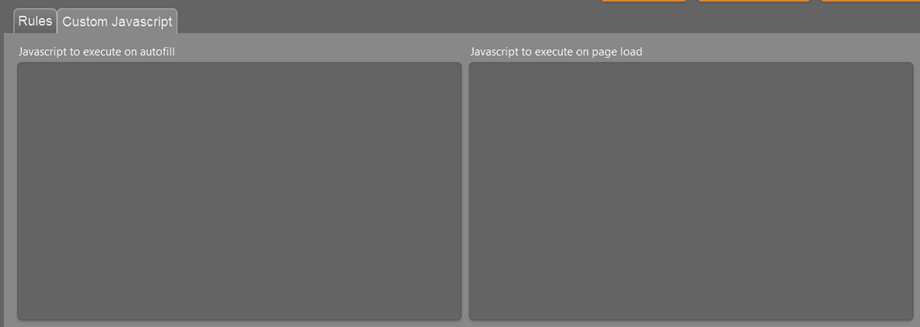
If you know how to write javascript, then you can also add your own script to fire either when a page loads or when you click the Autofill Magic button. You could actually fetch your values from a file this way.
ningning
Supreme Member
- Mar 22, 2010
- 1,262
- 309
Your post dissapeared and now reapeared with that offer. I want a 40% discount lifetime licence, but i already pay for monthly plan, what do i do?
I replied to your email.
I have a list of long-tail keywords I need to insert on a form.
To add these long-tail keywords I need to navigate the website from Page#1 to Page#2, save it, and then come back to Page#1.
So I guess I would need only 1 custom field, but would need to change/update it constantly with the next long-tail keyword.
I could, for example, update the special marker #CLIPBOARD#.
How can I achieve this? Thank you.
To add these long-tail keywords I need to navigate the website from Page#1 to Page#2, save it, and then come back to Page#1.
So I guess I would need only 1 custom field, but would need to change/update it constantly with the next long-tail keyword.
I could, for example, update the special marker #CLIPBOARD#.
How can I achieve this? Thank you.

umairsaleem29
Senior Member
- Nov 27, 2013
- 1,094
- 52
how i used trial pm me please
ningning
Supreme Member
- Mar 22, 2010
- 1,262
- 309
I have a list of long-tail keywords I need to insert on a form.
To add these long-tail keywords I need to navigate the website from Page#1 to Page#2, save it, and then come back to Page#1.
So I guess I would need only 1 custom field, but would need to change/update it constantly with the next long-tail keyword.
I could, for example, update the special marker.Code:#CLIPBOARD#
How can I achieve this? Thank you.
Using the marker #CLIPBOARD# is a great way to achieve what you want. Here are the steps needed:
1. Create the rule you need with the Autofill Magic Trainer.
2. Add the marker #CLIPBOARD# to in the field that you used in the step above (e.g. Custom 1).
3. Now when you autofill the field anything you have in your clipboard will be inserted. So now you can keep a text file open with all your key words. When you need one then just copy it to the clipboard and Autofill Magic will fill it into the field.
ningning
Supreme Member
- Mar 22, 2010
- 1,262
- 309
I see a small issue in AFM > notice in the pic below the text and checkboxes are almost below the tabs. I can still click the checkboxes but the text is almost unreadable :
View attachment 78266
I'm using Firefox on a Macbook Pro. Thank you.
That looks like a MAC issue. We develop on Windows and sometimes the Firefox version for MAC treats the styling of the plugin a little different. I can't promise that it is the first thing we will fix, but it has been added to the list.
ningning
Supreme Member
- Mar 22, 2010
- 1,262
- 309
how i used trial pm me please
Just sign up for a plan here:
http://autofillmagic.com/pricing/
If you do not want to continue your subscription, then just cancel within the first 7 days and you wont be charged.
D
Deleted member 657006
Guest
Can tou kindly post me best discount posable please like easter40
i want to buy with the best dicsount
please pm the discount.
can i create acounts like
facebook
twitter
youtube
tublr cheers
Can the program be programed to do websites
no in the list please???
self added websites?
i want to buy with the best dicsount
please pm the discount.
can i create acounts like
youtube
tublr cheers
Can the program be programed to do websites
no in the list please???
self added websites?
Using the marker #CLIPBOARD# is a great way to achieve what you want. Here are the steps needed:
1. Create the rule you need with the Autofill Magic Trainer.
2. Add the marker #CLIPBOARD# to in the field that you used in the step above (e.g. Custom 1).
3. Now when you autofill the field anything you have in your clipboard will be inserted. So now you can keep a text file open with all your key words. When you need one then just copy it to the clipboard and Autofill Magic will fill it into the field.
That is good only if you have only a few keywords, not for dozens or hundreds. I'm looking for a more automated way to achieve what I need.
If I can fill in a field (e.g. Custom 1) from Javascript then it might be a good solution. How can I achieve this?
Do you have any Javascript examples I could use? Thanks.
ningning
Supreme Member
- Mar 22, 2010
- 1,262
- 309
What is the list of sites supported? please reply asap
Please see here:
http://www.blackhatworld.com/blackh...-web-2-0-sites-free-trial-27.html#post8765490
ningning
Supreme Member
- Mar 22, 2010
- 1,262
- 309
[TABLE="width: 600, align: center"]
[TR]
[TD="align: center"]Easter sale - 25% discounts still available
 [/TD]
[/TD]
[/TR]
[TR]
[TD][TABLE="class: cms_table, width: 600, align: center"]
[TR]
[TD="align: center"][/TD]
[/TR]
[TR]
[TD][/TD]
[/TR]
[TR]
[TD="align: center"]Easter Deals on the Lifetime License
We have received several PMs and emails asking if there are any Easter promotions. So due to popular demand we are offering the following discounts on the life time license. You will not see offers like this again any time soon!
All offers expires at midnight on March 31th
25% discount on lifetime license (15 available)
Use Coupon: Easter25
If you have been on the fence for getting a lifetime license, then now is the time to act.
Click here to buy
(offer is only valid for lifetime licenses)[/TD]
[/TR]
[/TABLE]
[/TD]
[/TR]
[/TABLE]
[TR]
[TD="align: center"]Easter sale - 25% discounts still available
[/TR]
[TR]
[TD][TABLE="class: cms_table, width: 600, align: center"]
[TR]
[TD="align: center"][/TD]
[/TR]
[TR]
[TD][/TD]
[/TR]
[TR]
[TD="align: center"]Easter Deals on the Lifetime License
We have received several PMs and emails asking if there are any Easter promotions. So due to popular demand we are offering the following discounts on the life time license. You will not see offers like this again any time soon!
All offers expires at midnight on March 31th
25% discount on lifetime license (15 available)
Use Coupon: Easter25
If you have been on the fence for getting a lifetime license, then now is the time to act.
Click here to buy
(offer is only valid for lifetime licenses)[/TD]
[/TR]
[/TABLE]
[/TD]
[/TR]
[/TABLE]


NawtyBoy
Regular Member
- Nov 13, 2015
- 423
- 222
I would like to know that how to schedule post?
I searched but i havent found any solution, maybe i missed it!
Can you guide in the right direction?
Thanks
@OP you forgot to reply me ?
ningning
Supreme Member
- Mar 22, 2010
- 1,262
- 309
@OP you forgot to reply me ?
I did not forget about you, I just had limited time, so I could not answer all the questions.
Autofill Magic is not a bot, so you can not schedule it to do something when you are not there. But a lot of sites have a build in option to schedule posts. You can filter our these sites by setting the Schedule filter in the site list. Then you can set schedule the posts for those sites.

- Status
- Not open for further replies.