did it work for you ? after how long have you got the Verification option ?that's honestly not possible. I have only used 0.6 gb so far over the past 6 days and this while actually using Instagram to watch stories and chat with friends here and there.
I use a different proxy provider than the one mentioned in the thread though

You are using an out of date browser. It may not display this or other websites correctly.
You should upgrade or use an alternative browser.
You should upgrade or use an alternative browser.
[Step by Step Guide] Meta Verified VPN Method Outside US, AUS, NZ & UK
- Thread starter nakamura
- Start date
Hello friend. It's work but I have a problem, I can't pay for the subscription, the payment doesn't want to be debited - writes failed to make the payment, repeat later. Have you ever encountered such a case?Bad news for all the scammers who want to charge you money for this method, in this thread I am showing you how to get Meta Verified with a VPN/Proxy even if you are outside the US, Australia, New Zealand, or the United Kingdom. Exclusively on BHW. Not on Reddit (where all the clueless guys had no idea what they are talking about) or somewhere else.
First of all, I want to say: I find it quite amazing no one on the internet figured this out or is willing to share this method. Is it such a secret? Or do they just want to make money by offering their Meta Verified service?
I am a simple guy: I want something, I take action and I keep testing until I succeed. This is how I succeeded in SEO and also in making mobile apps. Giving up is never an option. Especially not against big tech companies like Google or Meta.
Here is my account that I just verified on Instagram using Meta Verified:
View attachment 259491
It's German, but you can probably guess what it means. My account location still didn't update on the app (internally on Meta's servers, it did update) and you can also see it is May 2023.
Also, I need to say: At some point, it wasn't really about getting Meta Verified. It was about challenging Meta because I noticed how hard they try to actually prevent people from changing their account location. They probably do it to protect advertisers. I mean, they don't want you to see advertising which targets people in the US, if you are not physically in the US. That makes sense, right? However, some users on here are right, there is actually no benefit to Meta Verified. I mean, Meta removed the most important feature of getting an increased reach. Who needs support for Instagram? I don't. I also don't need exclusive stickers.
Before we get into it, here is what NOT works:
Taking your phone, download NordVPN, ExpressVPN, or any other mainstream VPN provider, changing your location to the US, Australia, NZ, or UK, opening Instagram, follow a few American people or companies, tagging US cities in your IG stories, and waiting until the Meta Verified option shows up.
It won't work. It is not that easy. You have to understand what metadata these companies are collecting and how they are collecting them.
Meta itself is not really transparent about this, the same as Google. Of course, they are not transparent. If they would be transparent, no one would use them at all. They write stuff like: Based on your user behavior (for example likes, tagged locations, etc.), but this is only half the truth. I found out: User behavior plays no role at all.
It is important to follow the instructions. Read carefully! If you make a mistake, for example, your proxy/app turns off and your Instagram account connects to your original location, you will probably not get the Meta Verified option.
Here is what you will need:
- Second phone (can be an old phone that you don't use anymore. I used my old iPhone 7)
- 4G Mobile Proxy
- App or software to spoof your location/GPS, no jailbreak or root required
- An app to connect to the 4G Mobile Proxy (I used Shadowrocket for iOS. It is a paid app, but I am sure there are free ones as well)
- 7 days of patience
Let me explain in detail:
Second phone:
I installed all apps on it. Why? Because whenever another app has the Meta SDK integrated, it is sending your information to Meta. We don't want it. So installed all apps and only kept the standard apps.
The main reason for the second phone: We are not going to use this phone. Its whole purpose is to be at your home, connected to your home's wifi, connected to the 4G mobile proxy, spoof the location, and have Instagram on it with your IG account being logged in.
Important: Remove the sim card! One of the key factors Meta is finding out where you are by checking your mobile network provider. So, if you are in Thailand, you are probably using DTAC, TrueMove, AIS, or whatever. When they see you are using DTAC, they know you are in Thailand. The same goes for other countries. Remove your sim card. Don't be connected to the internet using your sim card. Only use Wifi.
Your phone settings:
Make sure you are changing your timezone, region and the language of your phone to the location of your 4G Mobile Proxy. Yes, Meta can see the settings of your phone. They can see your time zone and all the other settings. If you spoofing your connection in the US and your IP is from the US, but your time zone is in India, it is a huge red flag.
For iOS: The region of your Apple ID doesn't matter. I was logged in and also subscribed to Meta Verified using my German Apple ID. So, it doesn't matter.
4G Mobile Proxy:
First I used another VPN provider for a private residential IP address, and I was connected for 16 days until I found out Instagram changed to my original location (Thailand), so it wasn't working at first. I was quite pissed because I wasted 16 days, but then I changed my approach, started to use my second phone, removed the sim card, and bought a 4G Mobile Proxy from http://dashboard.smartproxy.com/register?referral_code=c57975bea22d262f946abb6f1838b5c1fe855df2 (ref link). Someone here on BHW mentioned it, so I gave it a try.
On SmartProxy you can choose your settings. Here are my settings:
View attachment 259496
Location: USA
ASN: AT&T (you can also use T-Mobile or another one)
OS: IOS (cuz I used an iPhone)
Session: Sticky (30 minutes)
First I was worried because the connection and location of the IP would change every 30 minutes. I thought a static 4G proxy would be better, but seems like it doesn't matter. I used Shadowrocket to connect to the 4G Mobile Proxy.
Important: I am not a proxy expert, I am sure there are many more informed guys on here, but as far as I understood is: If I set up the proxy directly in my Wifi connection on my iPhone's settings, it only works for the browser. But if I use an app (like Shadowrocket) the proxy will work for applications like Instagram, etc.
Then I went to Whatismyipaddress.com and checked my IP and location while being connected to the 4G mobile proxy on Shadowrocket:
View attachment 259497
Location and IP changed.
But I was afraid this is not enough, this is why I decided to spoof my GPS on my iPhone 7. Before what I did was: Turn off the location service for Instagram. So they wouldn't be able to access my location. But I thought this could be a red flag, so I decided to spoof my GPS.
Spoof GPS / Location
I really don't want to go through the trouble of jailbreaking my iPhone 7, so I was looking for an alternative and I found iMyFone AnyTo. This software lets you change the GPS data of your phone. For the playboys on here: It also works for Tinder and Bumble.. I changed the location to the location of my 4G Mobile Proxy. Yes, I am aware the location of the 4G mobile proxy changes every 30 minutes but turns out it is not a problem. Just setting it to the US (like New York) was enough.
This software also has a free trial. So just give it a try. It also works for Android. Connect it via USB or Wifi. From what I saw the location won't change until you restart your phone.
View attachment 259499
Logging in and managing Instagram
Finally, I logged into my Instagram account I wanted to get the Meta Verified option.
First thing I did was checking if Instagram actually logged the "correct" location of my phone. For this I navigated to:
Profile -> Settings and privacy -> Accounts center -> Password and security -> Where you're logged in -> Press on Instagram.
View attachment 259501
Nope, I am not in the US. I am in Thailand. But because of Shadowrocket, iMyFone AnyTo, and SmartProxy, it shows cities in the US for both my main phone (iPhone 14 Pro) and my second phone (iPhone 7) I used to get Meta Verified.
Besides this, I really didn't do much on Instagram. Checked it twice per day, liked some pics, watched some stories, and replied to some messages. Thats it. Really nothing special.
After exactly (!) 7 days I logged in and saw this:
View attachment 259502
The Meta Verified option shows up on my profile settings.
View attachment 259503
Keep in mind: I am not using Facebook. I only use Instagram. I am sure this method will also work for Facebook. But I don't want to get verified on Facebook. Who wants to get verified on Facebook? Some boomer who plays Coin Master and raids his friends' villages every hour? Nope.
Now, here is something important. When you sign up for Meta Verified, you need to take this into consideration:
- Your profile needs to have your REAL NAME on it. Means: Same name as on your passport, ID, or driver's license.
- Your profile picture needs to show your face clearly (!) and you should have some pics of your face posted in your Instagram account
- You have to set up 2FA
- You need to take a picture of your passport, ID, or driver's license.
But before you come to this step, they will make you pay. I paid 17,99€. I told you, I use a German Apple ID. So, it is in Euro. Yes, my passport is also from Germany.
The whole Meta Verified option is based only (!) on your account location. It doesn't matter where you come from, what passport you got, your Apple ID country, or whatever. I saw a lot of misinformation about this.
View attachment 259504
I double-checked my account to see if it fits their requirement, took a pic of my passport, and sent it to review. It took them 40 minutes to review it and then I saw the blue Instagram verification badge and they sent me a notification.
I tested this method on two different accounts. Both times it worked. Both times it took exactly 7 days until Meta Verified was available.
TL;DR Step-by-Step Guide:
1. Get a second phone, change your time zone, region and language, remove the sim card, deinstall all apps, connect to your homes wifi
2. Get a 4G mobile proxy, connect to the proxy, spoof your location/GPS using an app or software. Make sure the 4g proxy is ALWAYS connected.
3. Double-check your connection (for example Whatismyipaddress.com)
4. Download Instagram and log in
5. Be logged in there all the time, open the app twice a day
6. Wait for at least 7 days
7. Reopen your app, check your Instagram app and open the profile settings
8. Subscribe to Meta Verified
Again, please read carefully before you use the method. If it doesn't work for you, you probably did something wrong.
If you have any questions, please let me know. But please don't ask me questions that this post already answered.
Cheers,
your Instagram blue tick wanker VIP guy Nakamura

Sebastian324
Junior Member
- May 16, 2017
- 192
- 148
@blibot if you're posting stuff then yeah, it eats up a lot of data.
I didn't hit 7 days yet so no Meta verified option. Tomorrow is day 7 for me so let's see what happens.
I have some doubts however. I applied for normal verification (old blue check) 2 weeks ago so that might influence it. I'm also not able to see any location information about my account, it only shows the date it was created.
I didn't hit 7 days yet so no Meta verified option. Tomorrow is day 7 for me so let's see what happens.
I have some doubts however. I applied for normal verification (old blue check) 2 weeks ago so that might influence it. I'm also not able to see any location information about my account, it only shows the date it was created.

- Jun 4, 2020
- 1,386
- 459
Must the profile have posts to be verified?@blibot if you're posting stuff then yeah, it eats up a lot of data.
I didn't hit 7 days yet so no Meta verified option. Tomorrow is day 7 for me so let's see what happens.
I have some doubts however. I applied for normal verification (old blue check) 2 weeks ago so that might influence it. I'm also not able to see any location information about my account, it only shows the date it was created.

mohaxs
Newbie
- Dec 3, 2021
- 6
- 1
How long until your Meta Subscription appear in your account? Where the option placed?Hello friend. It's work but I have a problem, I can't pay for the subscription, the payment doesn't want to be debited - writes failed to make the payment, repeat later. Have you ever encountered such a case?
Sebastian324
Junior Member
- May 16, 2017
- 192
- 148
Okay so day 8 for me and no Meta Verified option. If I try to go to the direct link (https://about.meta.com/technologies/meta-verified/) it says I'm on the waitlist from when I joined a few weeks ago.
A few reasons why I *believe* it didn't work for me:
1. account only has 2 posts and 80 followers. There might me a limit regarding that.
2. This account (my personal one) doesn't show the location under "about account" (didn't show it even before I tried this method) - see screenshot attached. All my other accounts show Germany as my location.
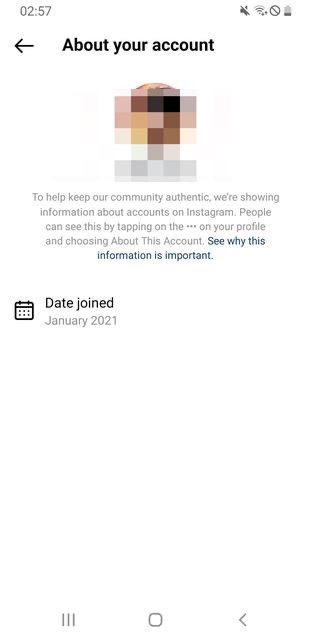
With the announcement that they are rolling out Meta Verified worldwide over the next few months, I guess I'll just wait.
A few reasons why I *believe* it didn't work for me:
1. account only has 2 posts and 80 followers. There might me a limit regarding that.
2. This account (my personal one) doesn't show the location under "about account" (didn't show it even before I tried this method) - see screenshot attached. All my other accounts show Germany as my location.
With the announcement that they are rolling out Meta Verified worldwide over the next few months, I guess I'll just wait.
Sebastian324
Junior Member
- May 16, 2017
- 192
- 148
Okay so day 8 for me and no Meta Verified option. If I try to go to the direct link (https://about.meta.com/technologies/meta-verified/) it says I'm on the waitlist from when I joined a few weeks ago.
A few reasons why I *believe* it didn't work for me:
1. account only has 2 posts and 80 followers. There might me a limit regarding that.
2. This account (my personal one) doesn't show the location under "about account" (didn't show it even before I tried this method) - see screenshot attached. All my other accounts show Germany as my location.
View attachment 266583
With the announcement that they are rolling out Meta Verified worldwide over the next few months, I guess I'll just wait.
Follow Up to my post above:
I requested and downloaded all my accounts data and I was able to find the location, which was still set to my little german town.
So 1. I either didn't wait long enough or
2. the mobile proxy I used wasn't good enough or
3. the fact that I used an Android for this while my main phone which I've always used is an iPhone somehow influenced this. In the data downloaded I also found that my main phone was set as my iPhone (although I have been logged out for over a week)
Hope this info can be helpful for some of you.

thejoycedaniels
Newbie
- Dec 27, 2022
- 10
- 0
Hey thanks for sharing such an informative article but could you tell us how long will it last?

OH!!!!Its been now 2 weeks and my region is still Germany.. Idk if its ever going to change


rockmetalradyo
Junior Member
- Feb 2, 2017
- 137
- 26
This week starting in Turkey
eyenantsch
Newbie
- Jun 14, 2023
- 9
- 1
so guys i found a way how it works. and its works 100% this way which they showing here its patched. you can check my instagram, same name as my username here. if someone interested how it work, just dm me on instagram!

graziani_andrea
Newbie
- Feb 5, 2019
- 14
- 6
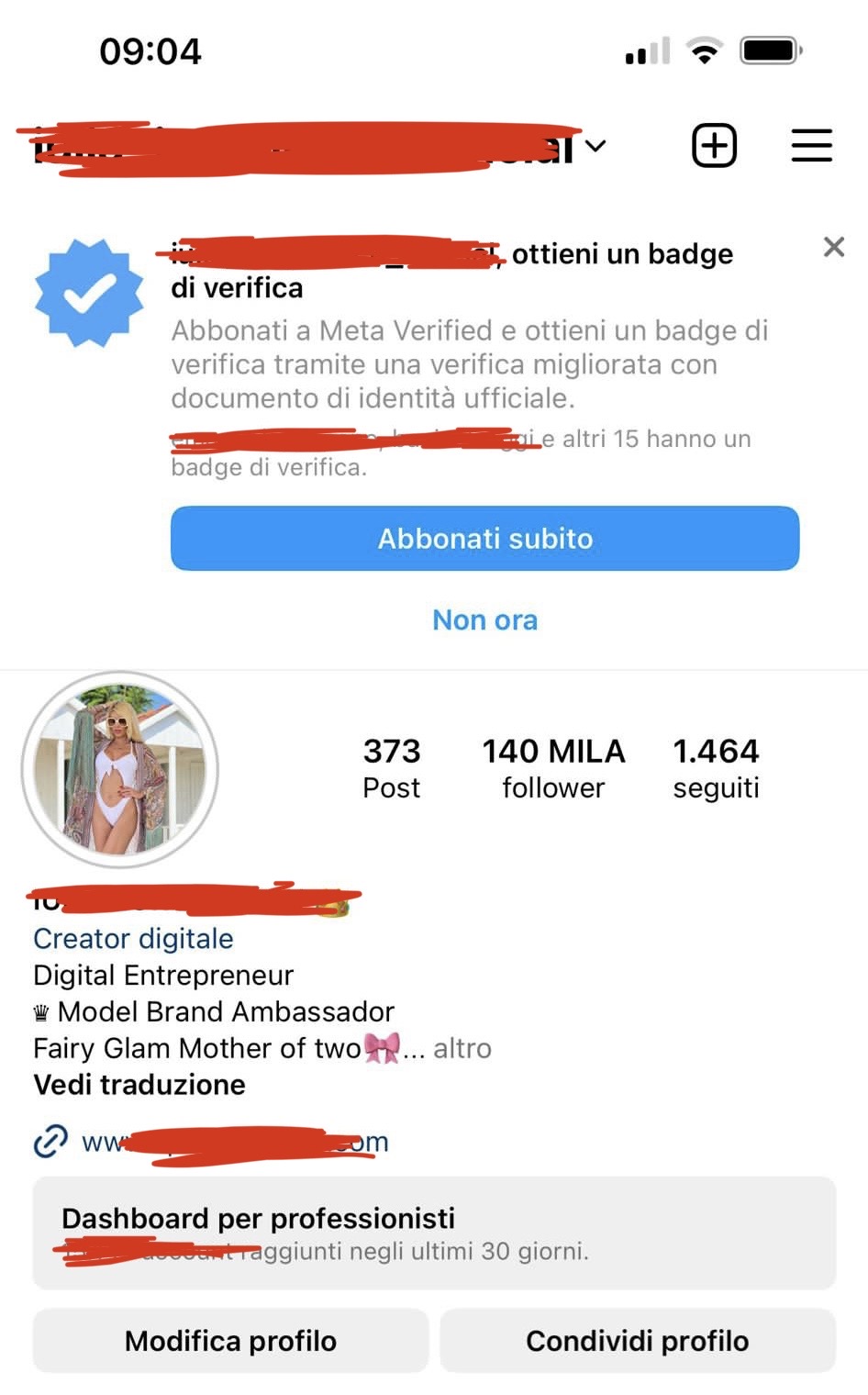
My client in Italy… only lucky… based in Italy.

- Mar 22, 2013
- 6,287
- 10,985
Then your real location gets leaked to Meta and you did something wrong.Its been now 2 weeks and my region is still Germany.. Idk if its ever going to change
Let me correct you: It doesn't work for you. Just three days ago I successfully verified another account. So in total, I verified already 4 accounts. Using the exact same method I posted.Well... it does not work. I am in Day 7 but did not work!
Instead of making a post like this, simply post this method here. I made this thread to help people. I could have made a sales thread and charged people hundreds of dollars, but I made it public for free. Then guys like you come in and try to profit off these people. Stay away or share your method.so guys i found a way how it works. and its works 100% this way which they showing here its patched. you can check my instagram, same name as my username here. if someone interested how it work, just dm me on instagram!
- Mar 22, 2013
- 6,287
- 10,985
Guys, I just want to clarify something because I believe many of you make mistakes when setting things up.
Meta Verified is available in a few countries including the US, Australia, UK, and so on.
If you are outside of these countries, your main goal should be to fake your location and make Meta believe you are in one of these countries.
How do you do it? You need to make sure:
- Don't leak your real location/IP to any Meta app in any way!
- Only connect to Instagram using a 4G Mobile Proxy and a Fake GPS app
Furthermore, you need to sign up for the Meta Verified Waitlist.
After 7 days, the location should change and the Meta Verified option should show up.
Please follow the steps carefully. Keep in mind: Nothing (!) should leak your real IP and location to Meta. This also means you have to uninstall (or at least sign-out!) from Facebook and Instagram and also Whatsapp (only if your accounts are connected!) during this process.
Many apps are using Meta's SDK for analytics and advertising. This means, even if you don't have IG or FB installed on your phone, they still get your data.
This is why I said: Set up a dummy phone and uninstall all apps except Shadowrocket (VPN) and IG. Only log in to IG using the 4G Mobile Proxy. Never use IG outside this phone.
Meta Verified is available in a few countries including the US, Australia, UK, and so on.
If you are outside of these countries, your main goal should be to fake your location and make Meta believe you are in one of these countries.
How do you do it? You need to make sure:
- Don't leak your real location/IP to any Meta app in any way!
- Only connect to Instagram using a 4G Mobile Proxy and a Fake GPS app
Furthermore, you need to sign up for the Meta Verified Waitlist.
After 7 days, the location should change and the Meta Verified option should show up.
Please follow the steps carefully. Keep in mind: Nothing (!) should leak your real IP and location to Meta. This also means you have to uninstall (or at least sign-out!) from Facebook and Instagram and also Whatsapp (only if your accounts are connected!) during this process.
Many apps are using Meta's SDK for analytics and advertising. This means, even if you don't have IG or FB installed on your phone, they still get your data.
This is why I said: Set up a dummy phone and uninstall all apps except Shadowrocket (VPN) and IG. Only log in to IG using the 4G Mobile Proxy. Never use IG outside this phone.
I followed the exactly things you mentioned. 2nd Phone, Mobile Proxy, GPS Spoof, only Instagram. Login Activity is also only in the US, so everything is fine with my settingsGuys, I just want to clarify something because I believe many of you make mistakes when setting things up.
Meta Verified is available in a few countries including the US, Australia, UK, and so on.
If you are outside of these countries, your main goal should be to fake your location and make Meta believe you are in one of these countries.
How do you do it? You need to make sure:
- Don't leak your real location/IP to any Meta app in any way!
- Only connect to Instagram using a 4G Mobile Proxy and a Fake GPS app
Furthermore, you need to sign up for the Meta Verified Waitlist.
After 7 days, the location should change and the Meta Verified option should show up.
Please follow the steps carefully. Keep in mind: Nothing (!) should leak your real IP and location to Meta. This also means you have to uninstall (or at least sign-out!) from Facebook and Instagram and also Whatsapp (only if your accounts are connected!) during this process.
Many apps are using Meta's SDK for analytics and advertising. This means, even if you don't have IG or FB installed on your phone, they still get your data.
This is why I said: Set up a dummy phone and uninstall all apps except Shadowrocket (VPN) and IG. Only log in to IG using the 4G Mobile Proxy. Never use IG outside this phone.