OMGWTFISTHIS
Power Member
- Sep 20, 2011
- 578
- 965
Hey guys, I'm going to show you how I get hundreds of custom comments on Youtube for free. It's very, very simple - and doesn't take any special knowledge before hand.
This is going to be a quick little guide, so let's start.
1. Download Ultimate Comment Scraper from the hyperlink provided.
(I don't know if I have to provide a virus scan or not since it's not mine, but I'll do so anyways. Click here to get the Virus total scan.) It's a false positive, I promise you.
Ultimate Comment Scraper has been cracked many times and shared across many different Blackhat forums. There is no need for a cracked version with what we are doing with the software, so no worries!
2. Install the software, and run it. You will see various options, but what we want is the "Harvester" section. Click the "Youtube" check box.
3. Now, you are going to want to use some keywords that are related to your video/niche. Can't think of enough keywords in which pertain to your niche? Use Uber Suggest. This tool will give you tons of search ideas in which are related to your base keyword. For example, if my keyword was Xbox Live Codes, I'd type that in, and you'd get tons of keywords. Click ON THE WORD itself, and you will get 10 more words. Press the Green plus signs to add it to your list, and keep clicking on the words to get more keyword suggestions. This is a great way to scrape tons of Google Keyword Tool suggestions, try it out.
4. Now that you have your keywords, go back into Ultimate Comment Scraper, and under the 'Keywords' section, paste all of the keywords you got from Uber Suggest. Press start.
5. Wait a couple of minutes, depending on how many keywords you searched for, and it will scrape through hundreds and even thousands of Youtube comments in which pertain to your niche. This will generate comments for you, to use on YOUR video.

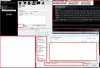
It will look something like the above.
6. Press Save and Close, then export to .TXT file.
7. Go to U2Bviews (Most of you know what it is), but if not, it is a Youtube view/comment/subscriber sharing website. You will want to go to "My Videos" under U2Bviews, to add your video in which you want to boost the comments for. You need to add a minimum of 250 views, so add those now. Now it's time for the fun part!
8. Click "Add Box" under comments, to add multiple custom comments to your video. Here comes the fun part. Get that .TXT file that you saved, and add any comment that you think is suitable for your video. Manually paste them into the text fields on U2Bviews, until you fill up all the boxes. Submit the video, and let the comments roll in!
Enjoy the guide guys, I wrote it kind of sloppy - SORRY. D:
This is going to be a quick little guide, so let's start.
1. Download Ultimate Comment Scraper from the hyperlink provided.
(I don't know if I have to provide a virus scan or not since it's not mine, but I'll do so anyways. Click here to get the Virus total scan.) It's a false positive, I promise you.
Ultimate Comment Scraper has been cracked many times and shared across many different Blackhat forums. There is no need for a cracked version with what we are doing with the software, so no worries!
2. Install the software, and run it. You will see various options, but what we want is the "Harvester" section. Click the "Youtube" check box.
3. Now, you are going to want to use some keywords that are related to your video/niche. Can't think of enough keywords in which pertain to your niche? Use Uber Suggest. This tool will give you tons of search ideas in which are related to your base keyword. For example, if my keyword was Xbox Live Codes, I'd type that in, and you'd get tons of keywords. Click ON THE WORD itself, and you will get 10 more words. Press the Green plus signs to add it to your list, and keep clicking on the words to get more keyword suggestions. This is a great way to scrape tons of Google Keyword Tool suggestions, try it out.
4. Now that you have your keywords, go back into Ultimate Comment Scraper, and under the 'Keywords' section, paste all of the keywords you got from Uber Suggest. Press start.
5. Wait a couple of minutes, depending on how many keywords you searched for, and it will scrape through hundreds and even thousands of Youtube comments in which pertain to your niche. This will generate comments for you, to use on YOUR video.
It will look something like the above.
6. Press Save and Close, then export to .TXT file.
7. Go to U2Bviews (Most of you know what it is), but if not, it is a Youtube view/comment/subscriber sharing website. You will want to go to "My Videos" under U2Bviews, to add your video in which you want to boost the comments for. You need to add a minimum of 250 views, so add those now. Now it's time for the fun part!
8. Click "Add Box" under comments, to add multiple custom comments to your video. Here comes the fun part. Get that .TXT file that you saved, and add any comment that you think is suitable for your video. Manually paste them into the text fields on U2Bviews, until you fill up all the boxes. Submit the video, and let the comments roll in!
Enjoy the guide guys, I wrote it kind of sloppy - SORRY. D: